

 Deutsch
 Français
 Español
 Nederlands
 Italiano




In the “Companies & Portals” section of GetMyInvoices, you can create your own companies. These companies are your suppliers, to whom you assign the corresponding incoming invoices.
If you receive invoices from a company you've created, you can use the email import rules to ensure that invoices from that company are automatically assigned.
Step 1: Create a company
- Click on “Companies & Portals” on the left.
- Click on the plus icon on the right.
- Select “My Company/Portal.”
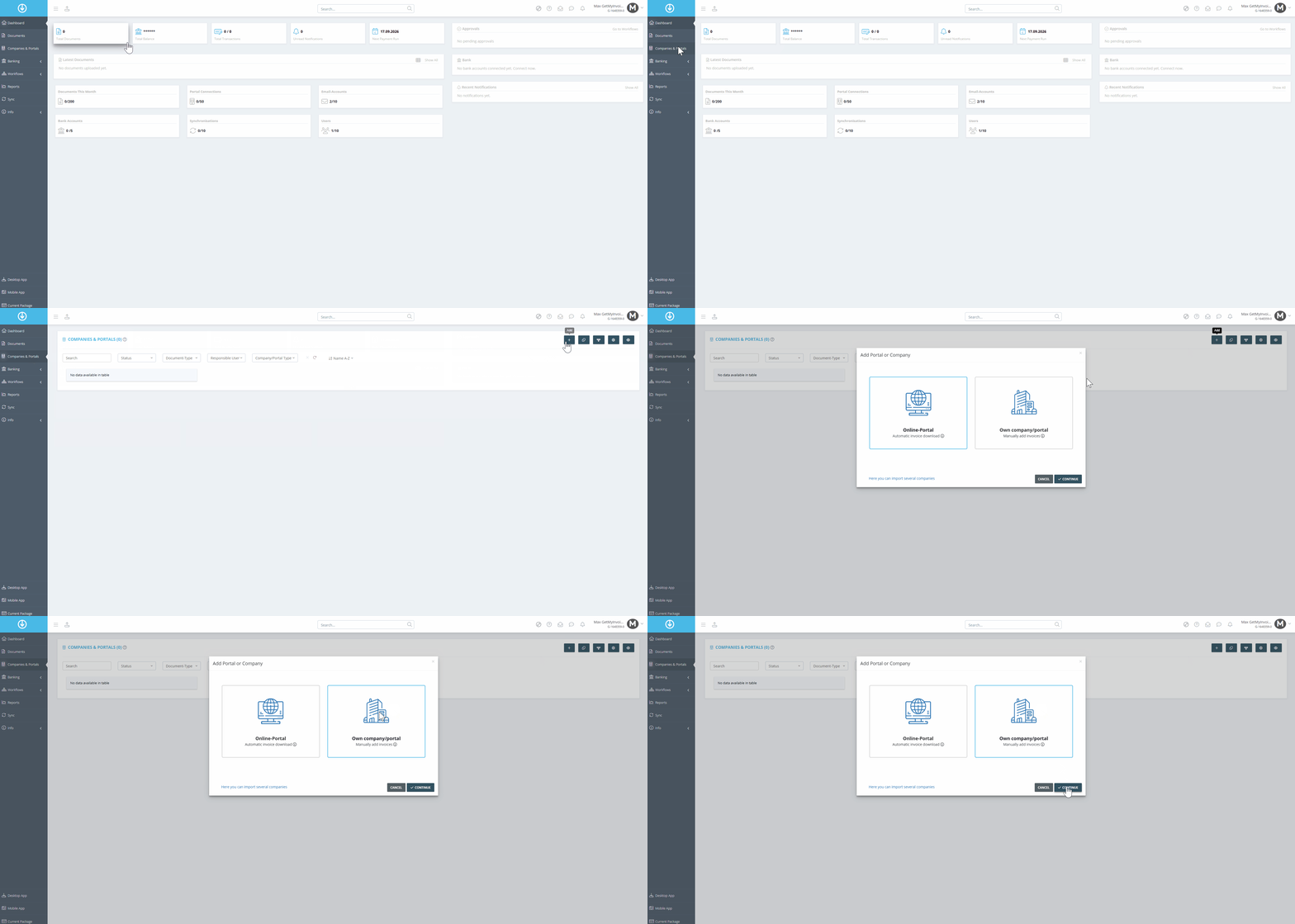
- Enter the company name.
Step 2: Enter data
- Enter the additional information for this supplier.
- Click “Save”.
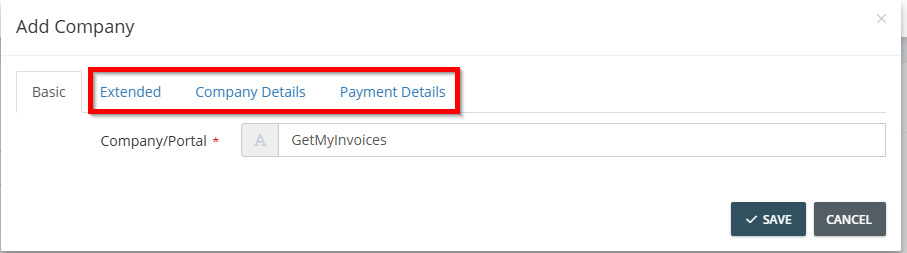
Please note: Make sure to keep the company's data complete. Only then can invoices be reliably assigned.