

 Deutsch
 Français
 Español
 Nederlands
 Italiano




Registering for a Peppol ID with GetMyInvoices takes just a few minutes and ensures your company is fully prepared to receive e-invoices. Peppol is a secure, standardized network for the electronic exchange of business documents. Your Peppol ID acts as an “address” on the network through which e-invoices are securely received. Thanks to encryption, digital signatures, and validation, these invoices are significantly more secure than traditional email transmissions.
In the following step-by-step guide, we’ll show you how to activate your Peppol ID.
Step 1
- Click on your account name in the top right corner.
- Select Peppol from the dropdown menu.
Step 2
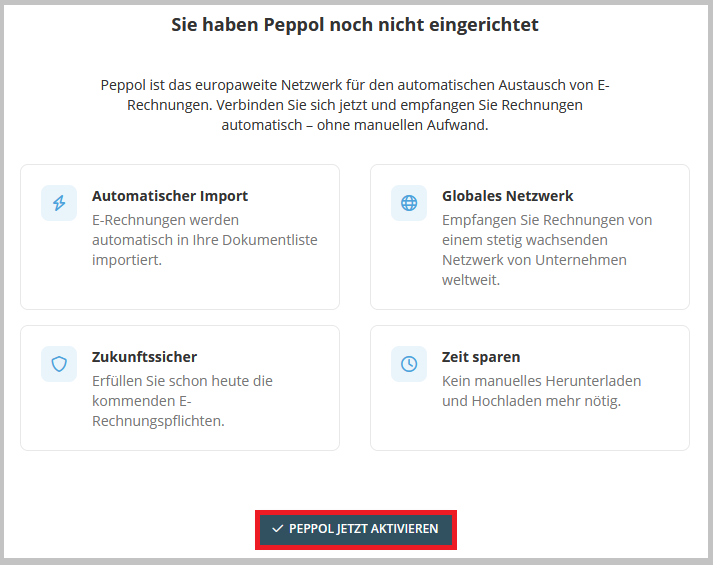
- Click “Activate Peppol now”.
Step 3
- Fill in the required fields for your information and organizational details.
- Click “Next.”
Step 4
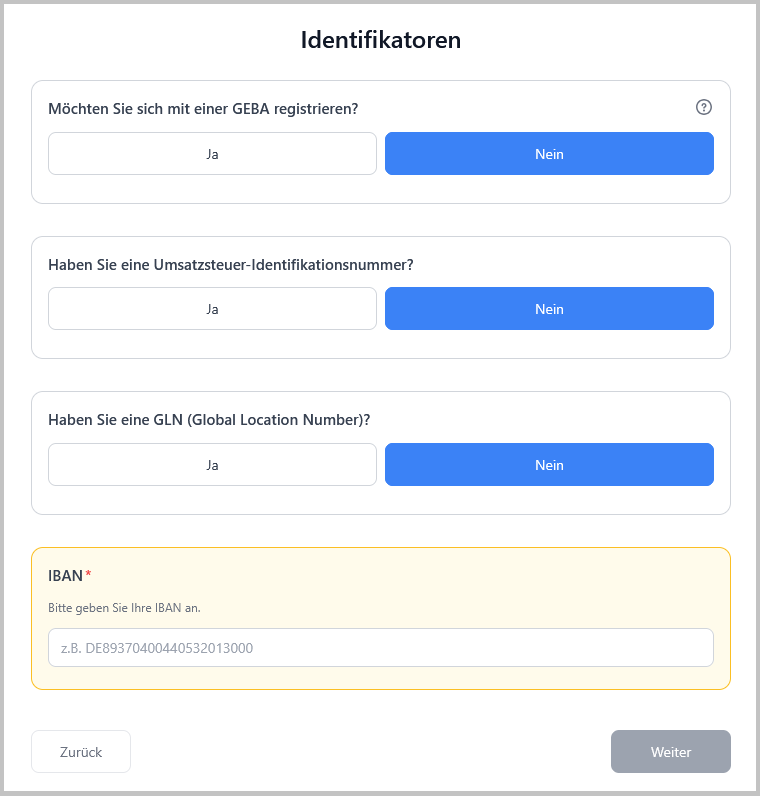
- Select one of the available identifiers.
- Click “Next.”
Note: If neither a GEBA, VAT ID, nor GLN is provided, a valid IBAN must be entered in order to proceed.
Step 5
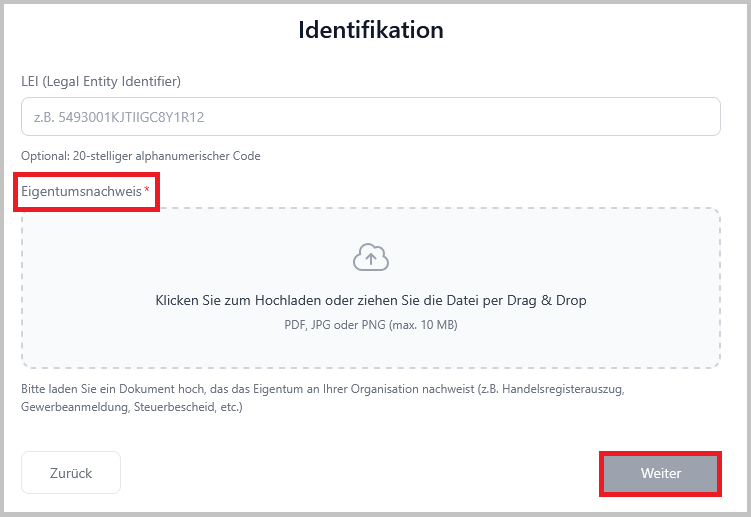
Optional: Enter your LEI (Legal Entity Identifier).
- Upload proof of ownership, e.g., an extract from the commercial register, business registration, tax assessment notice, etc.
- Click “Next.”
Step 6
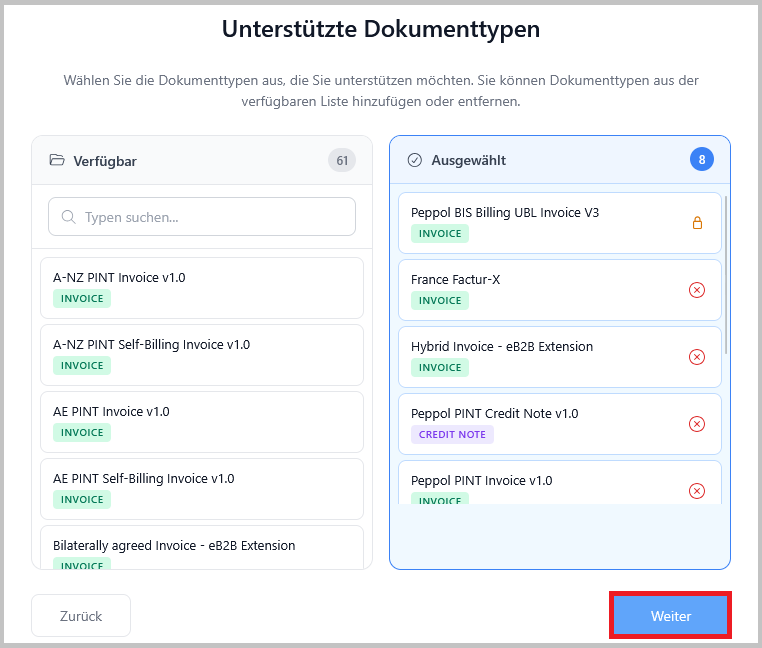
- Select the desired document types.
- Click “Next.”
Step 7
- Review the overview and agreement.
- Confirm the service agreements.
- Click “Submit.”
All done! We will review your registration. This usually takes 1-2 business days. Once the review is complete, you’ll receive a confirmation via email. You’ll then see in the status section of the overview when your Peppol ID is active.
To apply for another Peppol ID, click “Apply for another Peppol ID” in the top right corner.
Tip: You can easily share your Peppol ID by adding it to your email signature, for example-just like an email address.