

 Français
 Español
 Nederlands




By default, GetMyInvoices synchronizes your documents with your connected import and export sync accounts on a daily basis (every 24 hours). You can modify the sync interval for both import and export accounts if you want to change how often you want your documents to sync. Here’s how to customize your sync interval settings in GetMyInvoices.
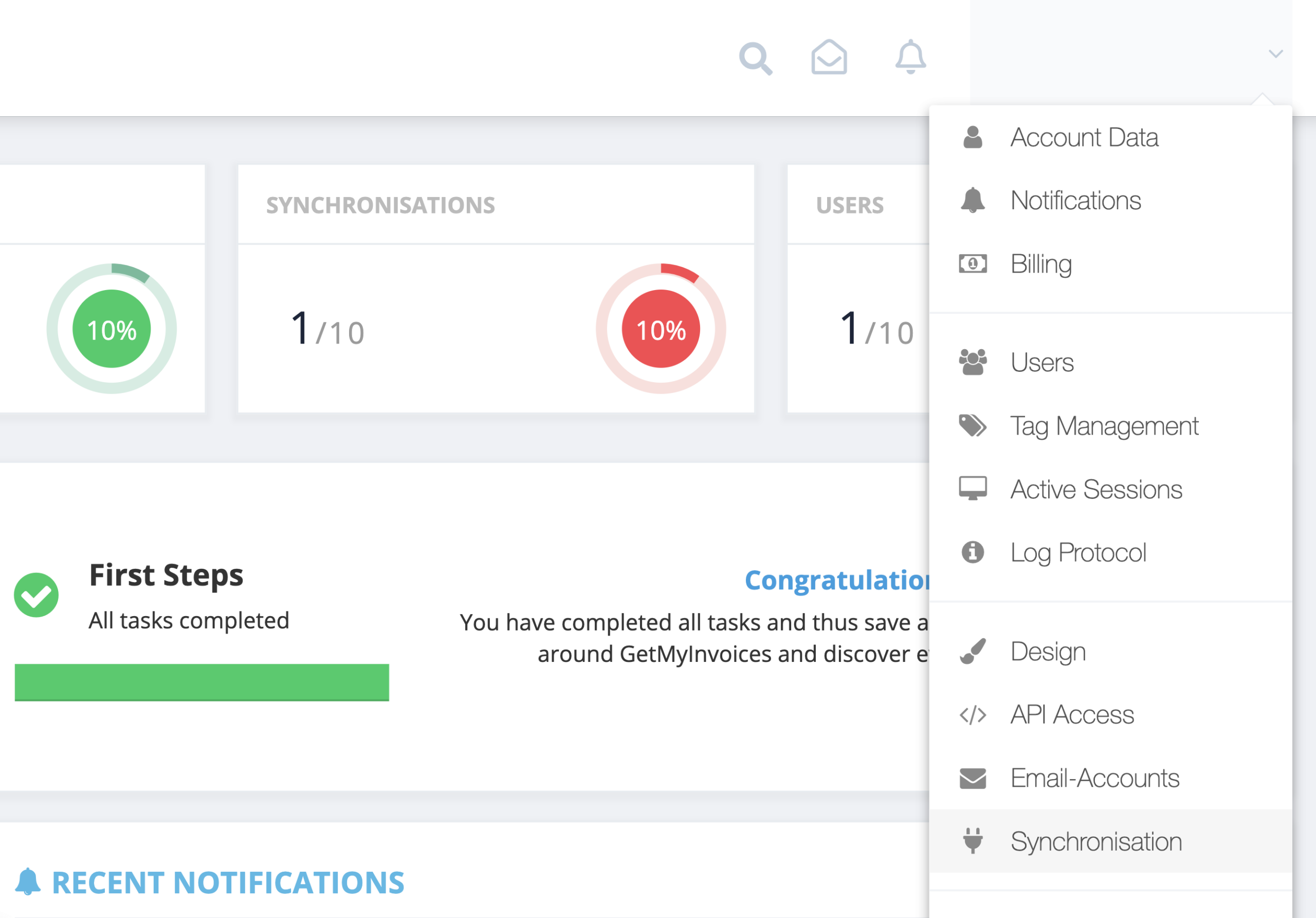
Step 1. From the GetMyInvoices dashboard, navigate to your account name on the top right corner then click Synchronization on the drop-down menu.
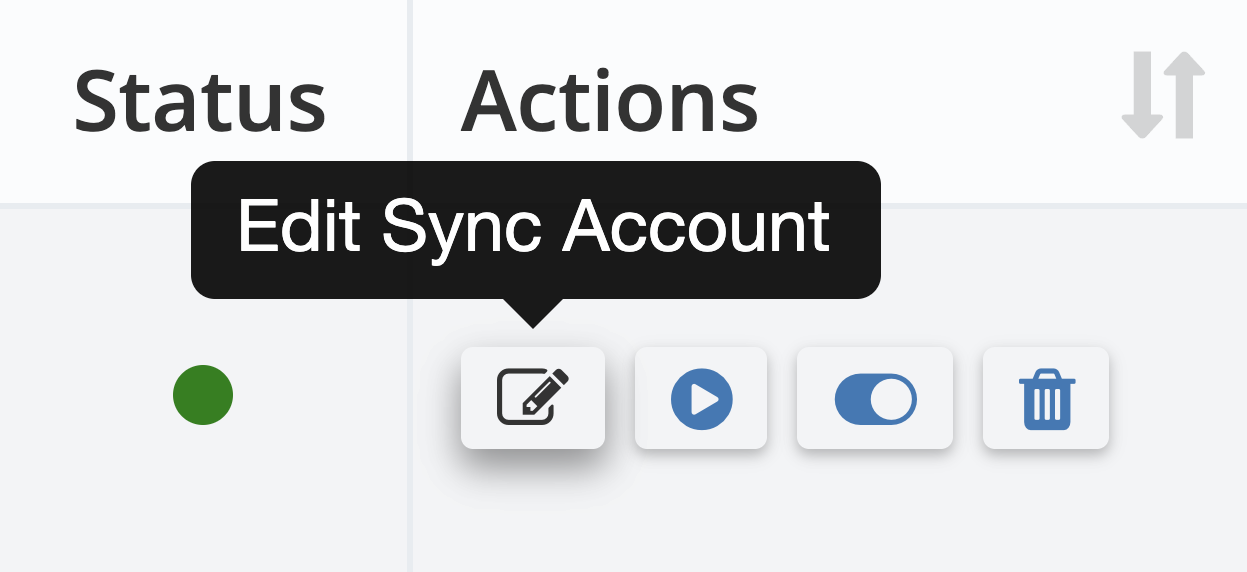
Step 2. Find the connected sync account you want to modify the sync interval setting. Under Actions, click Edit Sync Account.
Step 3. Under Edit Sync Account, click the drop-down menu next to Interval to reveal sync interval options.
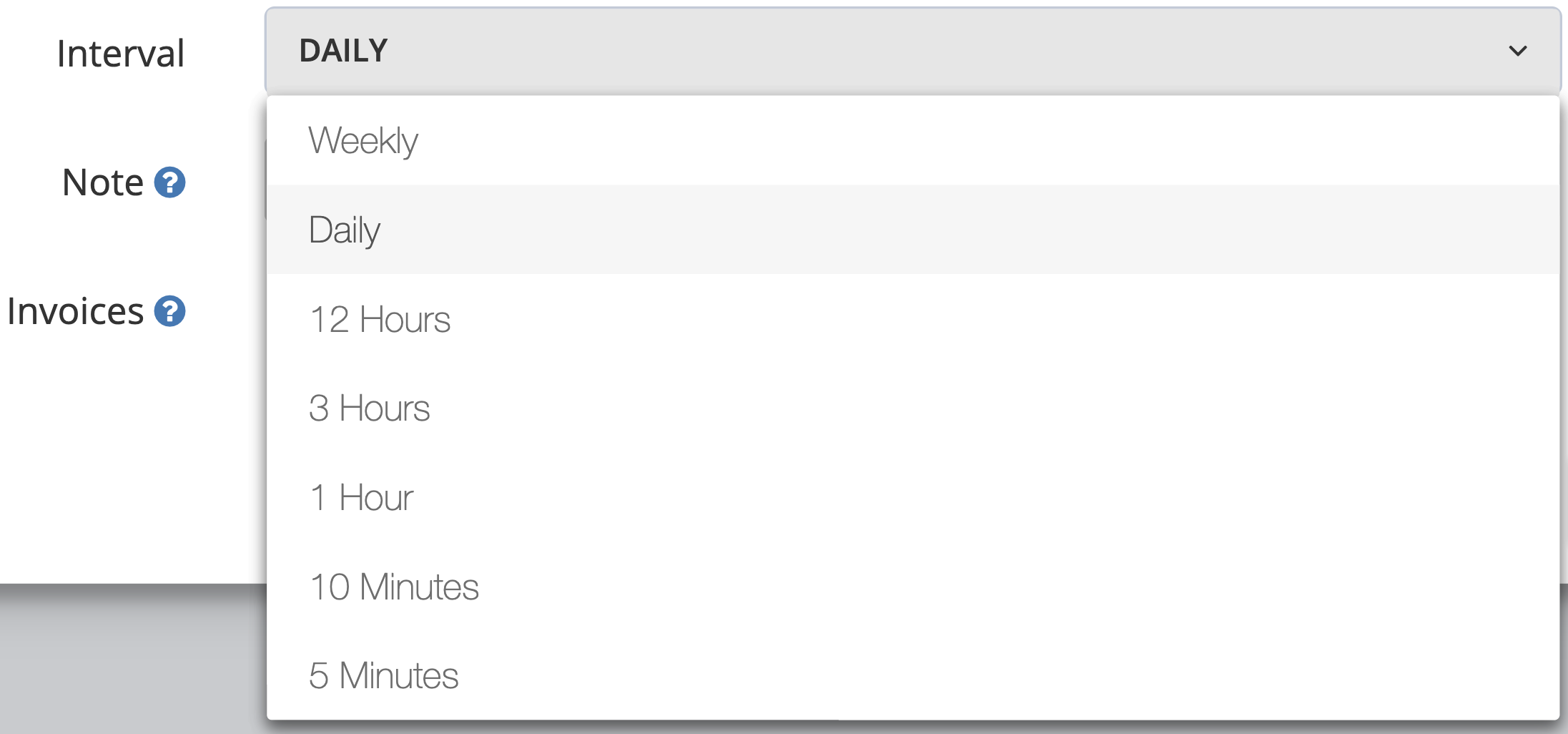
Step 4. Choose your desired sync interval, then click Save to confirm your changes.
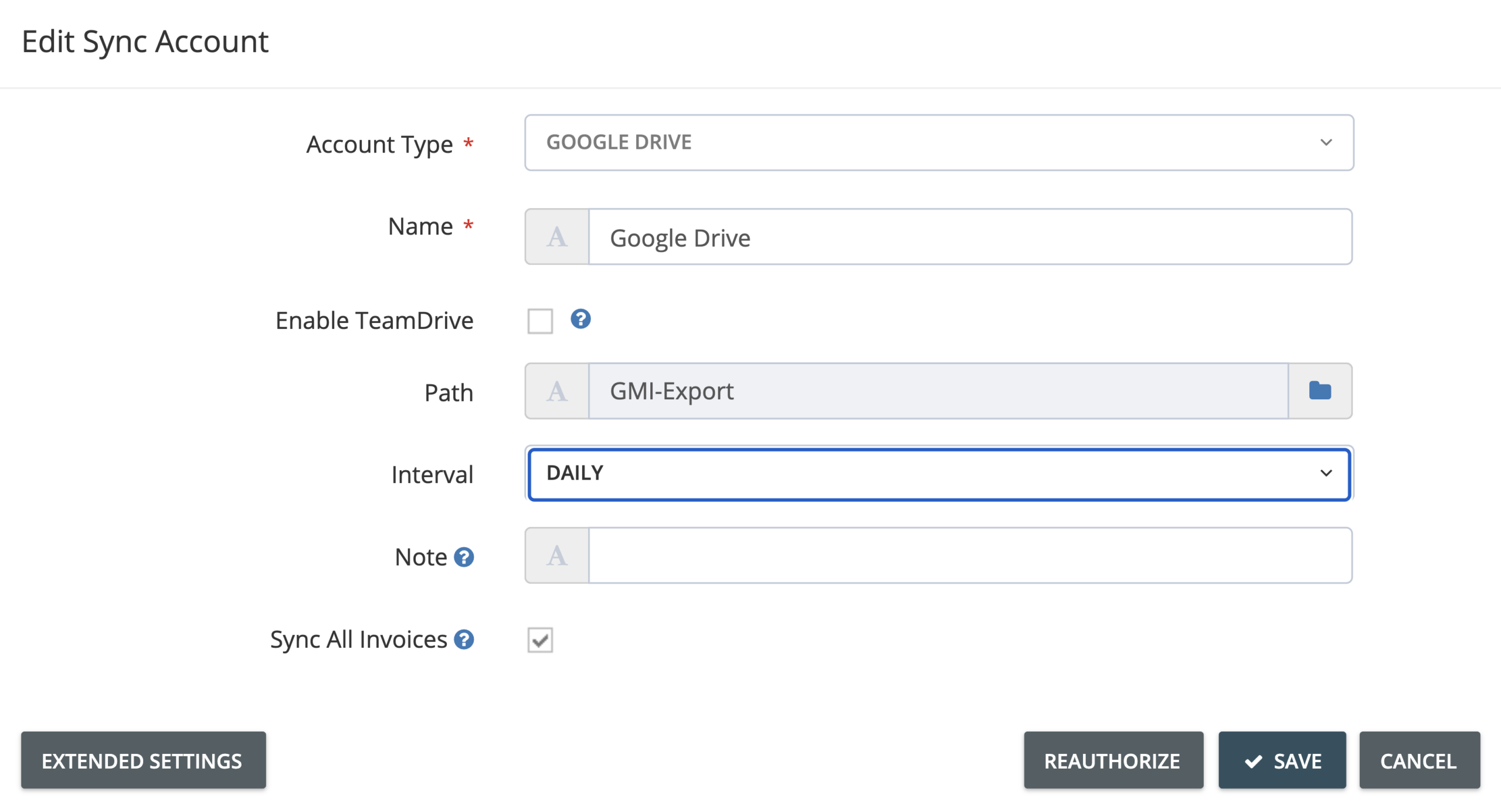
Note: Interval options of import accounts are different from those of export accounts.