Deutsch
 Français
 Español
 Nederlands
 Italiano




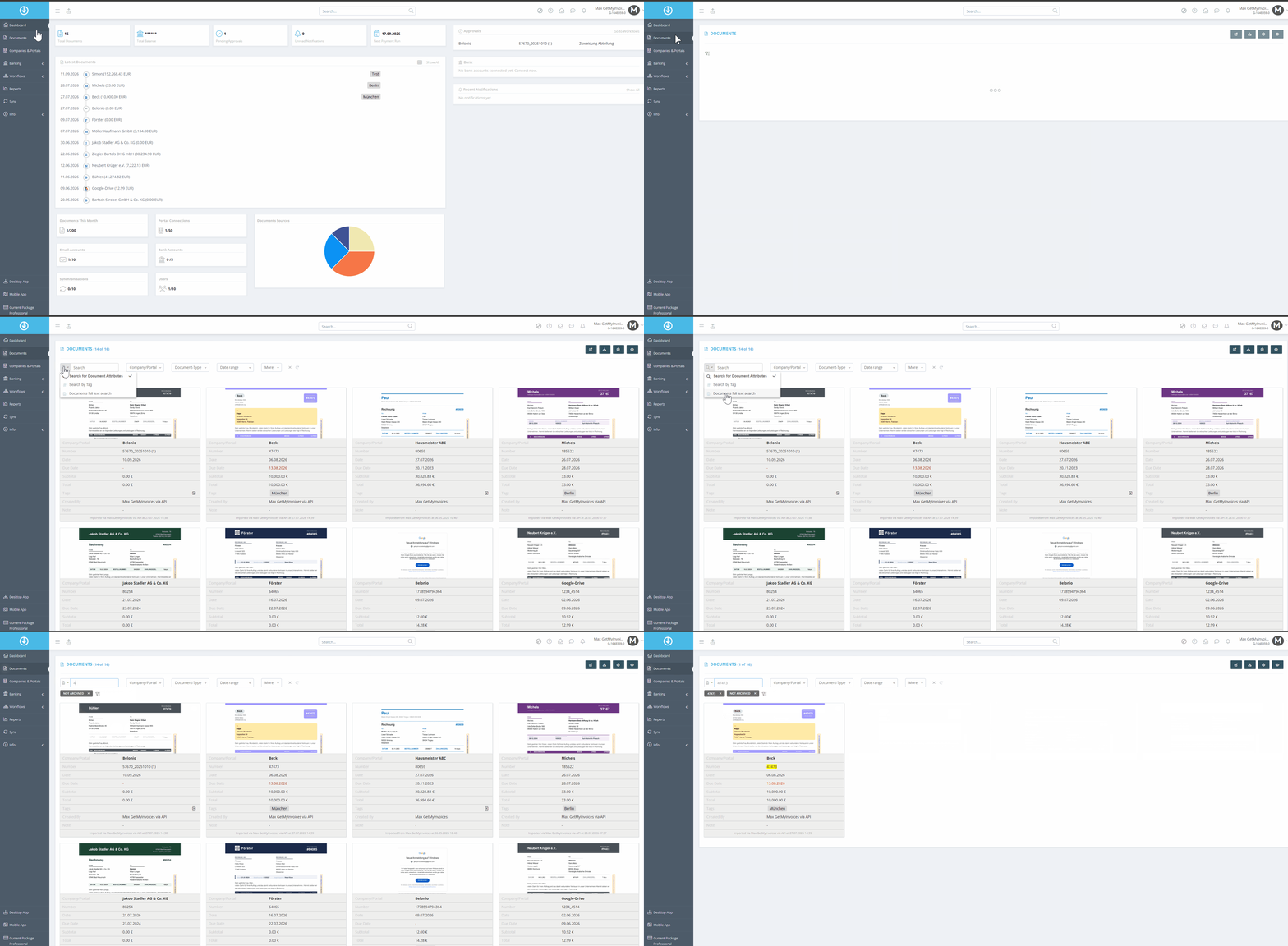
Do you only know the invoice number or a keyword, but not the document name? With the full-text search in GetMyInvoices, you can find documents based on their content. To do this, enter the term you're looking for in the search bar—for example, an invoice number or a keyword.
- Click on “Documents” in the left menu.
- In the “Search” area, use the drop-down menu to select the “Document full text search”.
- Now enter an invoice number as an example and confirm the search with the Enter key on your keyboard.
- After confirming by pressing the Enter key, the found document will be displayed.