

 Deutsch
 Français
 Español
 Nederlands
 Italiano




With the “Edit Document(s)” feature in GetMyInvoices, you can edit multiple invoices at once instead of opening each one individually.
Step 1: Open documents
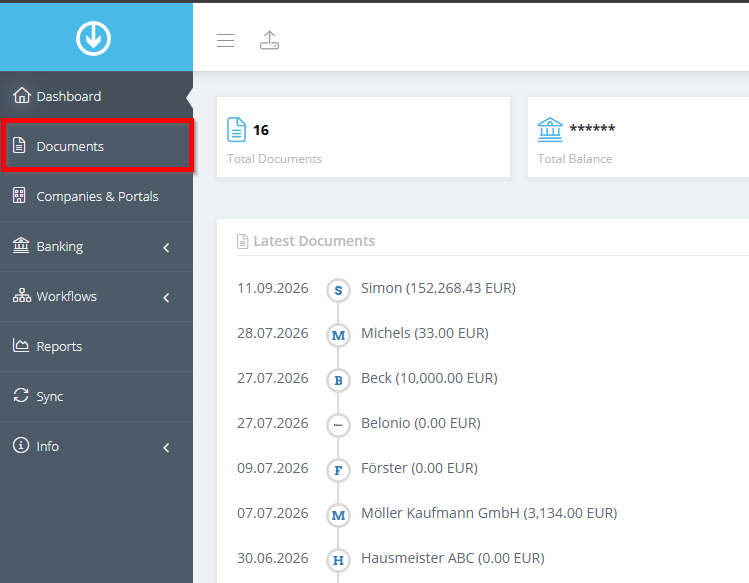
- Click “Documents” in the menu on the left.
Step 2: Select Invoices
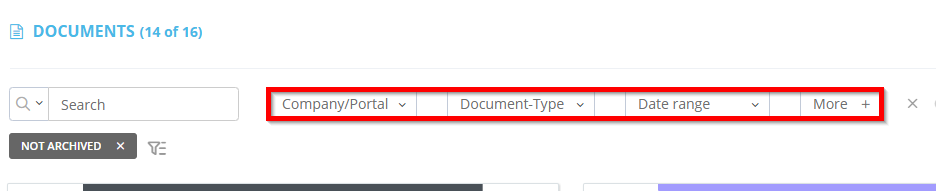
- Set the filters to narrow down the invoices you want to process
Step 3: Make the changes
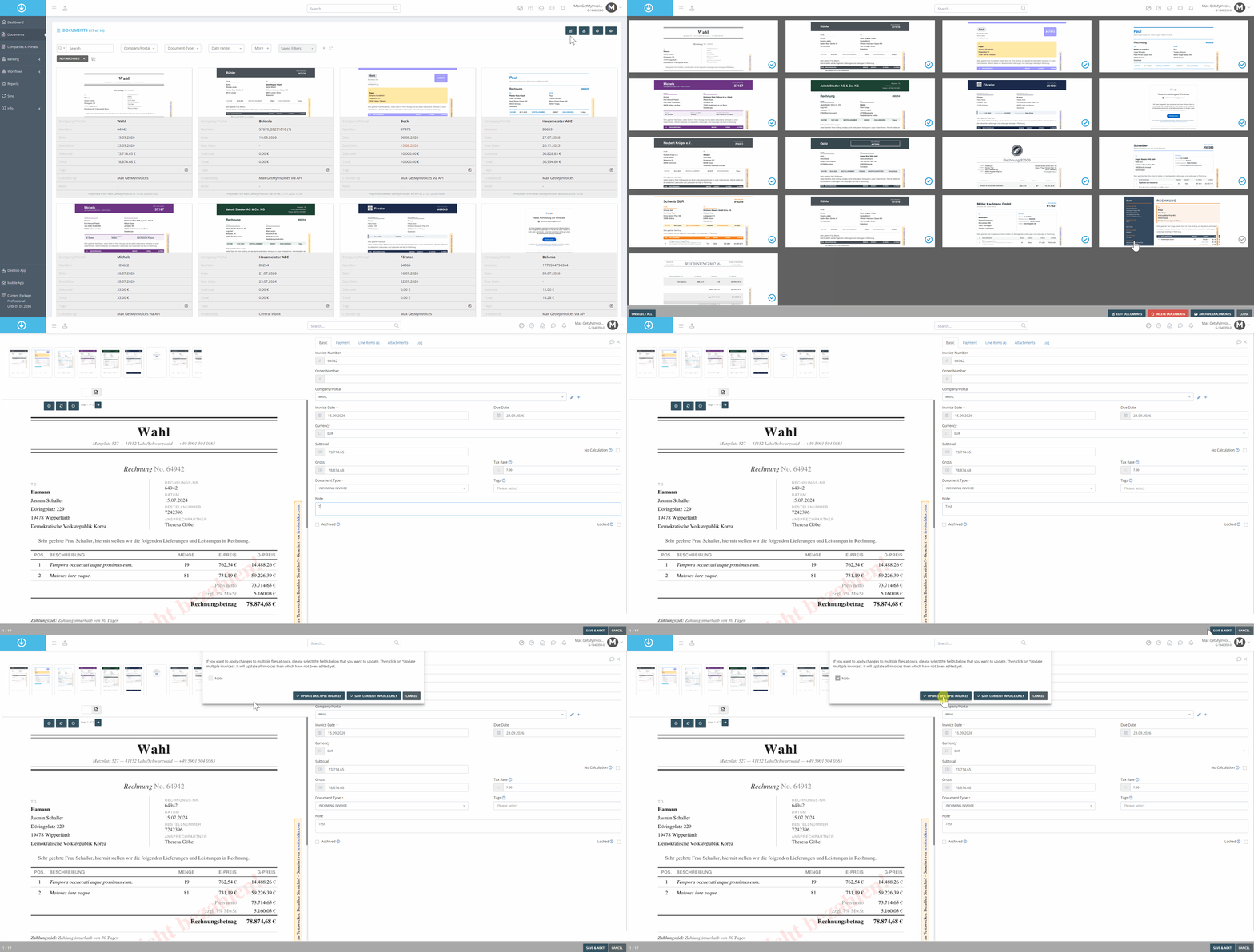
- Click the “Edit Document(s)” icon in the upper-right corner.
- In the new window, review the selected invoices and click “Edit Documents.”
- Make the changes to the first invoice and click Save & Continue.
- Use the checkbox to select the items you want to apply to all invoices.
- Click “Save Multiple Invoices” to apply the changes to all selected invoices.
In our example, we want to add a note to all selected documents
Depending on the number of documents to be modified, the process may take some time.