Deutsch
 Français
 Español
 Nederlands
 Italiano




It’s easy to get a quick glance into your accounting processes with high-level report views available in the Reports page. There are five different report views you can use to quickly visualize your invoice data.
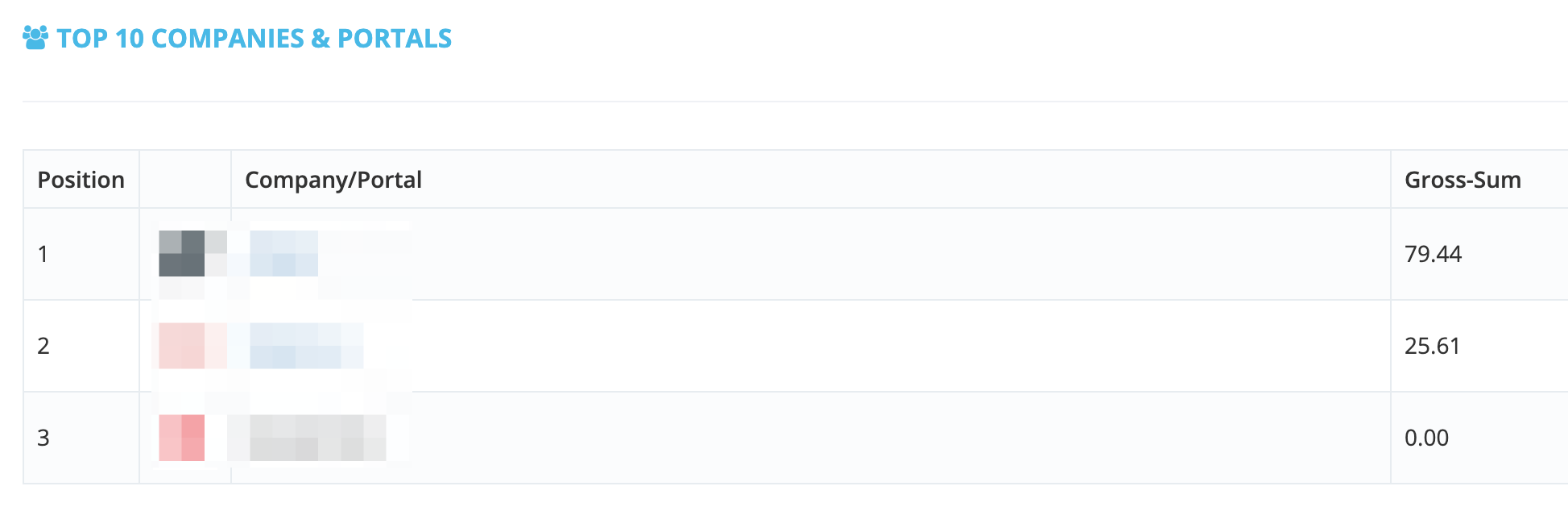
Top 10 Companies & Portals - It lets you see 10 of your connected online portals with the largest gross invoice amount sums.
Volume by Tags - This view groups your invoices according to tags and ranks them based on gross invoice amount (volume) for each tag. It visualizes your data in a pie chart. By default, untagged documents are not included in this report view.

Volume by Company/Portal - It ranks your connected online portals based on the gross invoice amount (volume) generated per portal. Like the Volume by Tags view, it also presents information in a pie chart.

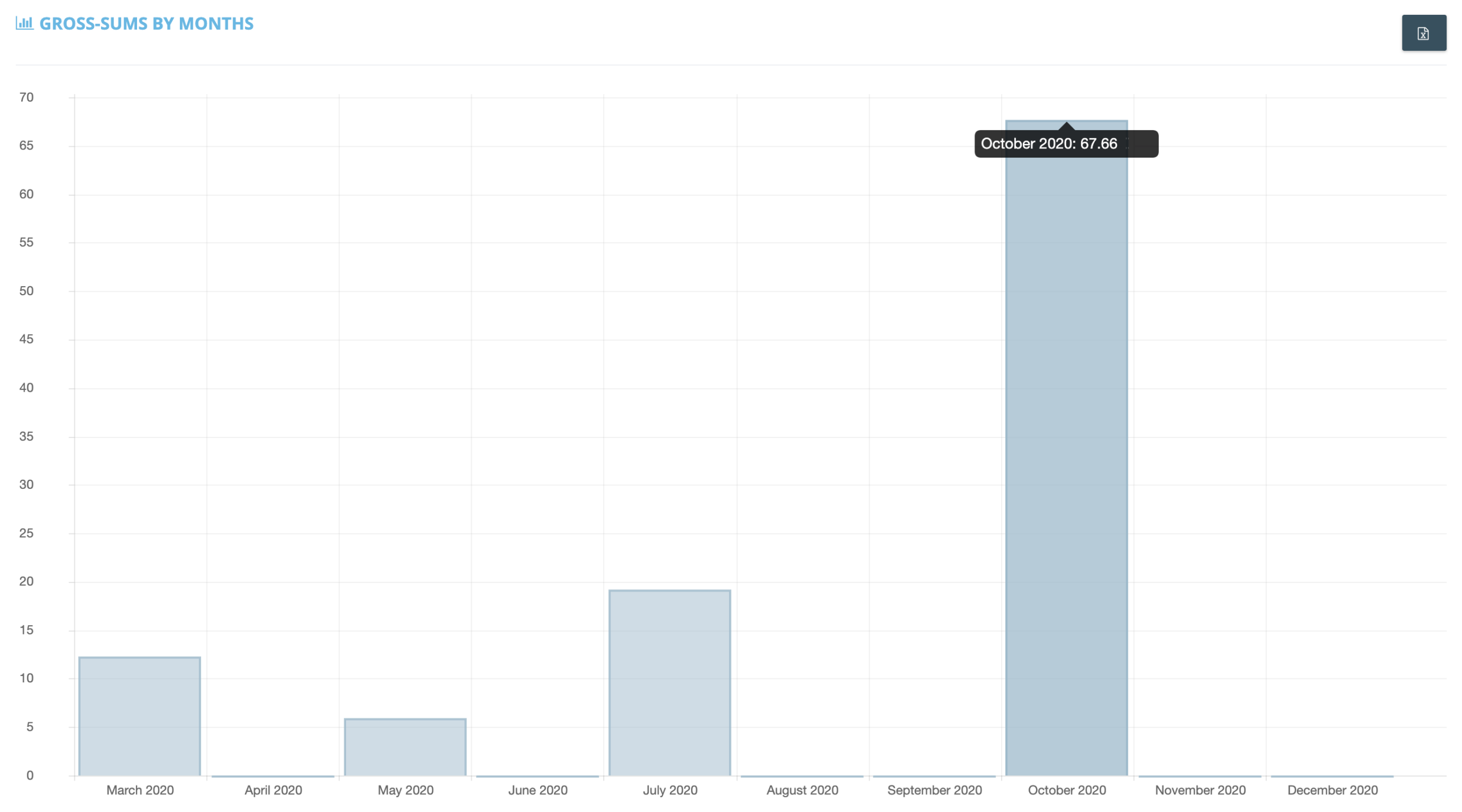
Gross Sums by Month - This report view includes the total of the invoice amount sums from all connected online portals and sorts these amounts by month. It is one of two report views with a bar chart visualization.
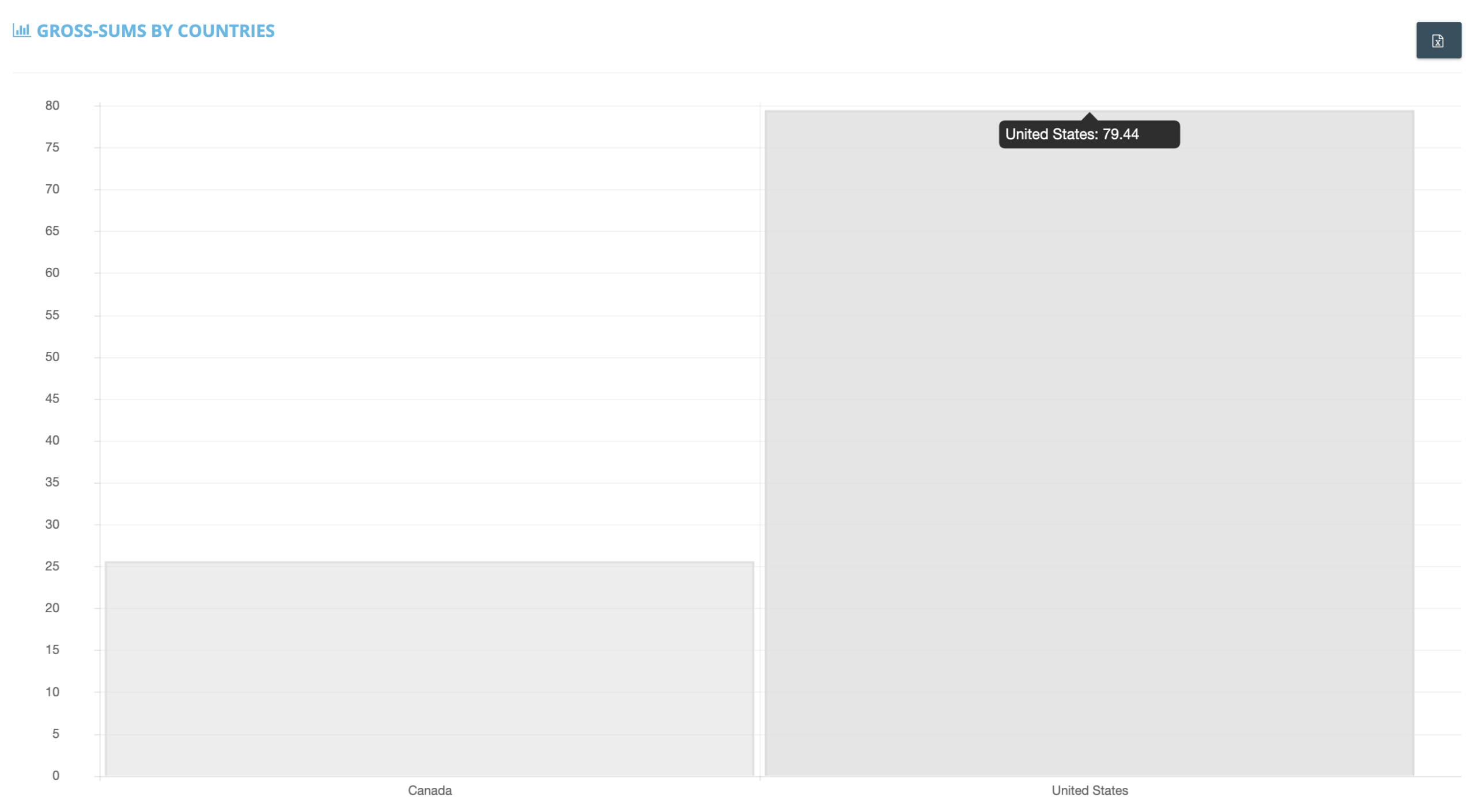
Gross Sums by Country - It lets you see different invoice amount sums associated with each of your connected portal’s countries of origin. This report view shows gross sum data in bar chart form.