

 Deutsch
 Français
 Español
 Nederlands
 Italiano




GetMyInvoices allows you to import transactions made via PayPal into the Banking section.
Important Note: PayPal does not issue invoice numbers. PayPal provides transaction numbers. These transaction numbers are generally NOT included on the invoices. As a result, the suggestions in the Banking section may not be generated.
Step 1
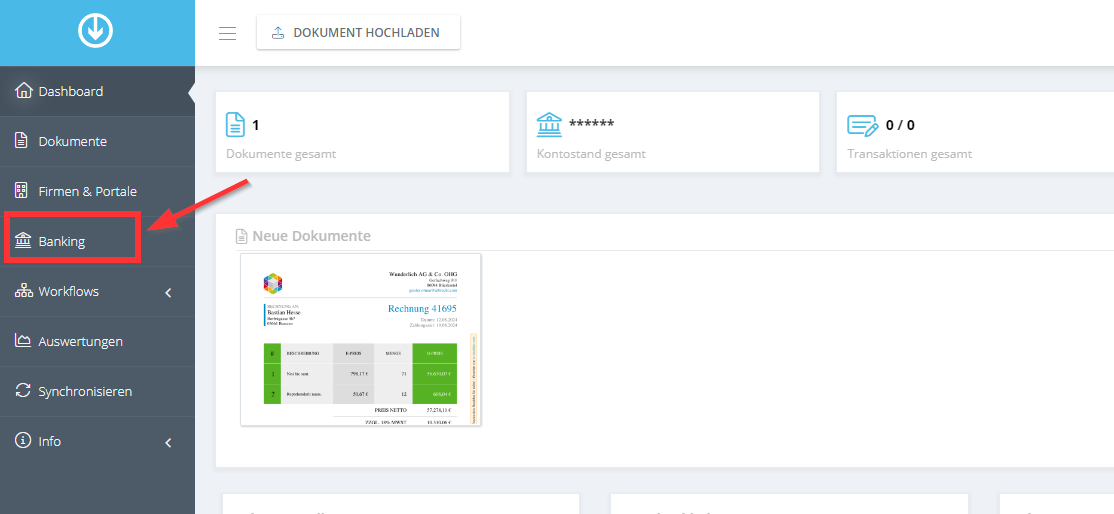
- Log in to GetMyInvoices.
- On the right-hand side, select the Banking section with your mouse.
Step 2
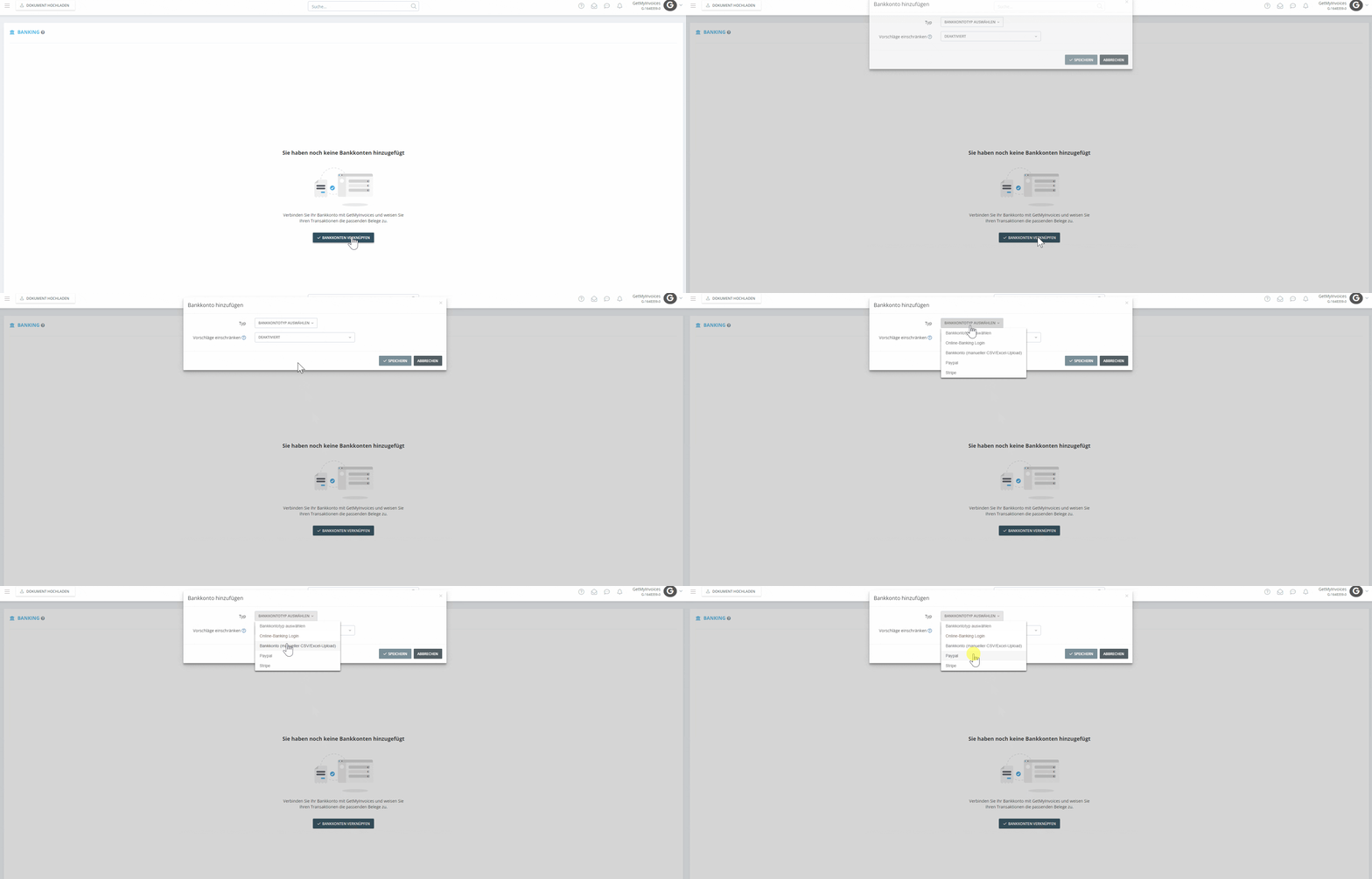
- Select your bank account type
- Add PayPal
Step 3
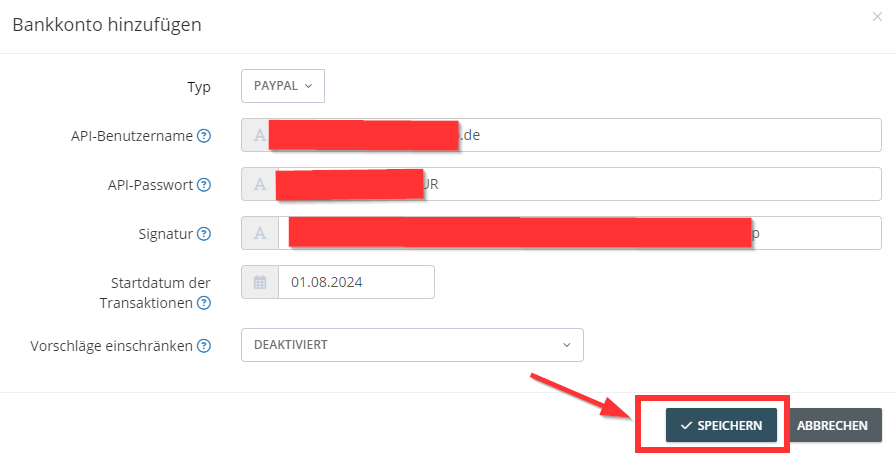
- Retrieve the required information from PayPal.
- Copy the information and paste it into the appropriate fields.
- Then click Save.
After a few moments, your PayPal transactions will appear in GetMyInvoices.