

 Deutsch
 Français
 Español
 Nederlands
 Italiano




A Microsoft Exchange account (also known as Microsoft 365) can be linked to GetMyInvoices once the required setup is complete.
Step 1
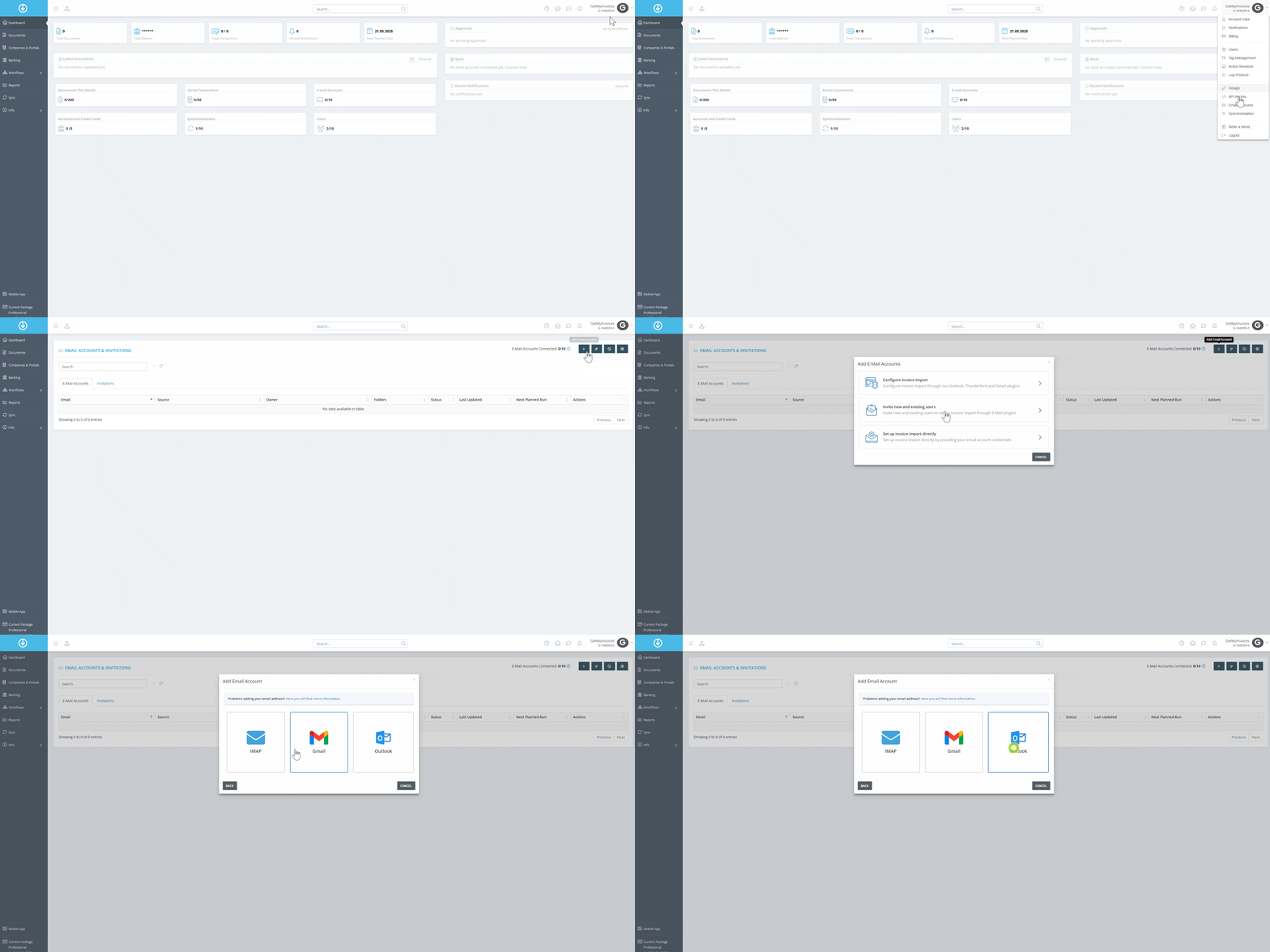
- Click on the account name at the top right of the dashboard.
- Select “Email Accounts” from the drop-down menu.
- Click on “Add Email Account.”
- Choose “Set up Invoice Import directly.”
- Select the Outlook tile.
Step 2
- Go through the Microsoft OAuth process.
- Select the desired Microsoft email account and link it with GetMyInvoices.
Step 3
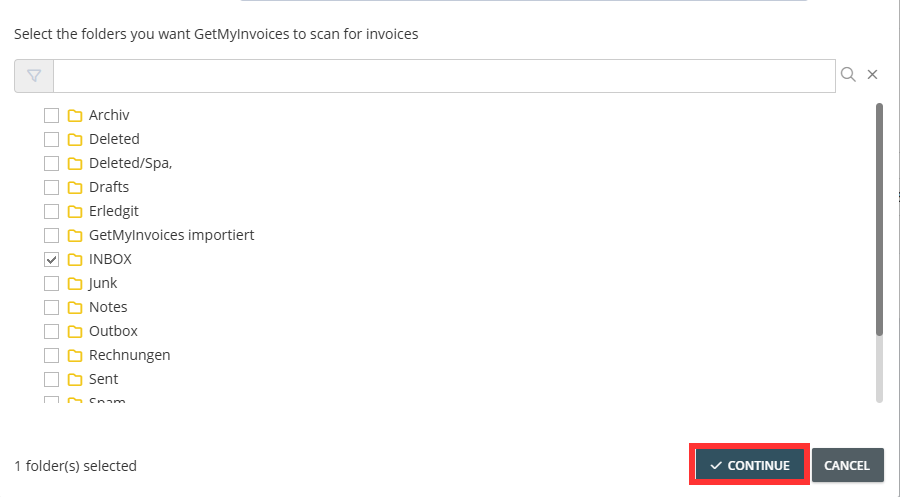
- Choose the folder for import.
- Click Continue
Step 4
- Select and save the appropriate import logic under Import Rules.