

 Deutsch
 Français
 Español
 Nederlands
 Italiano




GetMyInvoices downloads invoices exactly as they are provided. If a document contains multiple invoices, split it up as needed.
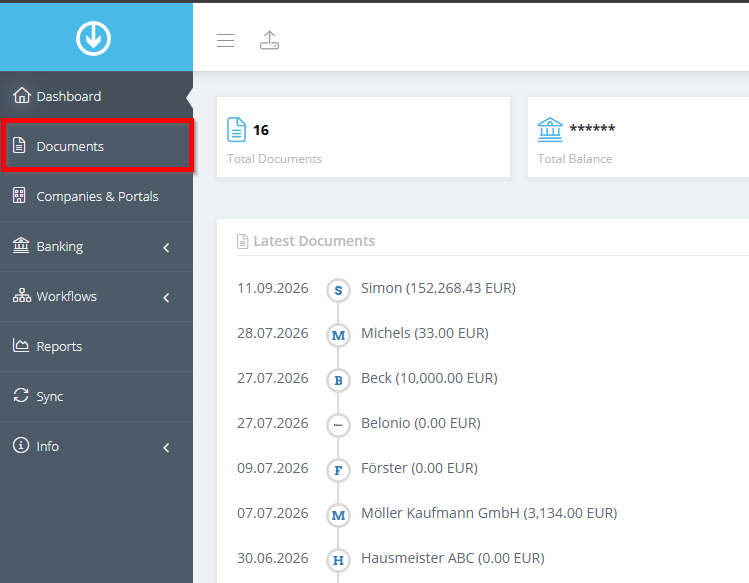
Step 1: Open Documents
- Click “Documents” in the menu on the left.
Step 2: Choose how you want to split the invoice
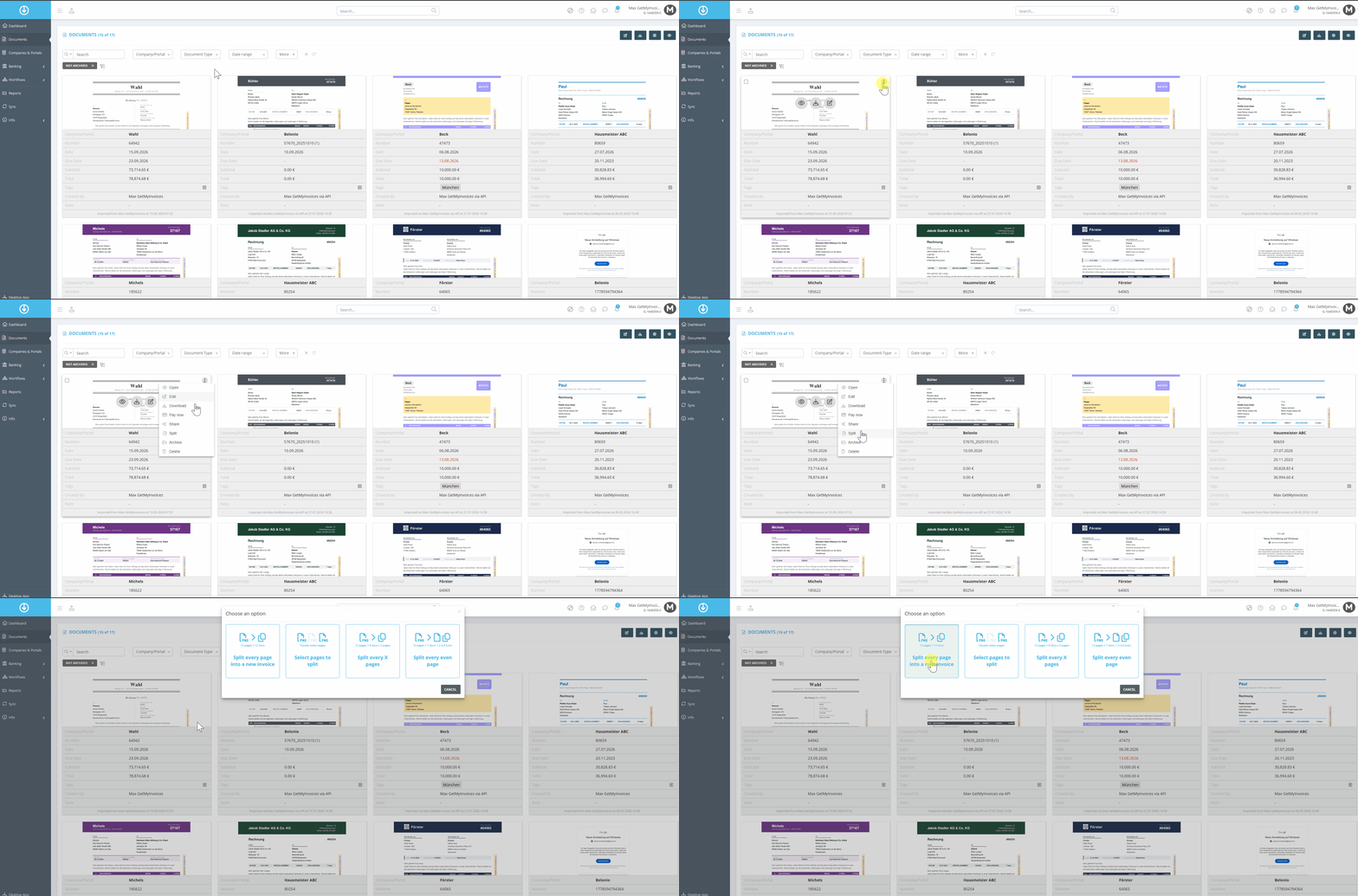
- In the tile view, hover your mouse over the document you want.
- Click the three dots in the upper-right corner of the document.
- Select “Split.”
Select one of the four options:
- One invoice per page: 12 pages become 12 invoices.
- Select pages to split: You split the pages manually.
- Split every x pages: For example, 12 pages become 6 invoices, each with 2 pages.
In the example, “A new invoice for each page” is selected.
Step 3: Handling the Original Document
Decide what to do with the original document. We recommend keeping it or archiving it.
