Deutsch
 Français
 Español
 Nederlands
 Italiano




The chat feature in GetMyInvoices enables direct, invoice-based communication with users saved in the dashboard or with your tax advisor. This allows you to quickly resolve any questions and avoid communication gaps.
Requirements for Use
- To chat with your tax advisor, both accounts must be linked in GetMyInvoices.
Benefits of the chat feature
- Invoice-based communication: Ask questions and discuss details directly regarding a specific invoice.
- No media breaks: All relevant information stays within the software.
- Quick resolution of inquiries: Direct communication with the relevant people.
- Centralized documentation: All messages are saved in GetMyInvoices and can be viewed at any time.
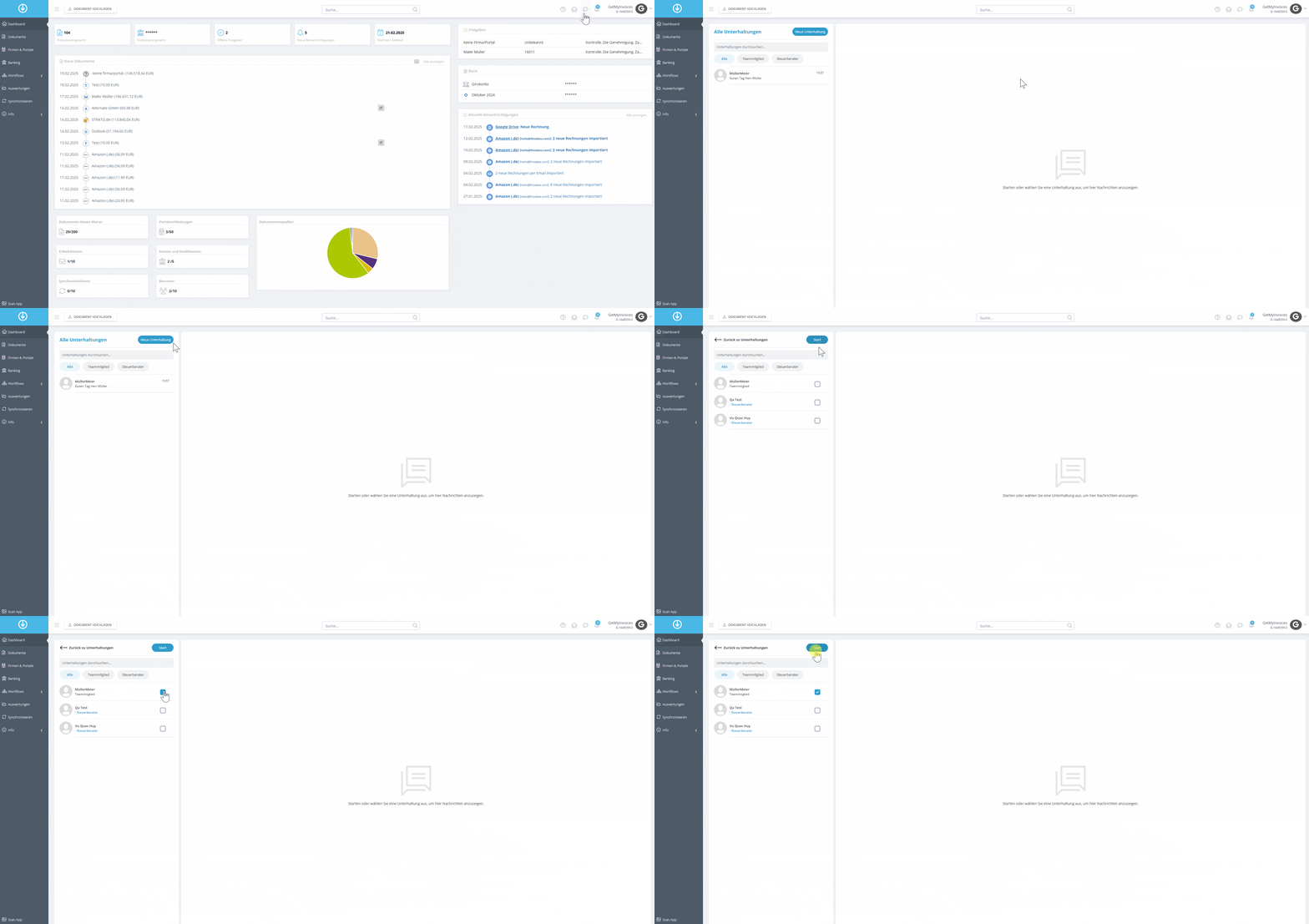
How to Use the Chat Feature
- Click the chat bubble in the top right corner.
- Select “New Conversation.”
- Select a team member or tax advisor.
- Start the conversation.