Deutsch
 Français
 Español
 Nederlands
 Italiano




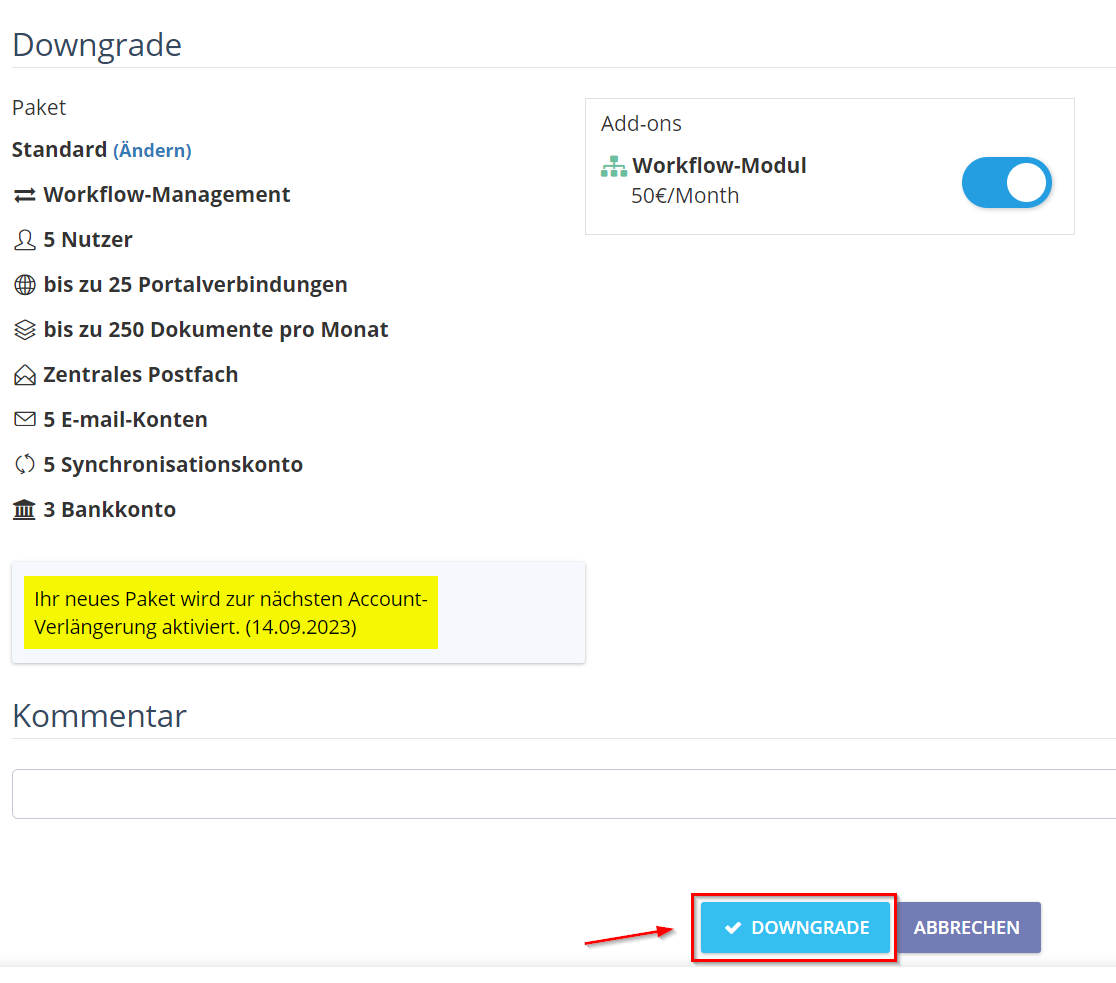
Please note that after purchasing the smaller package, the license becomes valid only after the current package license expires.
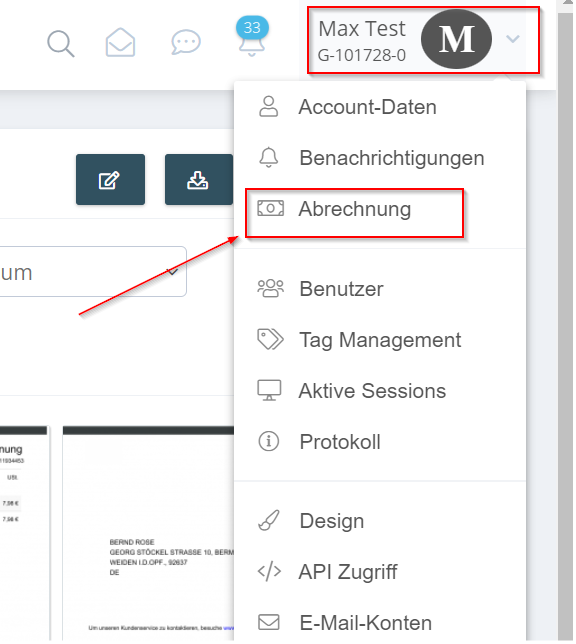
- Navigate with the mouse pointer to your account name and then click on “Billing”.
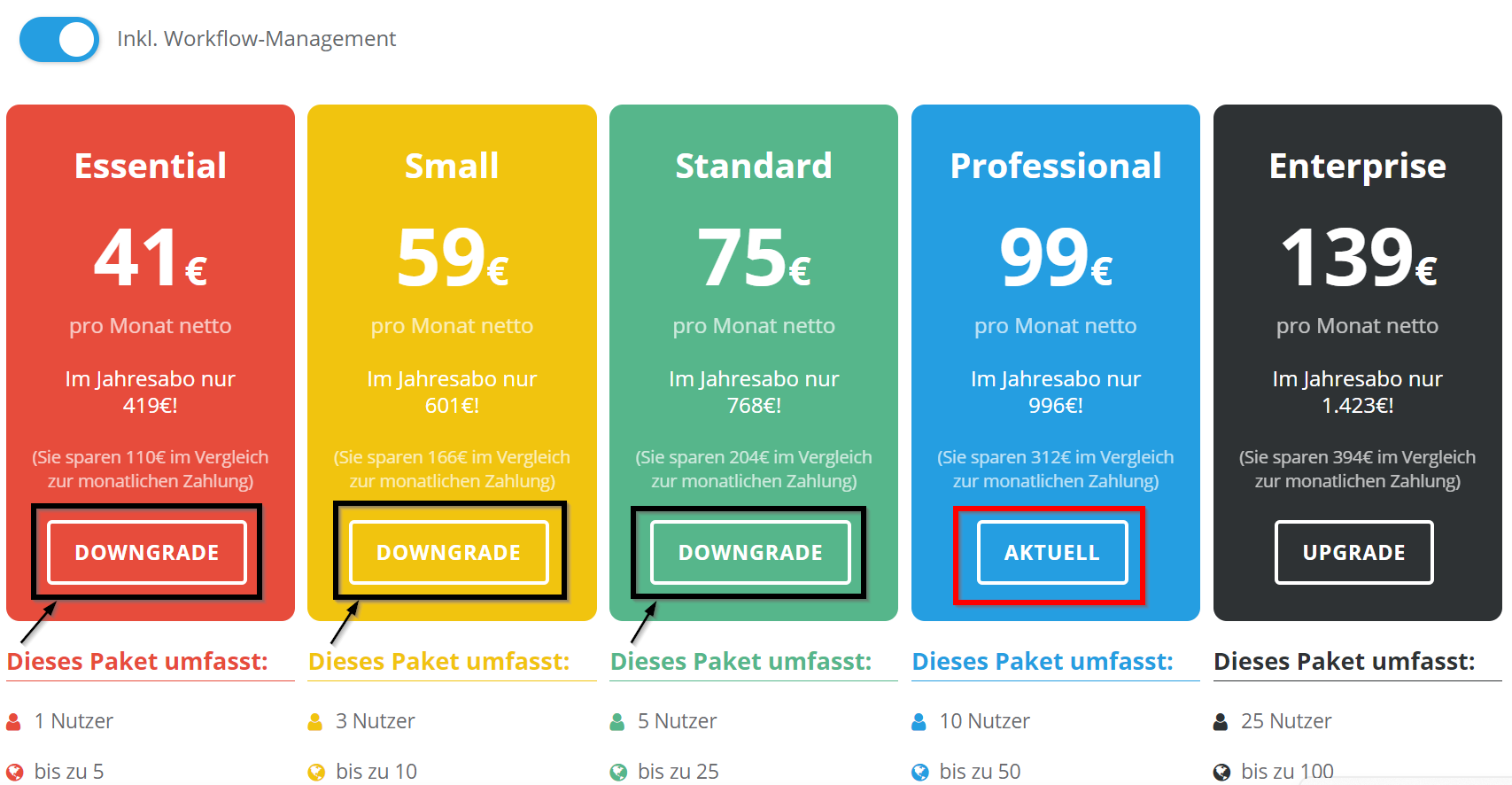
- Click “Downgrade” on one of the desired packages.
- Click “Downgrade” again to confirm the package change. Please note that the new package will be activated only at the next account renewal.