

 Deutsch
 Français
 Español
 Nederlands
 Italiano




With **GetMyInvoices **, you can automatically import your receipts into hmd via the interface, so that all your invoices are then available in hmd.
Step 1
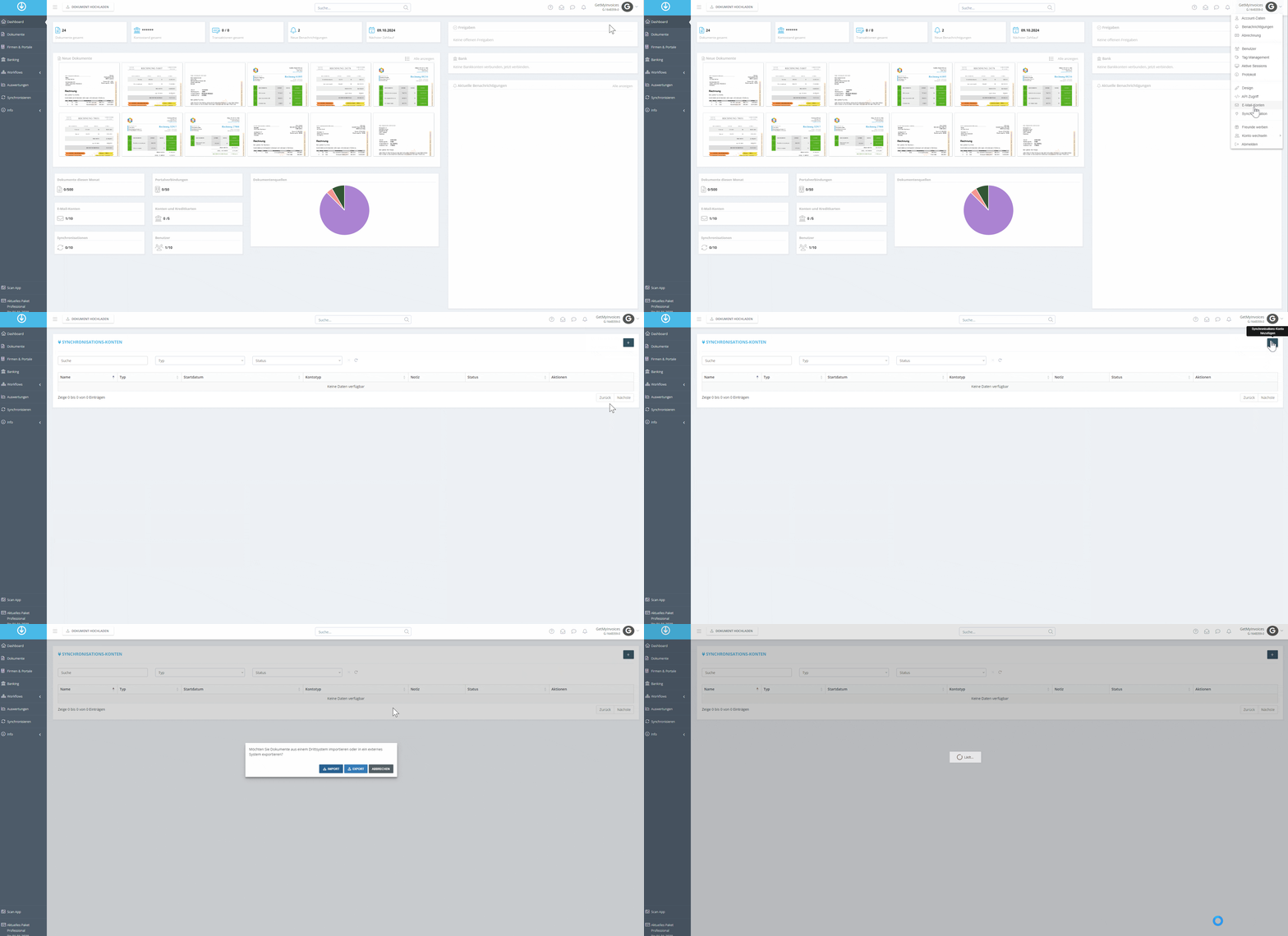
- Click on your profile in the top right corner.
- Select “Synchronization” from the drop-down menu.
- Click the plus icon in the top right corner.
- In the pop-up window, click Export.
Step 2
- In the search bar, search for hmd.
- Click the hmd tile.
- Click Next.
Step 3
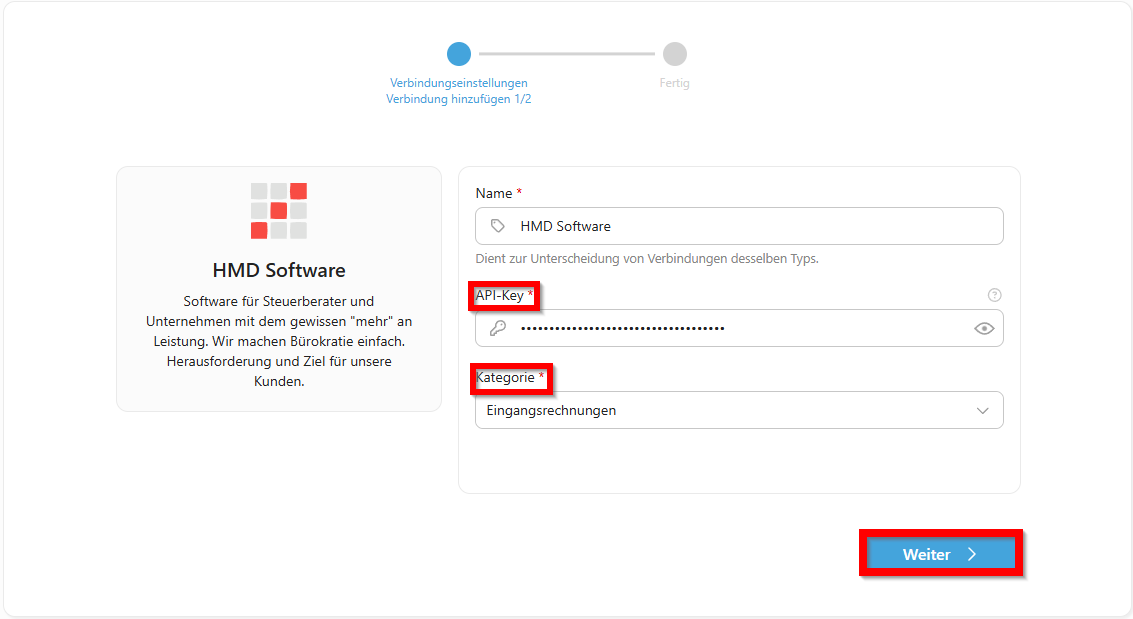
→ You will be redirected to the pushdocs interface.
- Enter the hmd API token, then copy and paste the API key.
- Select a category.
- Click “Next.”
Step 4
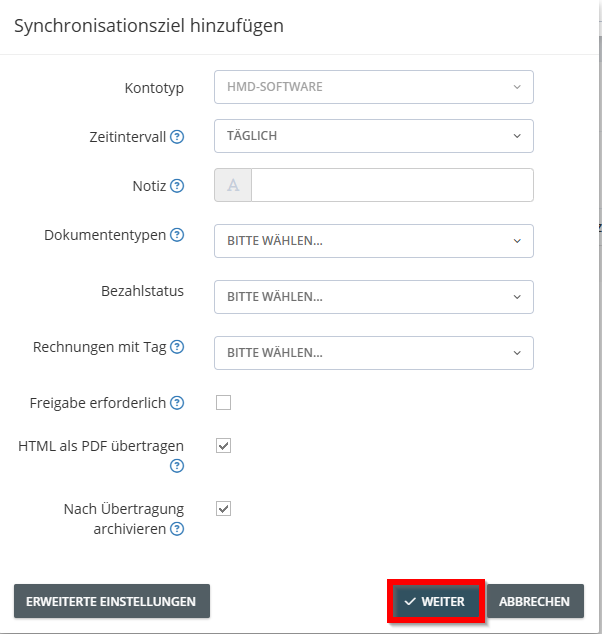
- Configure advanced settings in the interface. In this example: Enable archiving after successful transfer to hmd. The export interval is set to daily by default.
Please note: All settings you configure affect the export and how invoices are managed for export.
Step 5
- Optional: Limit the export period based on the invoice date or import date.
- Click Save to start the export.
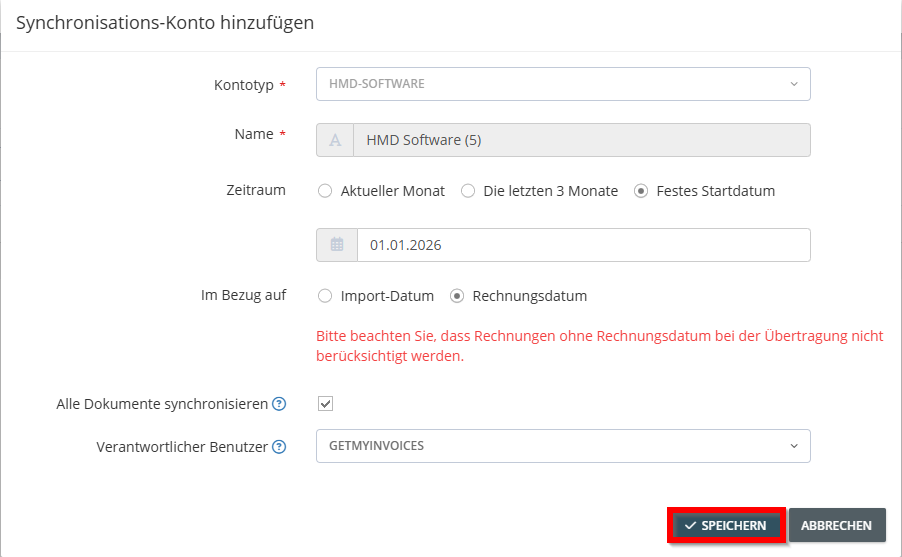
→ GetMyInvoices will now automatically transfer all relevant invoices to hmd based on your settings.