Deutsch
 Français
 Español
 Nederlands
 Italiano




A payment run is a recurring date on which your due invoices are transferred automatically. In GetMyInvoices you set these dates yourself, to match the processes in your company.
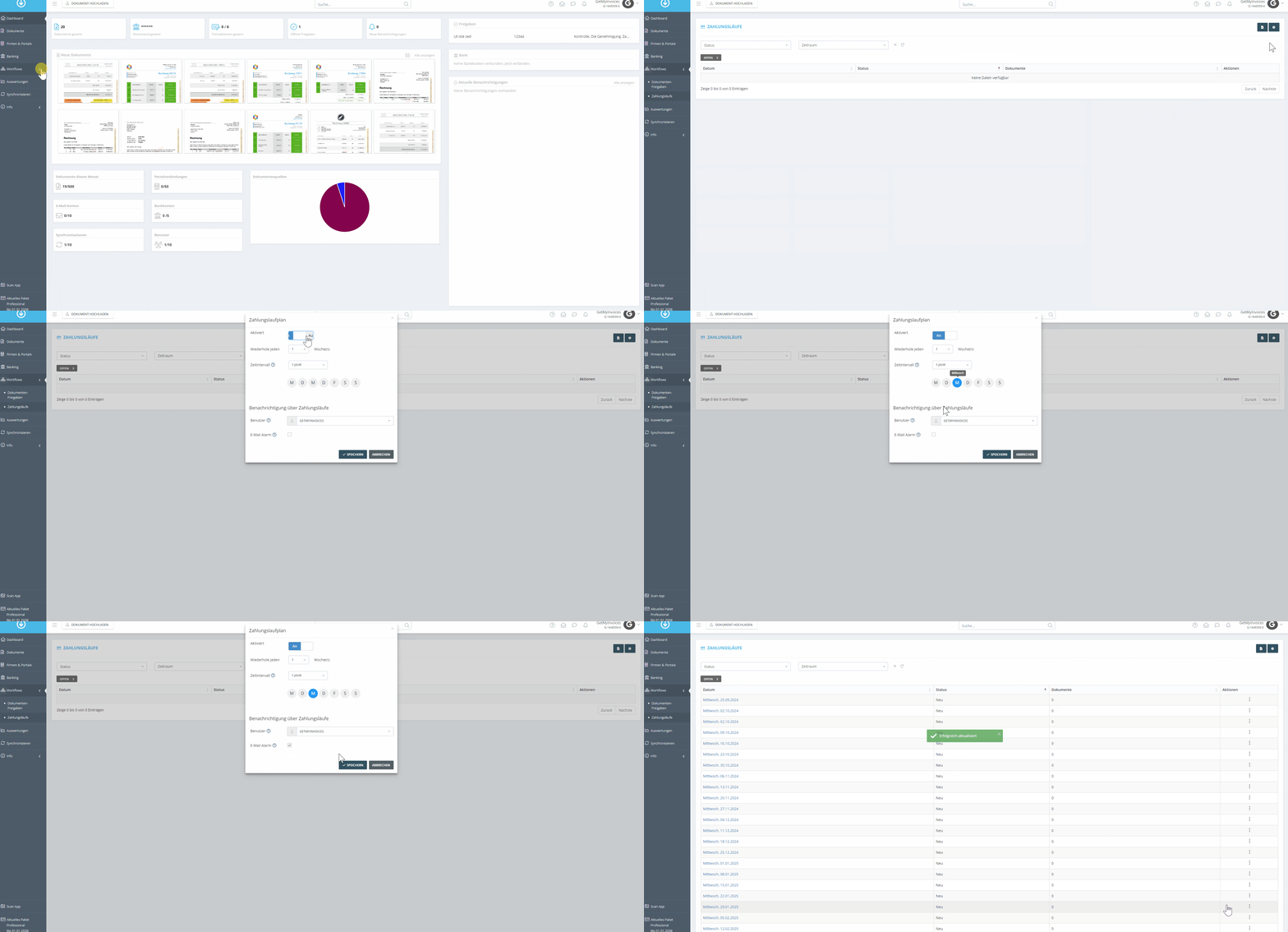
- In the left-hand menu, click Workflows.
- Select Payment Runs.
- Click the gear icon to open the settings.
- Enable Payment Runs.
- Set the period and payment day.
- Optionally enable email notifications to be reminded of due payment runs.