Changelog

New features, improvements and fixes - what changed in GetMyInvoices.

October 2026

Automated invoice exchange with Reybex

GetMyInvoices now supports the automatic transfer of your incoming invoices directly to Reybex, the cloud-based ERP platform for small and medium-sized businesses in trade and e-commerce.

Reybex brings together inventory management, sales, financial accounting, warehousing and production in one system. But the effort starts earlier: incoming invoices are scattered across online portals, email inboxes and apps.

How it works

GetMyInvoices automatically retrieves your invoices from more than 10,000 online portals and passes them directly to Reybex. There, the documents are immediately ready for review and posting, with no manual downloads or duplicate entry.

Read more about the new partnership in the press release .

A step-by-step guide to setting up the export integration is available on this page .
August 2026

Desktop App v2.6.0: Document type now customizable

The latest version of the Desktop App, v2.6.0, is now available for download. Starting with this version, you can set the document type for your portal connections yourself.

For a new portal connection

When connecting a new portal, you'll find this setting under “Settings” in the “Advanced Settings” section. Several document types are available to choose from.

For an already connected portal

To adjust the document type for an existing portal, click “Actions” on the right and select “Edit”.

Not using the Desktop App yet? Download it now for free. The Desktop App makes your portal connections faster, more stable and easier, with updates completed in no time. If you prefer, you can connect your portals without storing your credentials with us.

Download links are for Mac , for Intel version and Windows .

Proton Pass now available as a password manager in the Desktop App

You can now select Proton Pass as a password manager plugin directly in the Desktop App.

How it works:

Click on your profile in the top right, go to Settings and select your preferred option under Password Manager Extensions.

Fraud Risk Assistant: Catch invoice fraud early

The Fraud Risk Assistant is now available - an AI-powered risk analysis that automatically checks every incoming invoice for irregularities before approval, without disrupting your existing workflows.

Manipulated bank details, fake supplier invoices, or duplicate submissions affect businesses of every size, often going unnoticed for weeks. The Fraud Risk Assistant analyzes your invoices using statistical models and provides data-based risk assessments as a basis for your internal review.

How it works

Flagged invoices are marked with a clear explanation. Your team can review them before approval - the final decision always stays with you.

Availability

The Fraud Risk Assistant is part of the Workflow module and can be added directly to your account. Learn everything about the Fraud Risk Assistant here.

Desktop App v2.5.0: Important for accounting firms using DATEVNet - automatic system proxy support

The Desktop App now automatically detects and uses your system proxy - both during installation and while running. If a proxy is configured on Windows 11 or macOS, it will now be used automatically.

Why this matters for you

If your firm uses DATEVNet as its internet provider, you know the problem: strict firewall settings have previously blocked the Desktop App. With this version, it now runs reliably in this environment as well.

Want to set a proxy server manually? You'll find this option in the Desktop App, top right under your profile, under Settings -> “Use proxy server”. A configuration entered there takes precedence over the automatically detected system proxy.

Use the automatic Auto-Update in the Desktop App to download the latest version.

Peppol ID: Now available to all GetMyInvoices users

Starting now, every GetMyInvoices user can register their own Peppol ID and receive e-invoices directly as structured data - with no manual entry required.

What is Peppol?

Peppol is a standardized European network through which businesses exchange electronic invoices and other business documents securely and in a structured format. Each participant is assigned a unique Peppol ID, which is used to deliver documents - similar to a postal address for electronic documents. Transmission is encrypted and signed, and every delivery is logged within the network.

Why this matters now

Since 2025, all domestic B2B companies in Germany have been required to be able to receive e-invoices. From 2027, companies with annual revenue above €800,000 will also be required to issue e-invoices, followed by all remaining companies from 2028. Registering a Peppol ID now means being prepared for both.

How it works:

  1. Select “Peppol” from the profile menu in the top right.

  2. Follow the guided registration. Your own Peppol ID is active within minutes.

Available countries: Germany, USA, Austria, Belgium, Finland, Ireland, Luxembourg, Norway and Sweden

Registration is free for GetMyInvoices customers and takes only a few minutes! Learn everything about Peppol here .

June 2026

Desktop App v2.1.0 - Banking Integration

The GetMyInvoices Desktop App now supports managing your bank accounts. Get a direct overview of all bank accounts connected in GetMyInvoices - including automatic notifications when a connection issue occurs, so you can take action immediately.

You can find the new Banking section in the top left of the Desktop App, right next to Portals and Documents.

New Features:

  • Bank Account Overview: View, search, and filter all connected bank accounts directly in the Desktop App.

  • One-Click Account Update: Accounts can be updated with a single click - the authorisation opens automatically in your browser.

  • Account Management: Change the responsible user of a bank account, archive or delete accounts - all directly from the Desktop App.

May 2026

Update GetMyInvoices Mobile App

The GetMyInvoices Mobile App update v6.1.0 is now available for iOS and Android.

New Features:

Fraud Risk Assistant for Workflow Approvals** Users are now warned before approving a document if a potential fraud risk is detected. This feature is now available as an optional add-on.

Multi-Approvals

The app now fully supports workflow steps that require multiple approvals.

Download the app now: Apple App Store or Google Play Store

March 2026

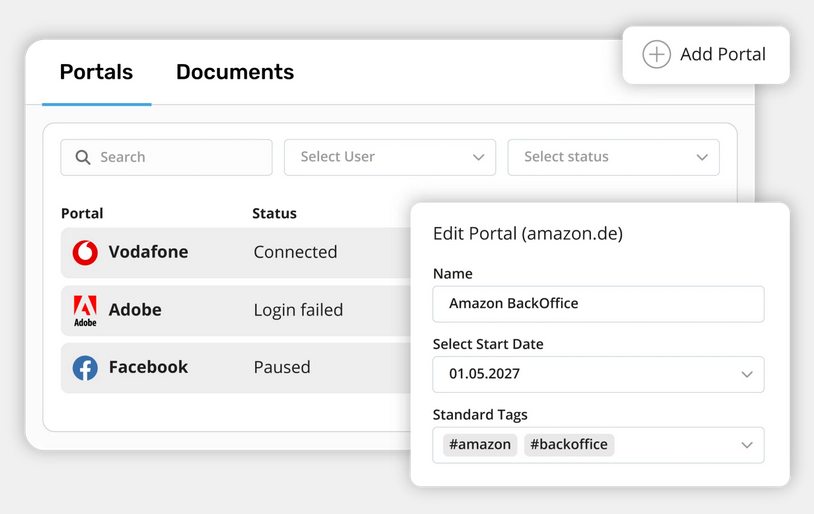
New: The GetMyInvoices Desktop App

With the new GetMyInvoices desktop app , invoice import is now even more stable, faster and more transparent. You can now download your invoices directly from over 10,000 online portals and manage them centrally - conveniently from your desktop.

  • Full control over your access data: You decide whether you want to save your login details. Password managers and passkeys are supported.
  • Clear portal management: All connected portals are clearly displayed - including retrieval status, last activity and required actions.
  • Smart notifications: Never miss a login renewal, 2FA code, or necessary portal confirmation again.

Log in to your GetMyInvoices dashboard and download the desktop app for Windows or macOS directly. In our Help Centre , you will find detailed instructions, tips and helpful information on setting up and using the desktop app.

Try out the new desktop app now and experience a new, efficient way of importing invoices!

DesktopAppChangelog.png

January 2026

NEW in the GetMyInvoices mobile app for Android: Share invoices on the go

With the latest update to the GetMyInvoices mobile app for Android , invoice approval is now even more flexible: invoices can be approved or rejected directly via smartphone. Comments can be added immediately, so that the accounting department is always informed about the current status.

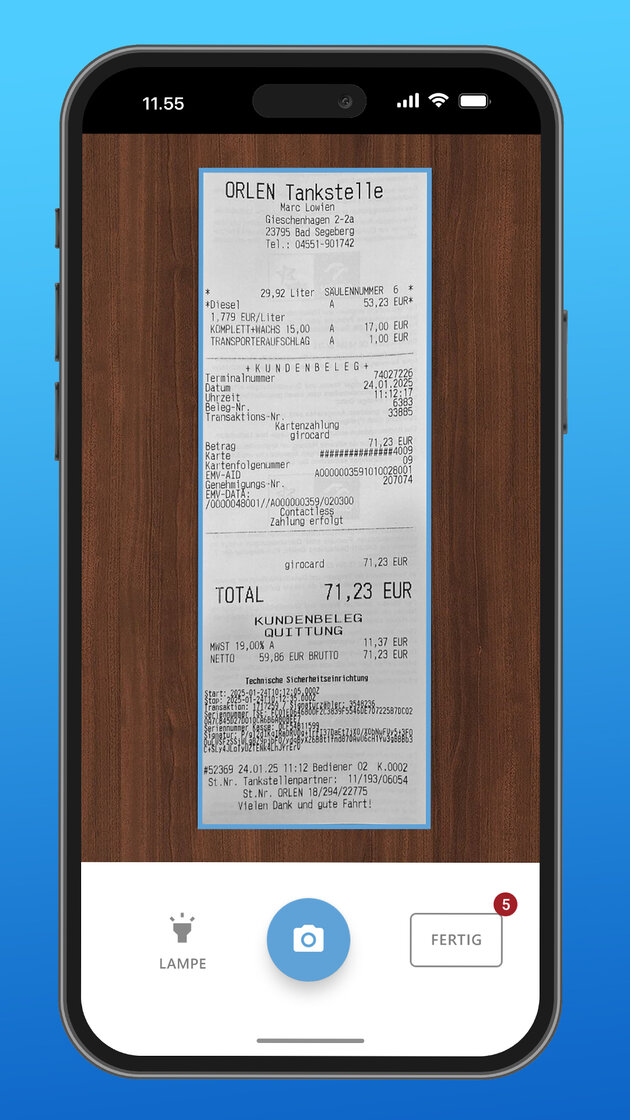
In addition, receipts such as fuel, travel or entertainment invoices can still be scanned directly on site and are immediately available in your GetMyInvoices dashboard for further processing.

Other new features in the app:

Share PDFs: Upload documents directly from emails, chat apps and other applications

Local file uploads: Import PDF, PNG or JPG files directly from the app

Instant scanning: Open the camera directly when you launch the app

Automatic tagging: Automatically assign tags to scanned documents

Improved performance: Bug fixes and optimisations for a faster and more stable app

Download Android app now

December 2025

New AI email invoice recognition

A new method for importing emails is now available: AI-powered invoice recognition. This makes importing invoices from selected email folders much smarter: select the folders and AI will classify incoming messages and import only relevant emails containing invoices.

AI recognition is designed for high precision and speed, supports multiple languages and ensures clean import without data ballast. This means fewer irrelevant emails, less rework and faster processing. Setup is easy and takes just a few steps.

In short: smarter, faster and more secure invoice import.

This help article explains step by step how to connect an email account.

grafik.png

November 2025

Improved OCR

Our new OCR technology offers maximum automation for faster and more accurate invoice processing.

  • 5× faster invoice processing
  • 99% recognition rate and over 50 data points per document
  • Support for more languages and common formats
  • Automated reading of all relevant invoice data
  • Minimised manual effort and secure assignment to transactions
  • Fewer errors and faster further processing

With this powerful update, we’re making invoice processing smarter, more efficient, and completely automated. Saving you time, reducing errors, and ensuring greater accuracy across your workflow.

October 2025

Tesla synchronization account now available

You can now add Tesla as a synchronization account in GetMyInvoices to automatically import your Supercharger invoices.

In our step-by-step guide , you’ll learn how to set up the Tesla integration and successfully connect your account with GetMyInvoices.

grafik.png

August 2025

Seamless Invoice Integration with SEEWARA

Managing your invoices has never been easier. GetMyInvoices now enables automatic transfer of your invoices directly to SEEWARA, helping you optimize your accounting workflows and reducing manual effort.

You can find a step-by-step guide to set up this integration in this help article.

Screenshot 2025-08-26 222730.png

Automated Document Transfer with Microsoft Dynamics 365 Business Central

GetMyInvoices now allows automatic transfer of invoices directly to Microsoft Dynamics 365 Business Central. This helps streamline your accounting processes and manage invoices in the ERP software without manual effort.

You can find a step-by-step guide to set up the integration in this help article.

Screenshot 2025-08-26 221832.png

July 2025

GetMyInvoices Mobile App: New features for iOS and Android

The latest features and improvements are now live in the GetMyInvoices Mobile App for iOS and Android. These updates make it even more efficient and user-friendly.

New features:

  • Never-Lose-Any-Receipt feature: scans are temporarily stored offline until confirmed uploaded to GetMyInvoices.
  • Immediate display of documents and preview images: Documents are displayed immediately after the scan without having to wait for the GetMyInvoices upload and API response.
  • Asynchronous loader for list screens: Enables instant access to the camera.
  • Add custom companies: Now possible in the ‘Edit Document’ view.
  • Improved toast notifications: Better management and some translation adjustments.
  • UX improvements: Clearer upload flow with status indicators and clearer document cards in the list view.

You can find more information about the mobile app and all the important features in our help article .

Not using the app yet? You can download it free of charge from the Apple App Store and Google Play Store .

June 2025

Define responsible user for synchronization accounts

From now on, a responsible user can be defined for each synchronization account in GetMyInvoices. This feature enables a clear assignment of responsibilities by directly notifying the selected user when a synchronization connection expires and requires their attention.

Features:

Clearly defined responsibilities: Ensure that the right contact person is always informed about problems with synchronization accounts.

Important: The selected user must have full access to GetMyInvoices. Users with restricted workflow access cannot take on this role.**

Direct notifications: The responsible user will receive immediate email and portal notifications for expiring connections, as well as reminders every 3 days and weekly follow-ups until the issue is resolved.

Individual assignment per account: Each synchronization account can have its own responsible user, simplifying the management of multiple accounts.

With instant notifications and clear accountability, issues can be identified and resolved faster to ensure uninterrupted use of GetMyInvoices. This feature improves visibility and ensures that synchronization issues are resolved quickly and efficiently.

You can find more information and a step-by-step guide on how to set this up in our help article.

Export of transactions in CAMT-format

With this release, we are expanding the banking module to include the option of exporting transactions in the standardized CAMT format. CAMT (Cash Management) is a widely used XML-based file format that enables seamless integration of transaction data into financial management systems and accounting software.

Available formats:

camt.053: Reporting of posted account statements (replaces MT940 and MT950 files).

camt.054: Contains detailed information on collective postings (replaces the DTI format).

Special features:

Accounts without IBAN: For accounts without IBAN, such as PayPal or American Express®, a random IBAN is automatically generated or manual entry is possible to create the CAMT file.

You can find more information and a step-by-step guide on how to download a CAMT file in our help article.

Export of transactions in MT-940 format for DATEV

GetMyInvoices now supports the export of transaction data in the standardized MT-940 format. This new feature allows you to download bank and card transactions (e.g. American Express®) so that this information can be used outside of GetMyInvoices, for example in DATEV and other platforms.

The MT-940 is a widely used SWIFT format for the electronic transmission of bank statements, which enables efficient and error-free accounting. You can now easily export transaction data from the banking module and import it directly into DATEV.

You can find more information and a step-by-step guide on how to export transactions in the MT-940 format in our help article.

May 2025

New version of the GetMyInvoices mobile app for Android

The latest version of our mobile app for Android is live with extended functions and many improvements:

  • Manage banking transactions on the go: link documents directly to your transactions and conveniently adjust their status on the go.
  • Secure login via Google SSO: You can now log in conveniently and securely via Google Single Sign-On to the app if you registered your GetMyInvoices account with Google login.
  • Clear document status display: status checkmarks show you at a glance whether a document has been scanned, uploaded or already processed using OCR.
  • User role customization: users with “read-only” rights have restricted access - so they cannot scan or edit documents and do not see transactions, which ensures greater security and appropriate rights distribution.
  • Improved scan quality and optimized performance and stability: the update makes the app run faster, more stable and delivers better scanning results.

You can use the new functions immediately. If you have not yet installed the app, simply download it here: GetMyInvoices Mobile App for Android .

Enhanced Functionality for Agenda and DATEV Sync

We have introduced an enhanced feature for automatically truncating field contents during the synchronization with Agenda and DATEV . In addition to the previous functionality that truncates the description (line items) to 60 characters, the following fields will now be automatically limited to the specified lengths:

Document number: truncated to 36 characters

Supplier name: truncated to 50 characters

The truncation feature is activated through a new checkbox, which is enabled by default. This ensures that the synchronization runs smoothly even when the fields contain longer values. With this adjustment, synchronization will continue to work seamlessly even with longer content.

Bulk Document Request for Bank Transactions

GetMyInvoices now allows you to efficiently request missing receipts for multiple bank transactions at once. This feature simplifies the process by letting users select multiple transactions and send a single request to another GetMyInvoices user. The recipient will receive an email with structured links to upload the missing receipts, which are then automatically assigned to the corresponding transactions. This update helps save time and enhances receipt management, making it ideal for users who need to handle multiple transactions and receipts simultaneously.

Key Features:

  • Request receipts for multiple transactions in one action
  • Send a single request to another GetMyInvoices user
  • Recipient receives a structured email with links to upload receipts
  • Automatically matches receipts to the relevant transactions
  • Streamlines receipt management for businesses, freelancers, and accounting departments
  • Saves time and increases efficiency for handling multiple payments and suppliers

You can start using this new feature right away in the Banking menu .

April 2025

Individual receipt request

From now on, receipts in GetMyInvoices can be easily requested by email and automatically linked to the correct transaction. Users can either select an internal GetMyInvoices user or an external email address to send the request.

More details on how to use this feature can be found in our help article.

March 2025

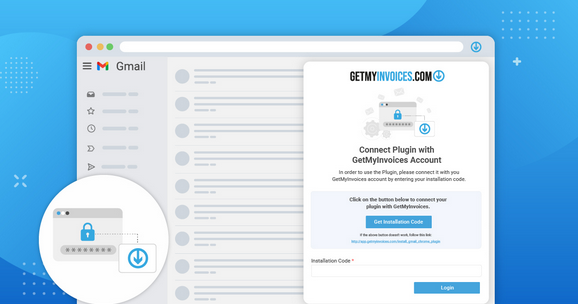
Gmail Plugin now available

The GetMyInvoices Gmail Plugin now offers full web import functionality, including the ability to set import rules. Based on your settings, invoices are automatically detected and imported from selected Gmail folders into your GetMyInvoices account.

With the GetMyInvoices for Gmail extension, you can easily upload PDF invoice attachments or entire emails to store and manage them centrally in your GetMyInvoices account.

  • Automatic Upload: Configure Gmail folders for automatic invoice upload.
  • Smart Import Logic: Invoices are detected and imported based on predefined rules, with the option to upload all emails from a folder or selectively.
  • Manual Upload: Upload PDF attachments and emails manually as needed.

Get the GetMyInvoices for Gmail extension on the Chrome Web Store.

Screenshot 2025-03-14 145559.png

Banking: Set account responsible

Even more efficient management of your bank transactions! From now on, you can define an account manager for each saved bank account and thus ensure a targeted notification if transactions do not have an assigned receipt.

-> Notification for missing receipts:

If a transaction without an associated receipt is recognised, the account manager receives an e-mail.

With this new function, you can avoid missing documents and ensure seamless accounting without any manual effort! Try it out for yourself!

February 2025

The new GetMyInvoices mobile app (Android)

The new version of the GetMyInvoices mobile app for Android offers numerous improvements that make scanning and managing your receipts even more efficient. You can now easily scan multi-page documents and upload them directly to your GetMyInvoices account, while optimized cropping and filtering features ensure better readability.

Additionally, workflows have been improved to make scanning and sharing documents easier for connected accounts. With new notifications and advanced editing features, you can now manage your documents in a more targeted way. Security features such as PIN and biometric authentication ensure secure access.

Simply download the new version via the Google Play Store and benefit from even simpler and more efficient document management. Reduce your administrative workload and save valuable time!

Scanning-View-German.jpg

OAuth Integration for Google Mail & Microsoft E-Mail Accounts

GetMyInvoices now supports connecting your Gmail and Microsoft email accounts via OAuth authentication. This update speeds up the setup process and enhances security.

Instructions Gmail

Microsoft Outlook guide

New workflow function: Link transactions to documents

A new workflow step type is now available:

This step ensures that a document is only processed further once an associated transaction has been linked. What does this mean for you?

With this new step, workflows can be configured in such a way that all payment steps are complete and traceable - from the invoice to the final payment. This is how it works:

✔ Automatic approval if a transaction is already linked to the document.

✔ If no transaction exists, the “Link transaction” button appears instead of “Approve”.

✔ The user selects a suitable transaction from the displayed list and links it to the document.

✔ After linking, the workflow continues automatically.

This enhancement makes the payment process even more transparent and efficient. Try it out now and control workflows even more precisely!

January 2025

A chat function is now available in your account

This function enables users and associated tax advisors to exchange information directly within the account. Clarify queries quickly and easily or coordinate efficiently - without additional tools.

The chat function ensures smooth communication and makes collaboration around your accounting even easier. Click here for the chat.

Now live: New features in the workflow menu

These new functions are now available:

  • Advanced filter options: Now filter by transactions and payment status.
  • Optimized view: Customize the new workflow view - with adjustable fields in quick edit mode.
  • Flexible payment options: Payment options can be switched on or off outside of workflows

Learn more about Workflows and how they can make your work processes more efficient here .

December 2024

e-invoice

As of January 1, 2025, e-invoicing will be mandatory for businesses in Germany. With GetMyInvoices, you can comply with the e-invoice reception requirement. Everything you need to know about the e-invoicing mandate and our solutions can be found here .

HQ\_GetMyInvoices\_e-rechnungen-empfangen (1).webp

November 2024

Regular Portal Creation Issue Resolved

Fixed an issue where portal connections were incorrectly created as ‘Own Company / Portal’ connections instead of regular connections. This has been corrected, and portals like Albacross, Capterra, and MailChimp now connect as regular connections as intended.

Payment Approval UI Issue

Resolved an issue where the UI did not transition to the next document after marking a document as paid and approving the payment step. The process now transitions smoothly without requiring a page refresh.

Dashboard Unassigned Transactions Count Issue

Fixed an issue where the dashboard incorrectly displayed the count of unassigned transactions in the total transactions tile. The count now accurately reflects unassigned transactions, ensuring consistency with the data in Banking.

Document Rejection Comments Erasure

Resolved an issue where all comments and chat history were erased when a document was rejected. The chat history now persists after rejection, preserving important user exchanges for future reference.

October 2024

Platinum Package Assignment Bug Resolved

Fixed an issue where a Platinum package was incorrectly assigned to a customer account without an AMEX Platinum card being connected. Package assignments now correctly reflect the associated card status.

Latest Fixes and Improvements in sync process

  • Sync Completion Issue Resolved

Fixed the issue where syncs were getting stuck indefinitely. All syncs will now complete as expected.

  • Approval Process Update

Resolved an issue where approvals were automatically granted, even for users requiring manual approval. Approvals now follow the correct workflow.

Privacy link update

We have updated the Privacy Policy links under the “Help” menu item.

Payment Runs Issue Resolved

Addressed an issue where the number of payment runs generated did not match the selection in the “Time Interval” field during payment run creation. Now, payment runs are accurately created within the specified time window as defined in the Time Interval field.

Workflow status display fix

Fixed an issue where documents with a payment run assigned were showing a “no suitable workflow” status in the dot status column, while displaying the correct status in the “Process Status” column. The dot status now reflects the correct workflow status consistently.

Workflow optimization and performance improvement.

We've optimized the user interface and workflow module load by preventing unnecessary query executions, significantly improving performance, and reducing system resource consumption for a smoother user experience.

September 2024

UI Improvements Across Multiple Sections

We had made UI improvement across multiple sections.

  • Shortened and corrected labels in the portal connection window.
  • Improved sorting functionality in synchronization.
  • Resolved company/portal transfer issues in UI.
  • Updated “warning” icon in ‘Verifying credentials’ dialogue.
  • General UI refinements for better user experience and navigation.

Document Workflow Redirection Delay Fix

Resolved an issue where document redirection to corresponding workflows experienced significant delays after tag assignment. Redirection now occurs promptly after saving, ensuring smoother workflow processing without manual intervention.

Document Download Fix

Resolved an issue where documents were not fully downloaded via manual download, ensuring all files are now included in the generated download archive for complete retrieval.

Update for "Pending" Status in Sync List

When the status of a transaction at Pushdocs is marked as “Pending”, it will now display a more informative message to users. Instead of showing just the status “Pending,” it will now show:

Pending - Please update the credentials in the sync account settings.

Update "Warning" Icon in 'Verifying Credentials' Dialogue

The warning icon has been replaced with a neutral loader icon, indicating that the system is processing the credentials without causing concern for the user.

Performance Improvement

  • Adjusted database indexes for faster queries.
  • Optimized SQL queries for improved performance.
  • Moved banking-related data retrieval to AJAX calls.
  • Fixed tooltips display issues in the “Banking” section.

Approver Assignment Feature Broken

Resolved issues with the approver assignment feature where documents were incorrectly displayed, approvers received incorrect messages, and non-approvers could see approval buttons.

August 2024

Online Portal Connection Limit Bug Fix

Fixed issue where users received incorrect notifications about reaching their portal limit. Users with 8 connected portals were being informed they had reached the 10-portal limit, despite the actual number being under the limit.

OCR Resend Filter Issue Fix

Resolved issue where documents could not be resent to the OCR if a filter contained a comma “,” or period “.”. Now, documents can be correctly filtered and resent for OCR processing, even with these characters in the filter.

DATEV Manual Export Issue Fix

Resolved issue with manual export to DATEV via Smart Login where export processes were aborting. Affected users, especially those without automatic transfer, faced issues where invoices were not being processed in DATEV Unternehmen Online

Payment button missing when document is in a payment run.

We had made some improvement in the payment run section.

  • You’ll no longer see any blank or unclear error messages.
  • If something goes wrong, the error message will clearly explain what happened.
  • The payment button will now always appear, even if your document is already in the payment process.

PDF preview does not load when editing a document in the Invoice Approvals area of Workflows.

This fix ensures that the PDF preview now loads consistently, providing a smoother experience when editing documents.

This issue mainly occurred when the user filtered by ‘No suitable workflow’ and then attempted to edit a document. Although documents usually loaded correctly, the PDF preview occasionally didn’t display, leaving the screen completely white.

Fixed the issue where the workflows approval assignment was not functioning correctly.

The fix ensures that documents are now only visible to and can only be approved by the specific approver selected in the workflow.

Previously, no matter who was selected from the list of approvers, the document could still be approved by anyone configured in the workflow step. Additionally, the document appeared on everyone’s approval list, regardless of who was actually chosen for the approval.

Approve button under workflow in email not functioning.

Resolved an issue where the “Approve” button in emails was not triggering any actions, even though the link appeared correct.

Performance Upgrade in Workflow Module

Improved performance by fetching less data and adding missing indexes. Ensured the button always displays when the workflow module is active. If the approval process is missing, an error message “An approval process does not exist for this document” will be shown.

Fixed Category Selection Issue in SevDesk Company Settings

Resolved an issue where category selection in SevDesk company settings was not functioning properly.

Fixed Missing Payment Button in Workflow

Addressed an issue where the payment button was missing from the payment step in Workflow.

July 2024

GetMyInvoices Thunderbird Add-on Version 2.0 released

  • Configure Thunderbird folders for automatic invoice upload to GetMyInvoices. Drag&drop, copy or move emails to the configured auto-upload folders manually or automatically with Thunderbird’s Message Filter rules, and they get uploaded to your GetMyInvoices account.
  • Activity Log to track and export your invoice upload history in Thunderbird.
  • Improved bug reporting.

Fixed Document Stuck in Approval Step

Resolved an issue where approved documents remained in the user's pending list. Ensured all approval actions are reflected in the conversation view.

Enhancing Performance, Security, and Stability

We have recently undertaken a comprehensive update of numerous libraries within our system. This effort is aimed at significantly improving the overall performance, security, and stability of our platform. By integrating the latest versions of these libraries, we ensure that our system runs more efficiently and is better protected against potential vulnerabilities. These updates also contribute to the robustness of our system, minimizing downtime and providing a more reliable experience for our users.

Recent UI/UX Improvements

We have addressed and resolved various UI/UX issues to enhance user experience and functionality. Here are the key updates:

  • Approver Dropdown Button: Corrected UI/UX issues to ensure smoother interaction and better visual alignment.
  • “More” Filter in “Documents”: Updated the “More” filter to improve its usability and effectiveness.
  • Full-Text Search: Fixed defects in the full-text search feature to ensure accurate and efficient search results.
  • Document Views: Optimized the display for different document views: Tile view now supports up to 3 documents.List view efficiently handles over 5000 documents.

These improvements are part of our ongoing efforts to provide a more intuitive and user-friendly interface.

Issue: Emails Not Being Imported

Resolved the issue where not all emails were being imported from the connected folder (Inbox).

DATEV Integration Issues Resolved

We have successfully addressed and resolved all recent issues with our DATEV integration. Our system is now fully functional and operating seamlessly with DATEV.

June 2024

Fixed Scrolling Issue for Portals and Companies

Resolved scrolling issue under “Companies and Portals”.

  • In tile view, all 60 portals are now correctly displayed and scrolling no longer ends prematurely.
  • Ensured proper scrolling functionality for both tile view and list view to display all portals consistently.

Fixed Document Count Discrepancy

Resolved an issue where the document count differed between tile view and list view. Previously, tile view displayed 3 documents while list view showed over 5000 documents under the “No company/portal” filter. Now, document counts are consistent across all views.

Fixed "Documents" Page Layout Issues

Resolved layout issues on the “Documents” page.

  • Updated page counter after searching for any value in the “Search” field.
  • Fixed missing horizontal scrollbar after searching for any value.

Modified Document List API to Include Thumbnails

  • Enhanced the Document List API to return document thumbnails along with other document details.
  • Ensured the API performance remains optimal with the inclusion of thumbnails.
  • Improved efficiency by eliminating the need for a separate API call to fetch thumbnails.

Fixed Sync Export Issues

Resolved issues with adding sync exports from the top right dropdown menu under “synchronization”. Fixed the issue where the dialog would close after clicking “continue” when adding mail export. Corrected the issue where the DATEV window was displayed for other syncs after adding DATEV once

Fixed Document Section Filter and UI Issues

Updated “Unarchived” filter loading behavior:

  • When navigating to the “Documents” section, the “Unarchived” filter is now correctly preselected and applied without needing to click “APPLY”.
  • Fixed dropdown UI issue in the “Documents” section.
  • Resolved “Archived” issue in the “Documents” section.
  • Improved dropdown functionality and ensured proper display and behavior of the “Archived” filter.

May 2024

Performance improvement

We've made some performance enhancements to our document editing functionality.

OCR Documents Issue with Payment Data Transfer: Data not transferring post-saving.

We've resolved the problem in the payment section where, upon OCR scanning, data is inserted into the field. Now, when the user saves the document, the data is also saved and remains available upon subsequent openings or edits.

Resolve document discrepancy: 'Ignored Because the File Already Existed

We have implemented a fix to ensure that if documents were not yet available, they are still imported as necessary.

April 2024

Manually uploading documents encounters an OCR issue - Error displaying PDF/ Image.

We've implemented a fix where only the logo appears in the document overview. Users now need to access the document to view its data, and we've regenerated the missing thumbnails accordingly.

Error in Sync-Export Interface Dinero

We've fixed the problem with the sync to Interface Dinero, preventing it from getting stuck in a repetitive cycle during connection.

GetMyInvoices Mozilla Thunderbird Plugin

The GetMyInvoices Mozilla Thunderbird plugin allows our clients to easily upload their attached PDF invoices from emails to their GetMyInvoices account and to any connected accounts directly from Thunderbird. The Thunderbird add-on is further capable of storing email invoices - when the email body itself is the invoice - in the GetMyInvoices account, converting the email invoice to an HTML version and also archiving the original .eml file for legal compliance.

Payment runs filter not working under workflow

Addressed an issue with filter functions inaccurately displaying invoices with different payment statuses. Previously, filters failed to accurately categorize invoices based on payment status. Now, filters function correctly, accurately reflecting invoice payment statuses.

Full Text Search under document is not functional properly

Fixed an issue where full-text search functionality was unavailable. Previously, searches, such as for “banking,” yielded no results despite relevant documents present. Now, searches return accurate results, resolving the issue effectively.

Zapier Sync Terminates with 503 Error

We resolved the issue with Zapier sync not functioning correctly, resulting in a 503 error. Now, the problem has been rectified, and Zapier sync is operating smoothly.

Transactions not being loaded for some accounts

We successfully addressed an issue where Transactions were not loading in certain accounts. Now, all Transactions are loading properly across all accounts.

March 2024

Mozilla Thunderbird Plugin

The GetMyInvoices (GMI) Mozilla Thunderbird plugin allows our clients to easily upload attached PDF invoices from emails to their GMI account and to any connected accounts directly from Thunderbird. The Thunderbird add-on is further capable of storing email invoices in the GMI account, converting an email invoice to an HTML version and also archiving the original .eml file for compliance.

Download bank account details not working.

We have addressed the problem within the banking module where downloads were previously not functioning. Following the resolution, users can now download the data without encountering any issues.

Portal filter country list

We have enhanced the functionality of the country filter, ensuring that only countries where the portal is available are visible in the list.

Fixed the search filter and tag issues.

We have resolved the search filter issue where tags were not displaying correctly, and we have also made some UI adjustments to the label.

Fix Sync Import issue with dropbox

The problem with the SyncImport error in Dropbox has been resolved.

Edit document - No refresh of the page

We addressed an existing issue where the page refresh did not function properly after editing the document.

UI updates

We are consistently making incremental enhancements to our system to enhance the user experience. In this latest release, we have addressed some UI issues on the following pages:

  • Update the filter functionality in Payment runs section.
  • Update the filter UI in reports section related to payment status filter.
  • Remove apply button from banking account search to make it better.

February 2024

Unable to fetch older transactions when older then 7 days

Improved transaction retrieval: Limited older transaction retrieval to 7 days for enhanced performance and data management.

Page change from the workflow document processing not possible.

Resolve the problem preventing page changes in the workflow document processing.

FTP SYNC issue fix

The issue with FTP sync has been resolved, enabling seamless exporting of all files via FTP.

UI updates

We are consistently making incremental enhancements to our system to enhance the user experience. In this latest release, we have addressed some UI issues on the following pages:

  • We made fixes on the report filter UI.
  • Under the banking module we remove the manual apply button in the account selection.

Page change from the workflow document processing not possible.

We have recently resolved an issue where it was not possible to change pages within the workflow document processing.

Performance Improvement

We are constantly enhancing our system's performance, and this time, we've implemented changes to our fetching mechanism to drive further improvements.

Banking connection issue

We addressed an issue in our banking system where users encountered difficulties connecting to their bank accounts, experiencing technical errors.

Banking Uploading CSV/Excel File - Failure to import data!

Ensure data visibility is restored; this issue has surfaced recently.

Issue with the process step in "Workflows" concerning "Document approval."

The problem where selecting “Approve” for the initial document caused the next document in line for approval not to be displayed has been fixed.

January 2024

Issue with import invoice via central inbox.

We have resolved the issue concerning the recognition of forwarded emails to the central mailbox as invoices.

Unable to establish a connection with Microsoft accounts using @outlook.de.

Connecting email addresses that end with @outlook.de is currently not possible, despite the process being intended to be the same as for all other Microsoft services.

UI updates

We are consistently making incremental enhancements to our system to enhance the user experience. In this latest release, we have addressed some UI issues on the following pages:

  • Fix the table wider width under SYNC module.
  • Update the UI of company portal to pass Order number as a variable for payment.

Banking Payment status does not change on document

Upon linking a document to a transaction, the payment status is automatically updated to “paid.”

Incorrect customer numbers have been utilized on the GMI invoices.

Address the issue by rectifying the use of incorrect customer numbers on the GMI invoices.

Improved UI-Banking Suggestions.

Restore a clean UI so that users can match documents and transactions.

Improve Fetch Engine Processes

Enhance fetch engine processes by implementing advanced data retrieval algorithms, incorporating parallel processing for simultaneous request handling, and integrating efficient caching mechanisms. These improvements optimize system performance, reduce latency, and ensure streamlined and rapid data fetching, ultimately enhancing the overall efficiency of the fetch engine.

December 2023

UI updates

We have done lots of UI improvement on the following section.

  • Billing page
  • Create account page.
  • Loader on all the page.

Fetch Engine Processes update

Enhanced data retrieval with optimized algorithms, parallel processing, and robust error handling. Incremental fetching reduces redundancy, while expanded configuration options allow tailoring to specific needs. Augmented logging ensures comprehensive visibility. These upgrades collectively enhance the efficiency, reliability, and adaptability of the fetch engine.

UI improvement in banking suggestion.

Restricting the generation of banking suggestions involves saving the generated suggestions, which in turn refines the suggestion logic within your account and leads to the creation of new suggestions.

Export Microsoft business central

We successfully addressed the recent issue with Microsoft Business Central that was causing occasional failures in the export process.

Bulk document assignment to a payment run is not working

Fixed a issue where the bulk document assignment of payment run ins not working.

November 2023

UI improvement in various section

We are consistently making incremental enhancements to our system to enhance the user experience. In this latest release, we have addressed some UI issues on the following pages:

  • Billing Page.
  • Updated font styling on Report pages.
  • Enhanced the table listing.

Sync / Missing folder in Sharepoint Export

We resolved the issue that prevented certain folders from appearing during the synchronization with SharePoint for export on our sync settings page.

Fixed DATEV EXPORT sync

We resolved the DATEV EXPORT sync issue to eliminate any errors that may occur during the synchronization process.

UI Improvement

Enhanced user interface for improved usability and aesthetics. This update includes refined visual elements, streamlined navigation, and optimized layouts for a more intuitive and seamless user experience. Additionally, responsiveness has been enhanced for better performance across various devices. User feedback has been taken into account to resolve minor glitches and ensure a smoother overall journey

Edit document-deposit note was not visible in Workflows

We've implemented a solution to ensure proper note display when editing document-deposit notes.

Fix error in the workflows UI

Present a more transparent and user-friendly interface, allowing for the seamless display of information and the manual allocation of new companies through screen adjustments.

Improve workflow performance

Enhance the overall performance of the workflow module.

Extended Settings button missing when editing a company

Resolve the issue where extended setting button was missing when editing a company.

October 2023

Lexoffice OAuth implementation

Implemented OAuth for Lexoffice authentication. Enhances security and user experience. Removed previous methods. Updated login flow.

Performance improvement in workflows

We implemented some modifications in our system to enhance performance within the workflow module.

Performance improvement

We recently made significant updates to our system architecture, resulting in improved overall performance

Banking reconnection fail issue

The problem has been resolved, allowing users to reconnect to Banking smoothly and without any issues.

Security Update: Component Library Enhanced

In our latest update, we've bolstered security by upgrading our component library. Discover how this enhancement ensures a safer and more robust user experience.

UI Improvement

Enhanced user interface for improved usability and aesthetics. This update includes refined visual elements, streamlined navigation, and optimized layouts for a more intuitive and seamless user experience. Additionally, responsiveness has been enhanced for better performance across various devices. User feedback has been taken into account to resolve minor glitches and ensure a smoother overall journey

September 2023

System Performance Enhancement

Addressing user feedback, we've made significant performance improvements in response to reported issues. Explore how these enhancements promise a faster and smoother experience within the system.

Introducing the Advanced Data Extraction Engine

The upgraded web scraping technology introduces a new engine, enhancing data extraction efficiency, accuracy, and scalability. It handles dynamic content, adapts to diverse website structures, and employs robust error handling.

Major improvements ensure smoother fetching and healthier connections. Experience a seamless extraction process like never before.

Archived document in workflows no longer visible.

We have fixed the issue where users should always have the possibility to edit the workflows they have created.

Fix sync over UBA not all credit card transactions are synchronized.

We have resolved the issue where not all credit card transactions were synchronizing properly.

Missing Company Assignment in Document Overview

The document overview now displays the company or portal associated with the document, indicating its assigned affiliation.

Fix the issue number of unassigned documents for Company/Portal

After applying the filters, the count of unassigned documents now displays the accurate value

Export WeClapp sync for Amazon documents doesn't work

After the necessary adjustments, the WeClapp sync for Amazon documents will be fully operational, ensuring smooth and reliable exportation.

New Import Integration to orgaMAX

We have added a new Sync to import from orgaMax .

HelloHQ export sync - incomplete or missing contacts issue

Fixed HelloHQ Export Sync issue, all contacts will be seamlessly and accurately exported.

Wrong portal status when reactivating company

After applying the necessary fixes, when reactivating the company, the portal status will be updated correctly to “Import pending.” Additionally, a download job will be added to the processing queue.

August 2023

Fix the issue were user can't unassigned document from a Portal / Company

Resolved issue where users were unable to unassign documents from Portals/Companies. Implemented solution: Unassigning a document now displays it as having no associated Portal/Company.

New currency added

We have added new currency into the system.

  • Indonesian Rupiah

Payment run doesn't show correct numbers

The payment run is displaying inaccurate figures. It should accurately represent the outstanding invoices.

Can't unassigned document from a Portal / Company

We have implemented a feature where if a document is unassigned from a Portal or Company, it will be shown as having no associated Portal or Company.

Made the search more prominent

  • Introduce “Ctrl + K” keyboard shortcut for quick search activation, catering to power users.
  • Highlight “Search” button in navigation bar, positioning it strategically near crucial navigation elements.

July 2023

Sorting by due date incorrect (Workflow)

Implemented fix: Filtered documents now accurately open based on due date. Improved accuracy in locating and accessing relevant documents.

Performance improvement on document page

Improved document section performance, ensuring optimal system speed even with numerous assigned tags. Enhanced efficiency in handling tagged documents.

Workflows Payment name of account holder is not transferred

Enhanced payment workflows now display all company/portal data, addressing account holder's name omission. Streamlined access to comprehensive information for improved efficiency and clarity.

Enhanced user experience download settings when adding a new portal

When adding a new portal, the extended download options are now intuitively displayed in an expanded state, offering users a more accessible and streamlined process. This improvement ensures that users can easily configure their preferences during the portal setup.

Payment Run Assignment Enhancement - Workflows Module

Addressed an issue in the Workflows] module where documents could not be assigned to the current day's payment run. Now, users can effectively assign documents to the specific payment run on a given date, allowing seamless assignment on the desired day, including the current date.

Enhanced Workflow Filters

Update: Improved Workflows] filters for efficient document review. Now only relevant documents with stored workflow settings are available, streamlining the process.

June 2023

Export Sync to Pennylane

We have added a new Sync to export accounting documents to Pennylane .

Workflow Note Display Issue

Resolved an issue within the Workflow] module where notes on documents were not being displayed. Users can now effectively view and access notes, ensuring seamless communication and document management."

Enable Transfer via Qonto - Banking Module

Updated the Banking] module to allow seamless transfers and invoice payments via online bank Qonto. Resolved the issue where users were encountering a warning and a blocking message when attempting to pay an invoice. Now, customers can conveniently use Qonto for hassle-free transactions.

Sync account with DocuWare getting disconnected

Improved synchronization process between account and DocuWare, ensuring seamless connectivity without any disruptions or disconnections.

Improved Login Selection for Filtered Portals - Documents Module

Enhanced the Documents] module to display individual logins while filtering companies and portals. Now, when users search for a specific portal with letters, the arrow is made clickable, allowing seamless login selection for a more user-friendly experience.

Big files can we exported via API

We have now enable the feature so user can download big files by using our API's.

Improved Tag Search Functionality - Banking Module

Enhanced the # tag search within the Banking] module to display only documents with the searched tags. Users can now efficiently find and view relevant documents associated with the specific tags they are searching for, streamlining the document management process.

May 2023

Filter Transaction on document

Fix an existing issue when a user deletes a bank account the filter is also set correctly and the document does not have a transaction assigned to it.

Tile view optimizations

Improve the performance of document tiles view so it will load faster.

Bank statements are imported again and again

We had resolve the issue where the bank statements are getting imported again and again.

Edit Document-Required Data Missing

Fix the issue in document edit functionality where its showing data missing popup on editing the document.

Add "Transaction Filter" in the Synchronisation Protocol

Add new filter type called “Transaction” to the Sync Log area so that users can also directly see if a document is linked to a transaction in the Sync Log.

Change bank account sort order

Update the sort order of bank account so the latest added bank account visible on top.

Add new tax rates functionality

Now we have the ability to add new tax rates into your GMI profile.

April 2023

Export documents to orgaMax

We have added a new Sync to export accounting documents to orgaMax .

Error for GetMyInvoices API

We made a fix into the API where paid invoices are not showing when the paid_at date is set in UI.

Tags coloring

Improve the options for adding background color and text color when adding tags.

Improve bank account search

We have improve search UI on bank search module.

March 2023

Name accounts fields for bank transfer

Added new fields to add account name along with IBAN under banking details

Added order number when downloading in CSV/Excel file

Now in the CSV/Excel export you can see order number as well.

Sub-Users in GetMyInvoices do not get any notification

We made a fix so now the sub users also receive notification properly.

Import sort function in sync

Improve the sort functionality under synchronization, now user can sort using import date.

Help center link enabled

Under “Banking” and “Companies & Portal” we added link of our help center.

Free text search improvement

Under documents we added some improvement in the free text search fields to find the correct matchs.

February 2023

New fields in download document into excel and csv

We have added order number and document type in the excel and csv, so that when user download the document this two new fields will be added into the document.

Added help center link for banking and companies

Now user can see an icon on “Banking” and “Companies & Portal” modules, which will take the user directly to the appropriate Help Center article. To get all relevant information about this module.

Import from Excel File Fields Missing

We added all this missing fields into the excel Standard Tags, Document-Type, Payment Status ,Payment Type

Improve text search functionality

We have update the free text search functionality so it will show better search results.

Added new filter type in document

Now user can also filter the document by paid at date.

January 2023

Add 2 new columns to the sync log

We have added two new columns into the sync logs list.

  • Tags
  • Payment Status

Download Package bigger than 50MB

Now users will be able to download packages with more than 50mb.

Fix the order number at Amazon documents

We added an unique parameter “order number/Bestellnummer” on the invoices from Amazon, so it should display this accordingly in the existing order number field.

Additional Download Option CSV/Excel File

Now users have the possibility to download a CSV/Excel file for the documents which are in the Sepa XML file in order to better understand the payment process afterwards.

Workflow Notifications

Now user will get notifications for workflow processes, they can make the changes from the setting to receive the notifications on daily / weekly.

Banking logics transactions not removing after adding a rule

We made a fix so after saving the new rule the transactions you searched before should removed from the overview.

Tags not displayed in document grid view

Now the tags are getting displayed properly on the grid view.

December 2022

Updated OAuth for Outlook.com / Exchange Online

Now user will no longer be possible to connect Outlook e-mail accounts via IMAP or it will no longer be possible via basic authentication but only via OAuth.

New currency added

We have added two new currency into the system.

  • Ukrainian hryvnia
  • Georgian lari
  • Paraguayan Guarani

Monthly package is not automatically extended

We fixed the issue so that the workflow will be automatically extend with the monthly package.

Improve tag filter functionality

When searching for tags in the payment runs section, all documents are displayed with multiple tag.

November 2022

Sync to Odoo not working

Fix the issue with Odoo sync where dropdown was not getting display into the list.

Add booking CSV file for tax consultant

Tax consultant receives email on 1st of every month including the excel file already receiving and a CSV file as described above.

Update in WeClapp Sync API

We have made update in the weclapp sync api so that we can transfer documents that are credit notes in GetMyInvoices as credit notes in WeClapp.

September 2022

Search for multiple tags

You can now search for multiple tags. Before you could just search for one tag at a time.

Issues in mobile view

We fixed some issues in the mobile view of GetMyInvoices.

Added order number to public API

After adding the order number to the documents, we now added the field to the public API, too.

Missing VAT rate for documents exported to Zoho Books

The VAT rate (tax rate) was not sent properly to Zoho Books. We fixed that issue in the latest release of GetMyInvoices.

Documents not selectable for SEPA-XML

In some cases not all documents could be selected for the SEPA XML file download. This is issue is now fixed.

August 2022

Added field "order number" to documents

We have added a new field “order number” to the documents. If a order number is present on the document it will be fetched by our text detection system (OCR). For existing documents to can add the value manually or select the value in the preview and select “order number”.

Download of documents sometimes failed

Some users experienced issues when downloading a bigger amount of documents. We changed the logic of preparing the download zip file, what makes the download process more reliable and even faster.

Company based workflow assignments did not work for all users properly

Some users saw workflows, even when they were (based on company) not assigned to them. We fixt this issue for all users.

Company specific settings for sync to Moco were not saved

If you use Moco for export synchronization, you can configure company specific settings. These settings were not saved and the settings were empty again, when opening the synchronization tab in the company's settings. This issue is fixed now.

Import documents from plentymarkets

We have added a new Sync to import accounting documents from plentymarkets .

Document synced to Sharepoint could not be opened

Some documents that had been synced to Sharepoint where broken and could not be opened. That issues is fixed and synced documents can now be opened manually.

If you have broken documents, you can resync them in the “Sync” area of GetMyInvoices.

Mention users in workflow conversations

In the workflow comment section you can now mention other users in your account. The mentioned user will (depending on its configuration) receive a notification in GetMyInvoices and by e-mail.

Just type “@” followed by some letters of the name as shown in the screenshot. Then you can select the user you want to mention.

image.png

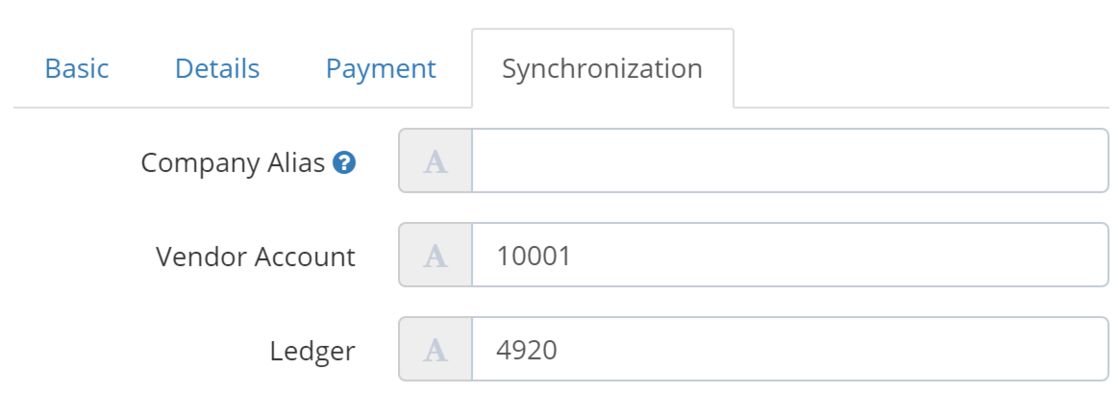
Import "Vendor account" (DE: "Kreditorenkonto") and "Ledger account" (DE: "Sachkonto") into DATEV settings

In Companies & Portals you can upload business partners via CSV import. Now you are also able to import “Vendor account” (DE: “Kreditorenkonto”) and “Ledger account” (DE: “Sachkonto”) into the Synchronisation tab, if you have DATEV Sync enabled.

image.png

Change export synchronization in workflow settings

Workflows are a very powerful feature in GetMyInvoices, because it is very flexible configurable. You could already select the export synchronization on creating a workflow. Based on user feedback, you can now also change the synchronization or add or remove one, directly in the workflow settings. Creating a new workflow for that is not needed anymore.

July 2022

DATEV sync not found if searched for "datev"

When searching for “datev” in the sync list, the sync for “DATEV Rechnungsdatenservice 1.0” was not found. We fixed that issue.

Sync documents to self-hosted odoo

You can now sync your document to odoo, also when it is a self-hosted environment.

Weclapp payment status

Documents transferred to weclapp are now provided with the corresponding payment status at weclapp.

Synced to wrong Evernote folder

We fixed an issue in the sync to Evernote, when is some special cases documents were saved to the wrong folder.

Not all folder shown in ecoDMS sync

In the configuration of the sync to ecoDMS not all folders were shown in the folder selection. This is now fixed.

Tag based workflows takes couple of minutes after a document has been tagged

For workflows restricted to document tags it took sometimes a couple of minutes to trigger the workflow, after a document was tagged. That could feel like it was not even working. We optimized that and the workflow will now be started within one minute.

Help videos for portals, syncs, online banking, email import and workflows added (DE)

In the modules of portals, syncs, online banking, email import and workflows we added links to video instructions to help you understanding the features and give you tips on how to use it.

For now only for users with language German.

New parameter "ID" in file naming pattern for export syncs

We added a new parameter ID, which is a unique identifier, to the file naming pattern for export syncs.

Sync to odoo failed in some cases

In some cases the sync to odoo failed. This issue is fixed now.

Workflow not completed when document marked as paid

When a workflow is payment step and the document was added to a payment run, the workflow was in some cases not completed when the document was marked as paid. That issue is fixed now.

June 2022

Saleforce folder could not be selected

Some customers, that use Salesforce, where not able to select the folder for the document sync. This issue is fixed now.

Improved logic of Purpose of Payment

We changed the logic of “Purpose of Payment” in documents as follows: If a custom template was set at the company we use that one, otherwise we use a system-wide default template. You can always change the value by yourself, then this value will be used.

Wrong workflow step description shown

In some cases in the workflow list the wrong workflow steps description was shown. This issue is now fixed.

Important today can be marked as read

On the dashboard you have a widget “Important Today” as long as there are new entries. You can now mark them as read by clicking the “x” that is shown on hovering the entries.

Update filtered workflow if payment status changes

There was a bug where workflows, that are filtered by payment status, had not been updated when the document was assigned to a payment. This issue is now fixed.

Note: This takes only effect as soon as the workflow had not been started.

Select payment run in workflow

In the payment step of workflows you were able to add the document to the next best fitting payment run, based on cash discount date or due date. Now you can also select the payment run you want the document be added to.

Email alert for payment runs

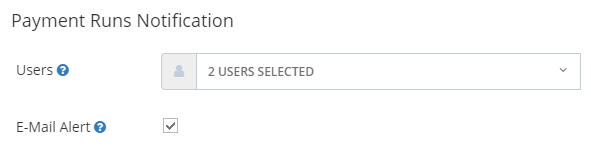
You can now activate email alerts for payment runs. If enabled selected users will receive an email in addition to the notification in the platform.

image.png

Workflow not assigned after updating tags

There was a bug where in some cases workflows were not created correctly based on tags assigned to documents. This issue has been fixed.

May 2022

Changelog / release updates for GetMyInvoices

We're starting a public changelog so you're always up to date with all the updates, improvements and fixes that are made in GetMyInvoices.

Even though we work on GetMyInvoices all the time, sometimes it may seem that not much is happening. This changelog is here to improve that very important part of the communication between you and us.

You'll always receive an update when we change something in the widget, or if needed all things we've changed is available on our public changelog page .

If you have any questions or issues, please use hour help area , where you can also contact our support.