

 Deutsch
 Français
 Español
 Nederlands
 Italiano




With the payment feature, you can pay outstanding invoices directly from your GetMyInvoices account
Step 1 Open the invoice
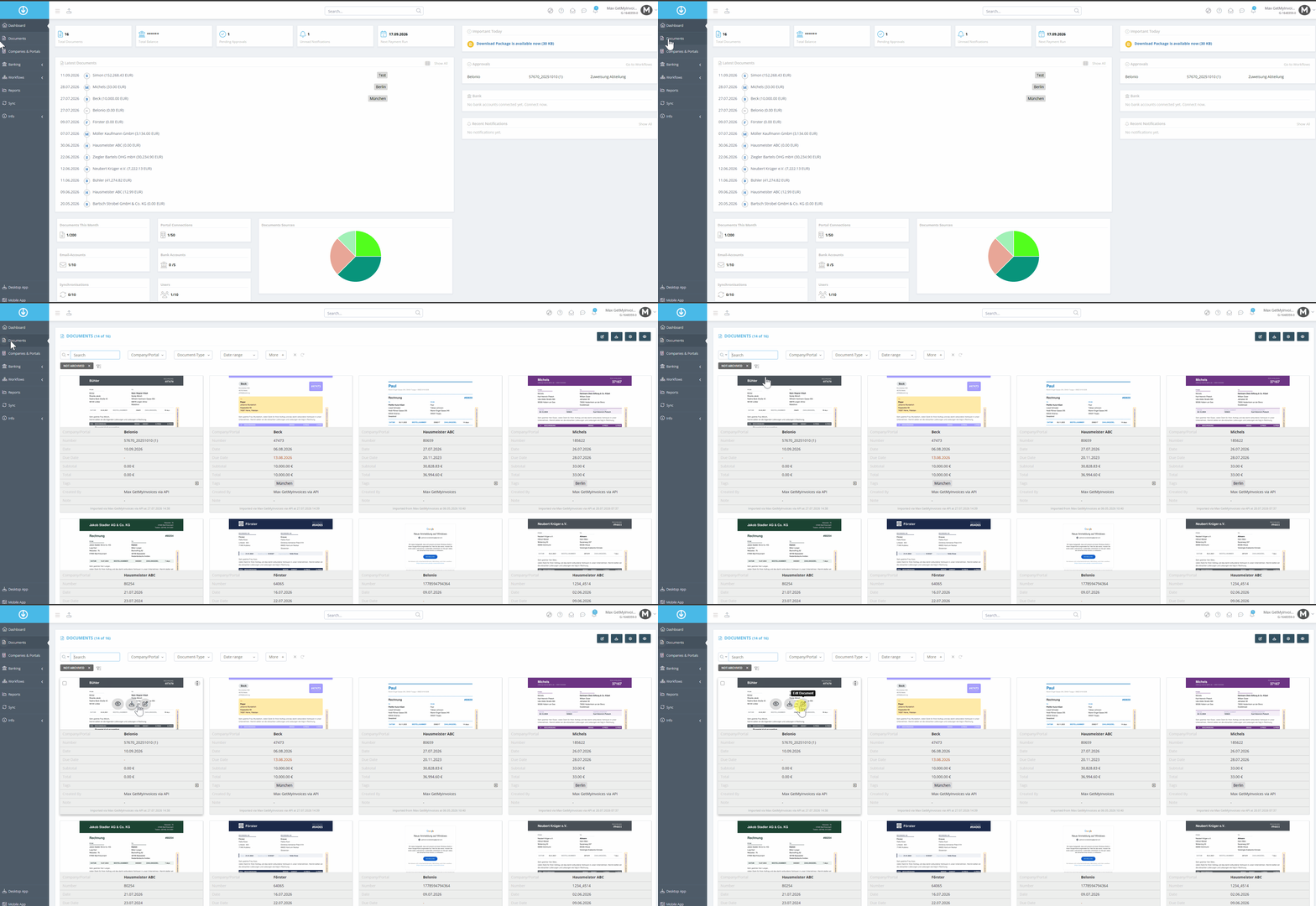
- Click “Documents” in the menu on the left.
- Use the filter to find the invoice.
- Move the mouse pointer over the invoice.
- Select Edit.
Step 2: Prepare the payment
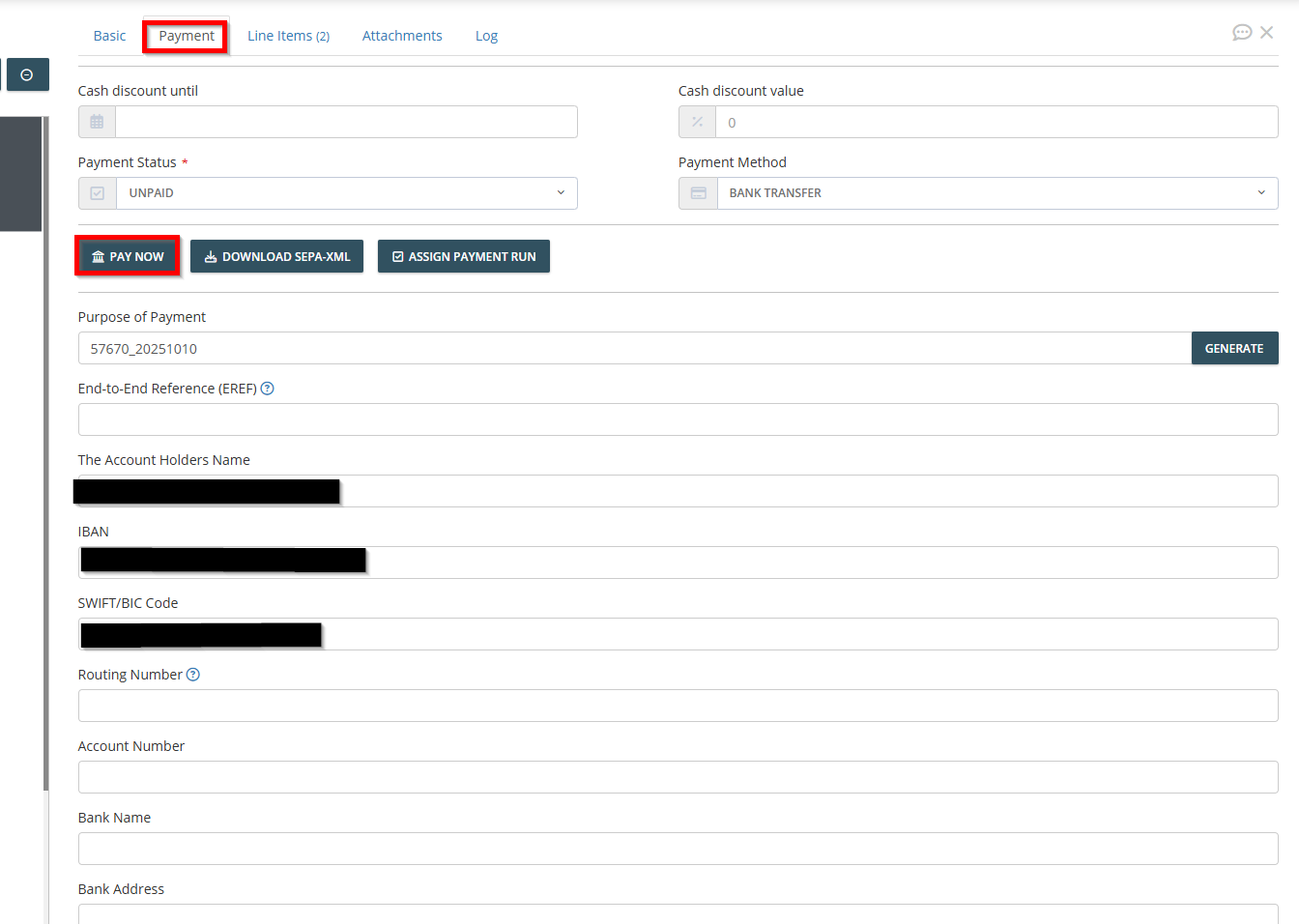
- In the invoice screen, click the “Payment” tab.
- Please verify the details for the bank transfer.
- Click “Pay Now.”
Step 3: Select the account for the transfer
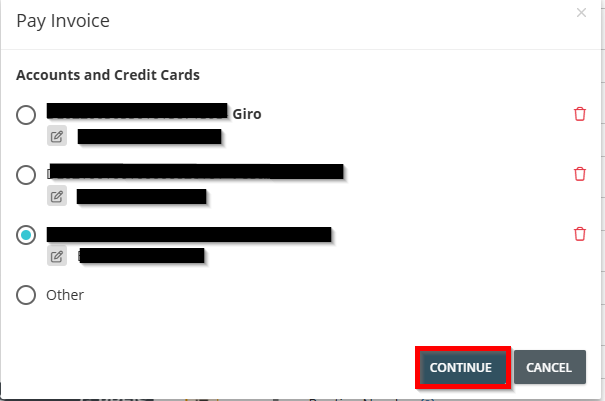
- Select the account from which the transfer should be made.
- Click Next.
Step 4: Complete the payment
Follow the remaining steps and complete the transfer. Once the payment is successful, you will be redirected back to GetMyInvoices.
The invoice's payment status will immediately change to “Paid.”