Deutsch
 Français
 Español
 Nederlands
 Italiano




If a tag attached to an online portal is no longer needed, remove it directly from the portal.
Step 1 Edit the portal
- Click on “Companies & Portals” in the menu on the left.
- Go to the linked portal and click Edit.
Step 2: Remove the tag
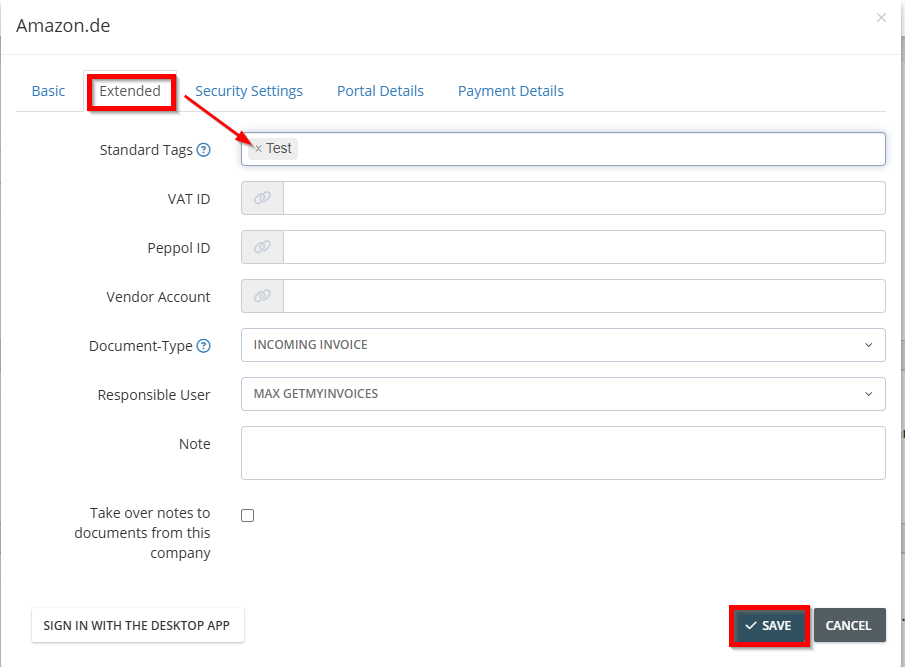
- Click the Advanced tab. Under “Default Tags,” you'll see all the tags associated with the portal.
- Click the “x” icon next to each tag you want to remove.
- Click Save.