

 Deutsch
 Français
 Español
 Nederlands
 Italiano




GetMyInvoices offers you the option to transfer incoming invoices directly to your Dropbox .
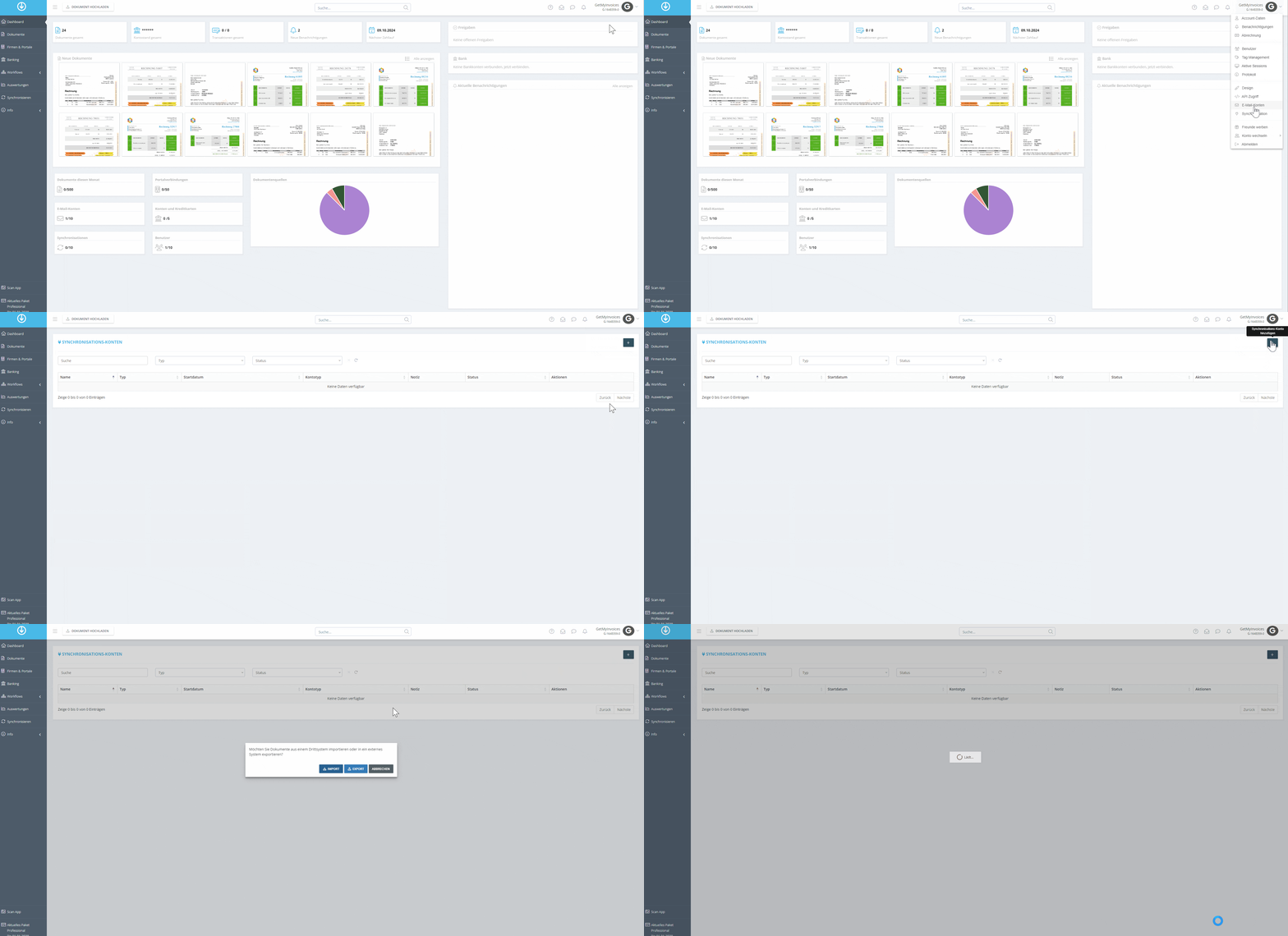
Hover your mouse over your name in the top-right corner and click Synchronization in the dropdown menu.Click the plus icon in the top right corner**.** Click Export.
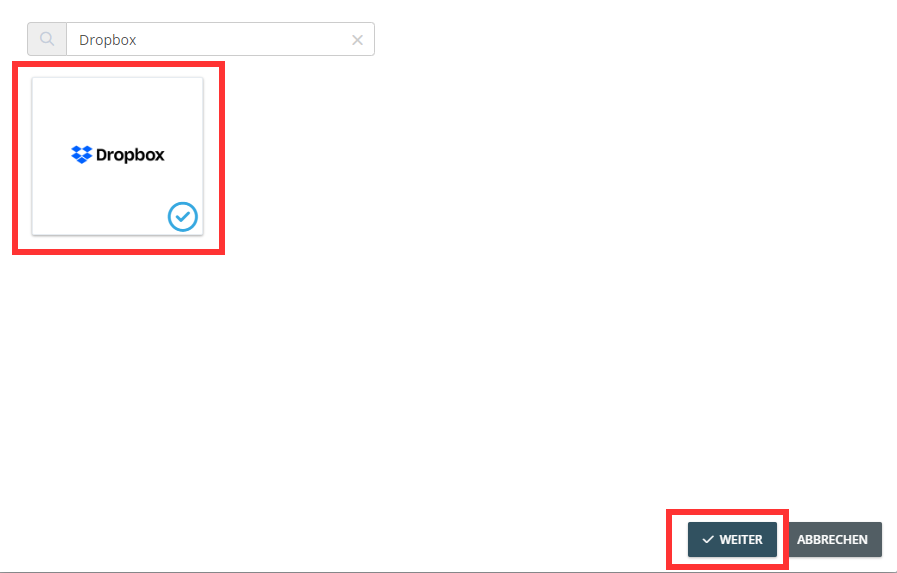
Use the search function to search for Dropbox. Then select the Dropbox tile and click Next**.**
** **
**
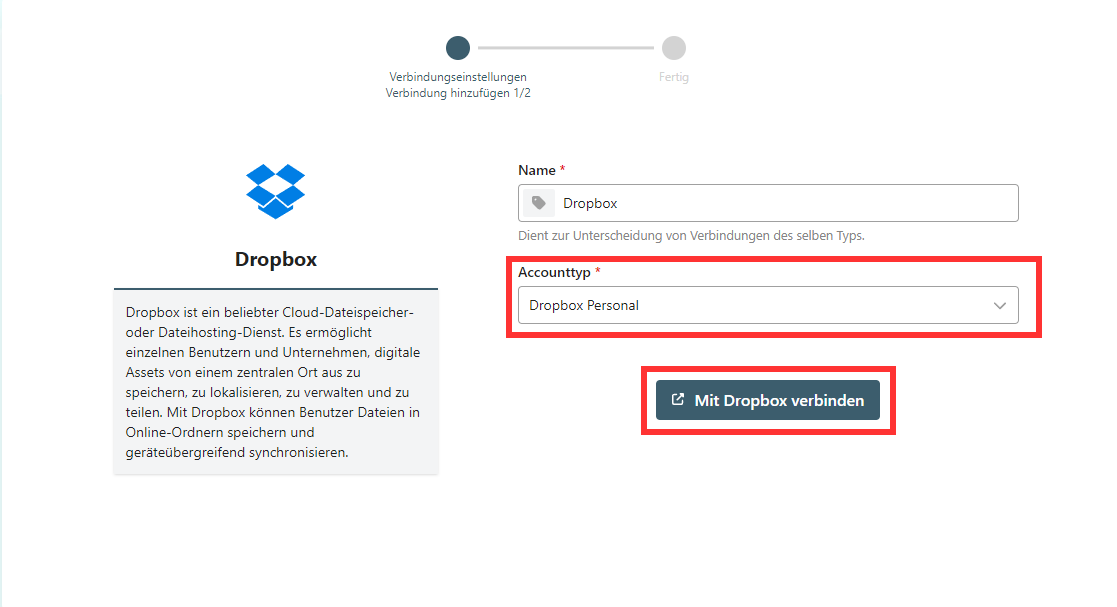
You will now be redirected to the pushdocs interface, where you can set a name and, optionally,
customize the account type.
Click “Connect to Dropbox.”
Follow the prompts and grant access to your Dropbox.
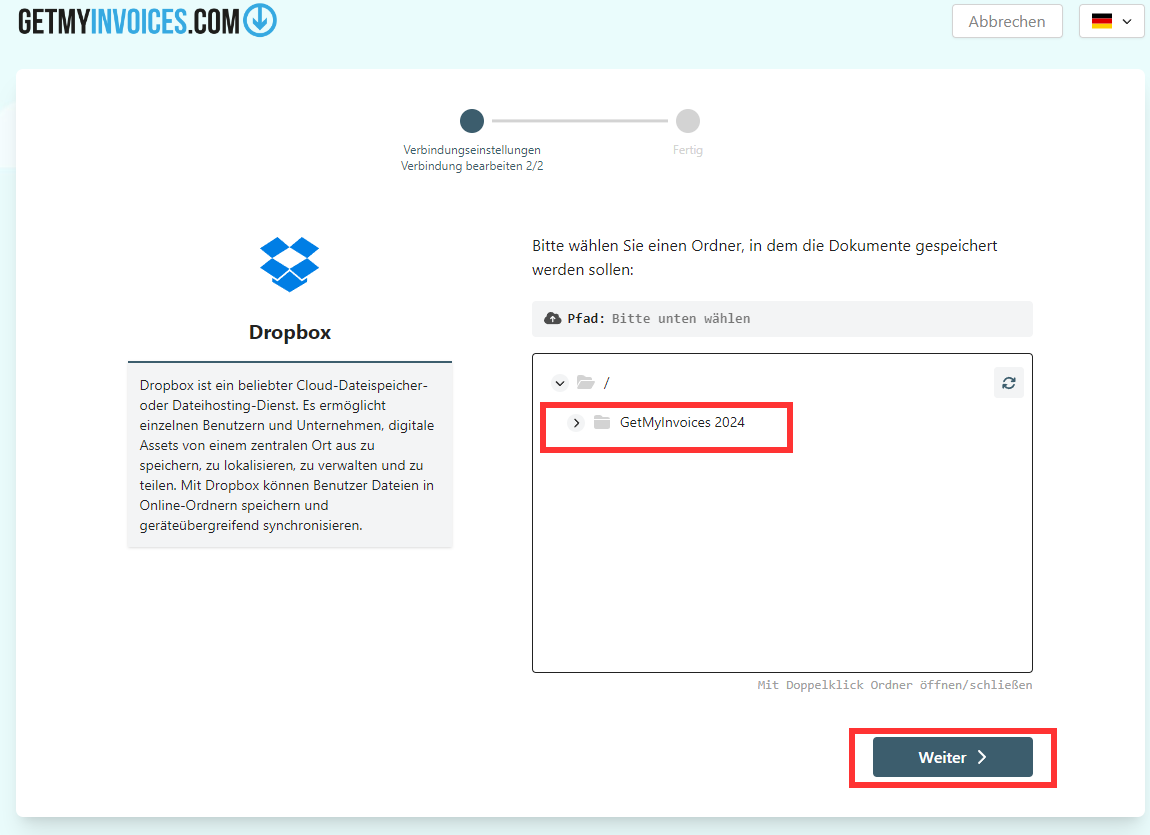
You can now select the desired path where your invoices should be exported to Dropbox
You have now successfully linked your Dropbox to GetMyInvoices