

 Deutsch
 Français
 Español
 Nederlands
 Italiano




With GetMyInvoices , you can export incoming invoices directly to your FTP server. This saves you time and ensures your documents are stored in one central location. This guide provides step-by-step instructions on how to set up synchronization with an FTP server.
Step 1
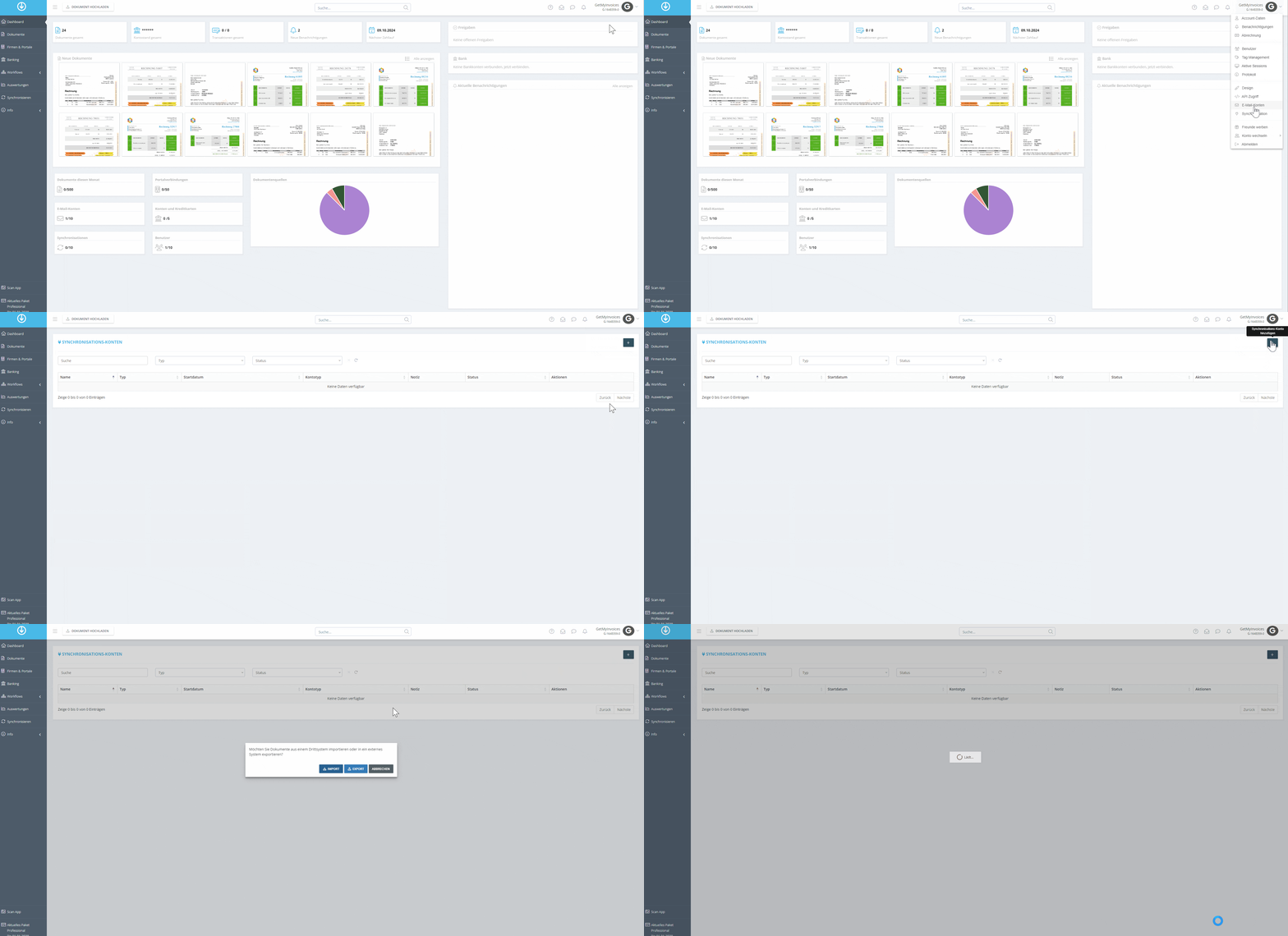
- Click “Profile” in the top-right corner and select “Synchronization” from the dropdown menu.
- Click the plus sign (+) in the top-right corner.
- Click Export.
Step 2
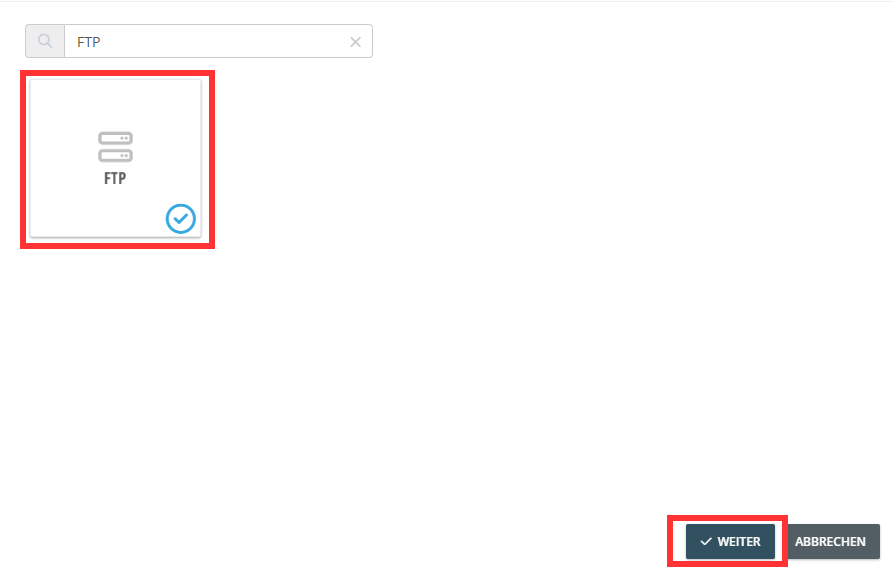
- Use the search function and search for FTP.
- Click the FTP tile.
- Select Next.
Step 3
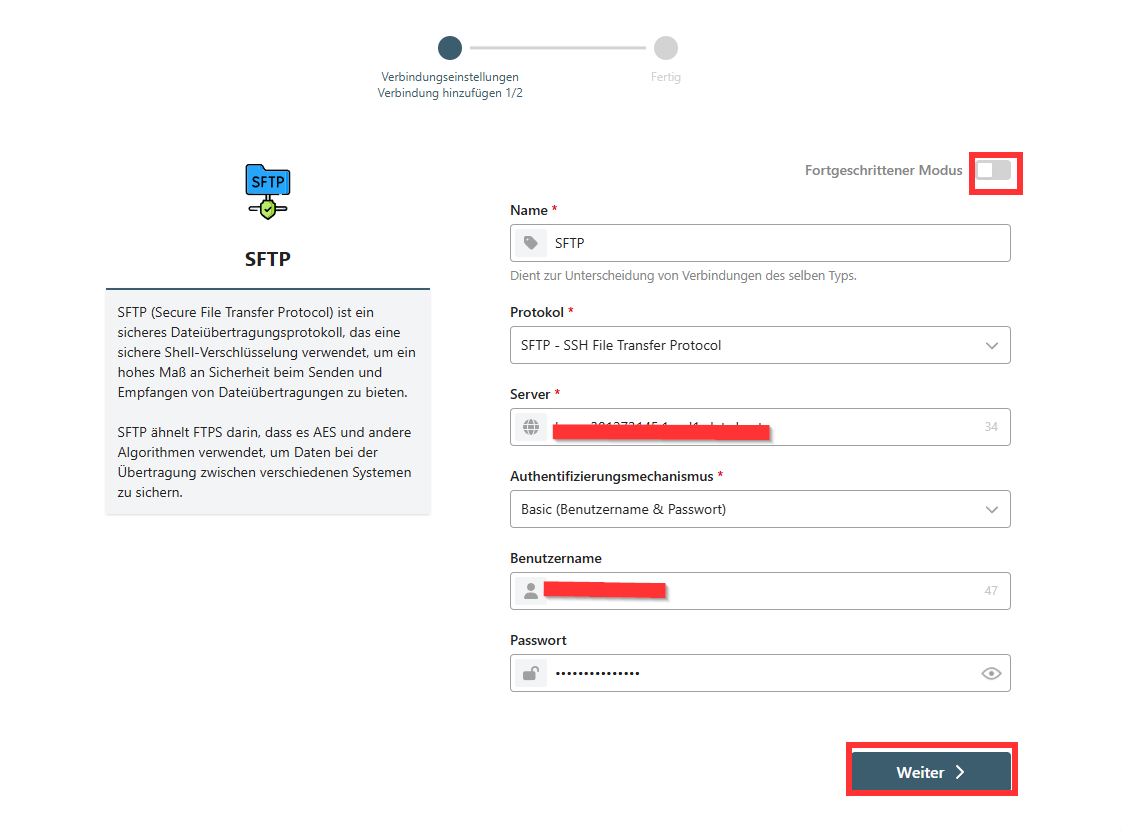
- After being automatically redirected, enter all the FTP server details.
- Switch to Advanced Mode.
- Click Next.
Step 4
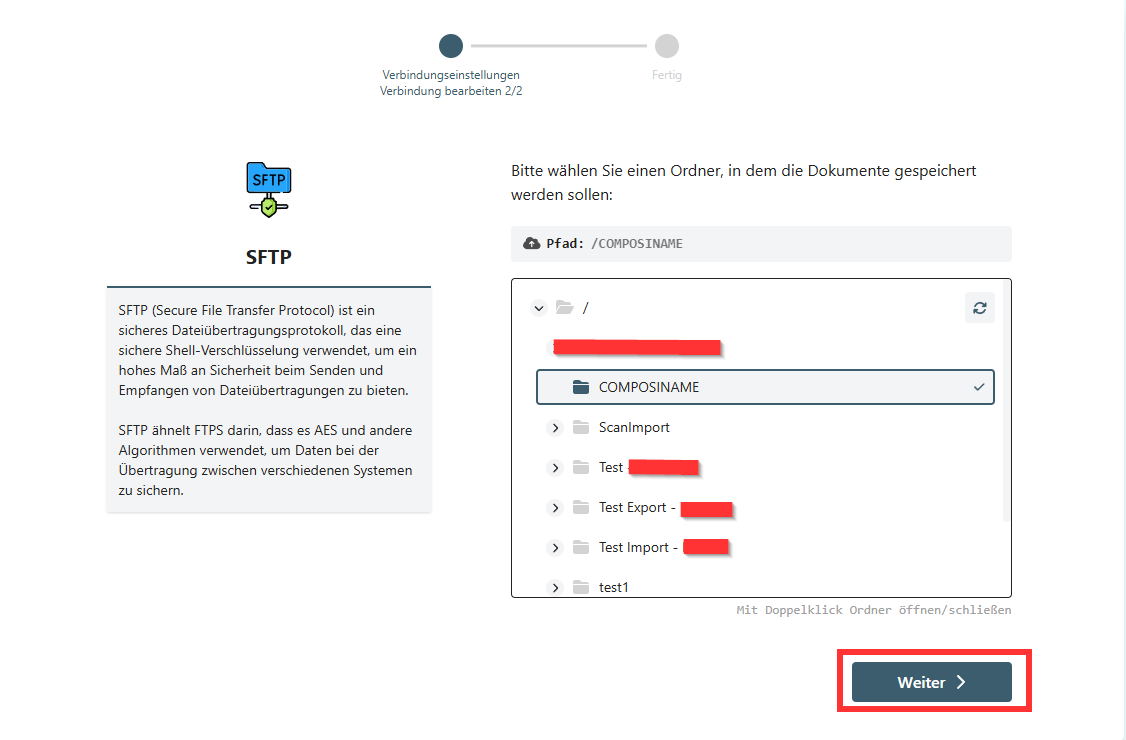
- An overview of all folders appears: Select the desired path for storing incoming invoices.
- Click Next.
Step 5
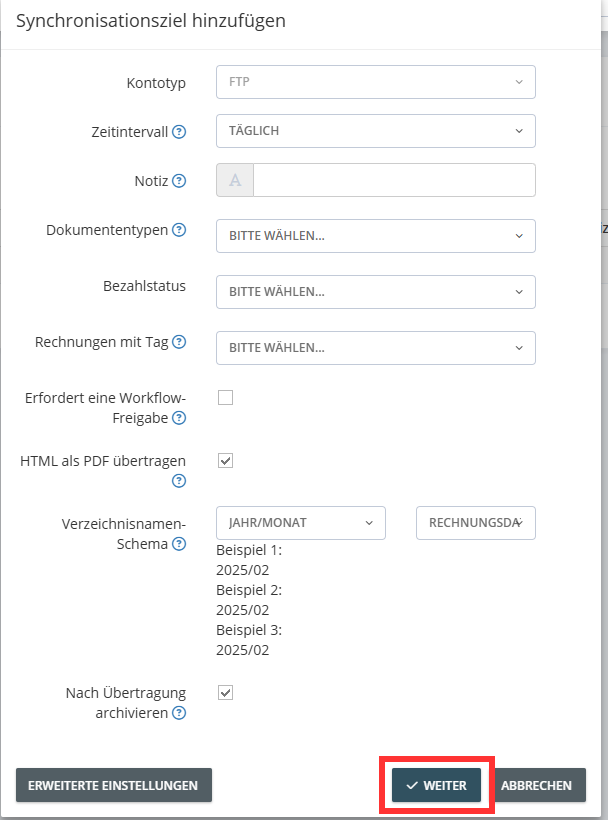
- In the settings screen, define a directory scheme.
- Use predefined variables to create an automatic folder structure.
- Choose whether invoices should be archived automatically after export.
- In this example: You can define a scheme that automatically saves invoices in separate folders by year and supplier.
Step 6
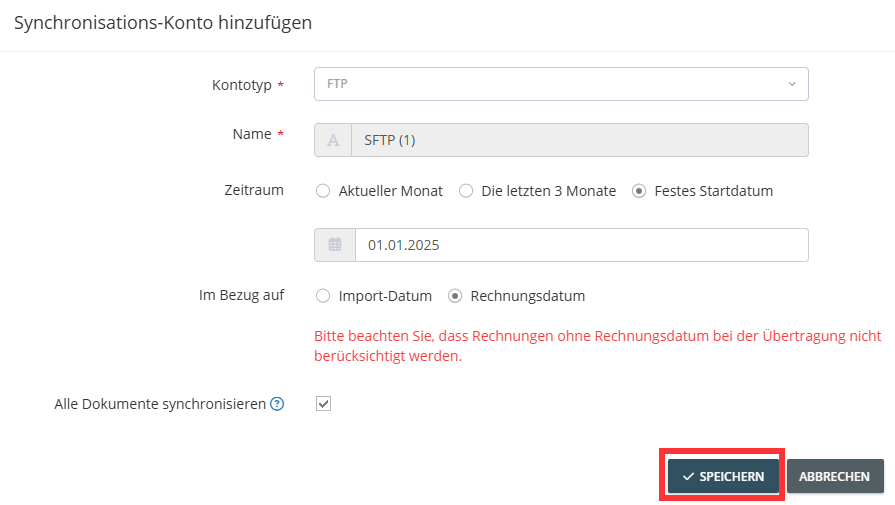
- Optional: Limit the export period based on the invoice or import date.
- Click Save to start the export.
GetMyInvoices will now automatically transfer all relevant invoices to your FTP server based on your settings. We transfer the PDF file to the FTP server.