

 Deutsch
 Français
 Español
 Nederlands
 Italiano




Not all invoices can be automatically assigned to an approval process-for example, if they require special review steps or fall outside defined criteria. GetMyInvoices offers the option to manually assign such invoices to an approval process. This allows you to specifically add documents to a desired approval process and process them directly.
Step 1
- Click Workflows in the menu on the left.
- Select the Approvals menu item.
Step 2
- Use the filter functions.
- Remove the Not Complete filter to display all invoices.
- Use the “No suitable workflow” filter or another filter
- Select the desired invoice.
Step 3
- Click the three action dots and select Assign Workflow.
- Select the desired approval process.
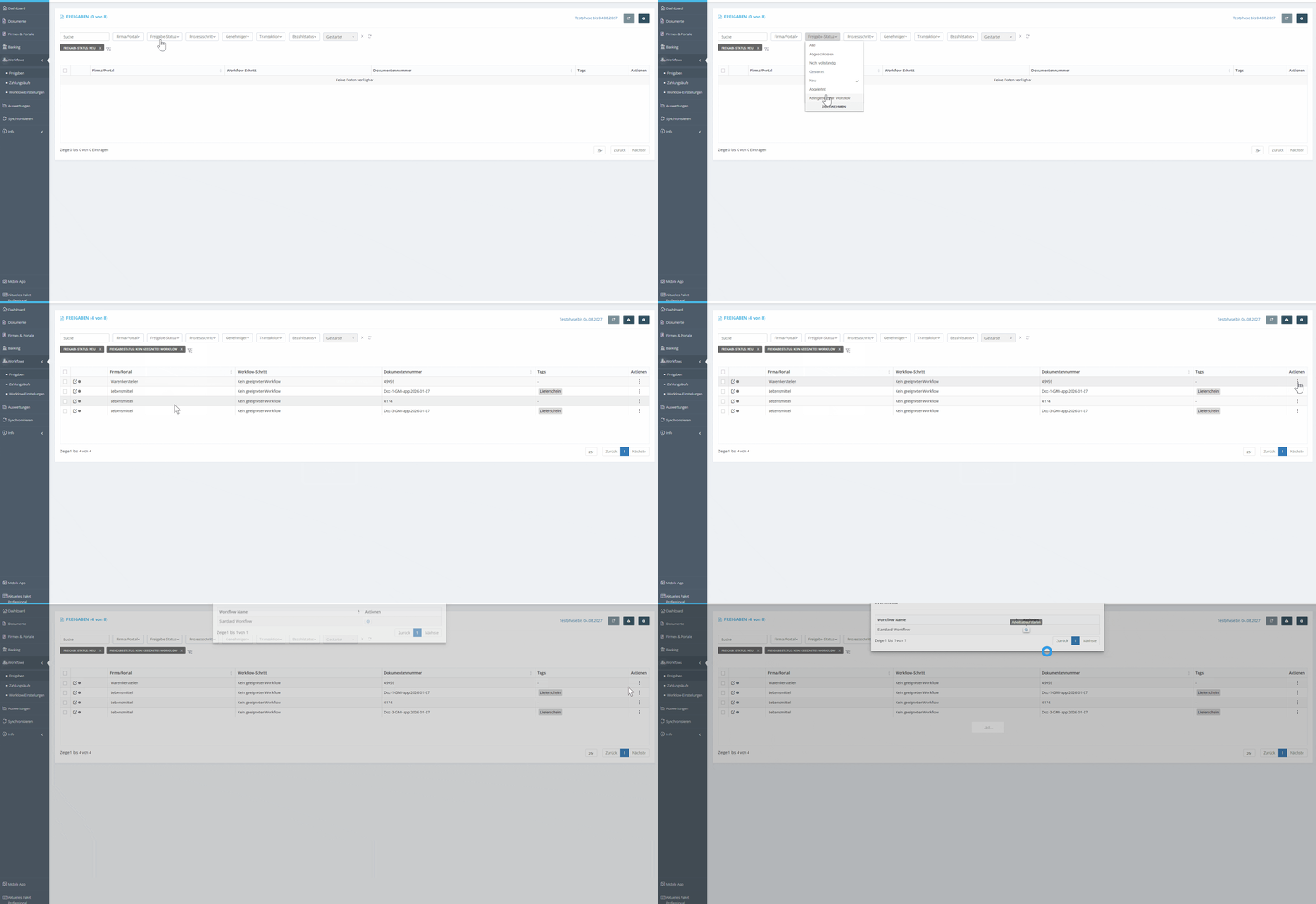
The invoice is immediately added to the selected approval process, where it can be further processed, reviewed, and approved. This allows for maximum flexibility and ensures that no relevant invoices are overlooked in the approval process.