Deutsch
 Français
 Español
 Nederlands
 Italiano




GetMyInvoices can automatically download invoices from over 10,000 online portals. Our interfaces cover a wide range of categories such as banks, web hosting, jobs, marketing, telecom companies, electricity and gas, transportation and logistics, and more. By integrating portals, you can manage invoices more efficiently and minimize manual effort.
Step 1
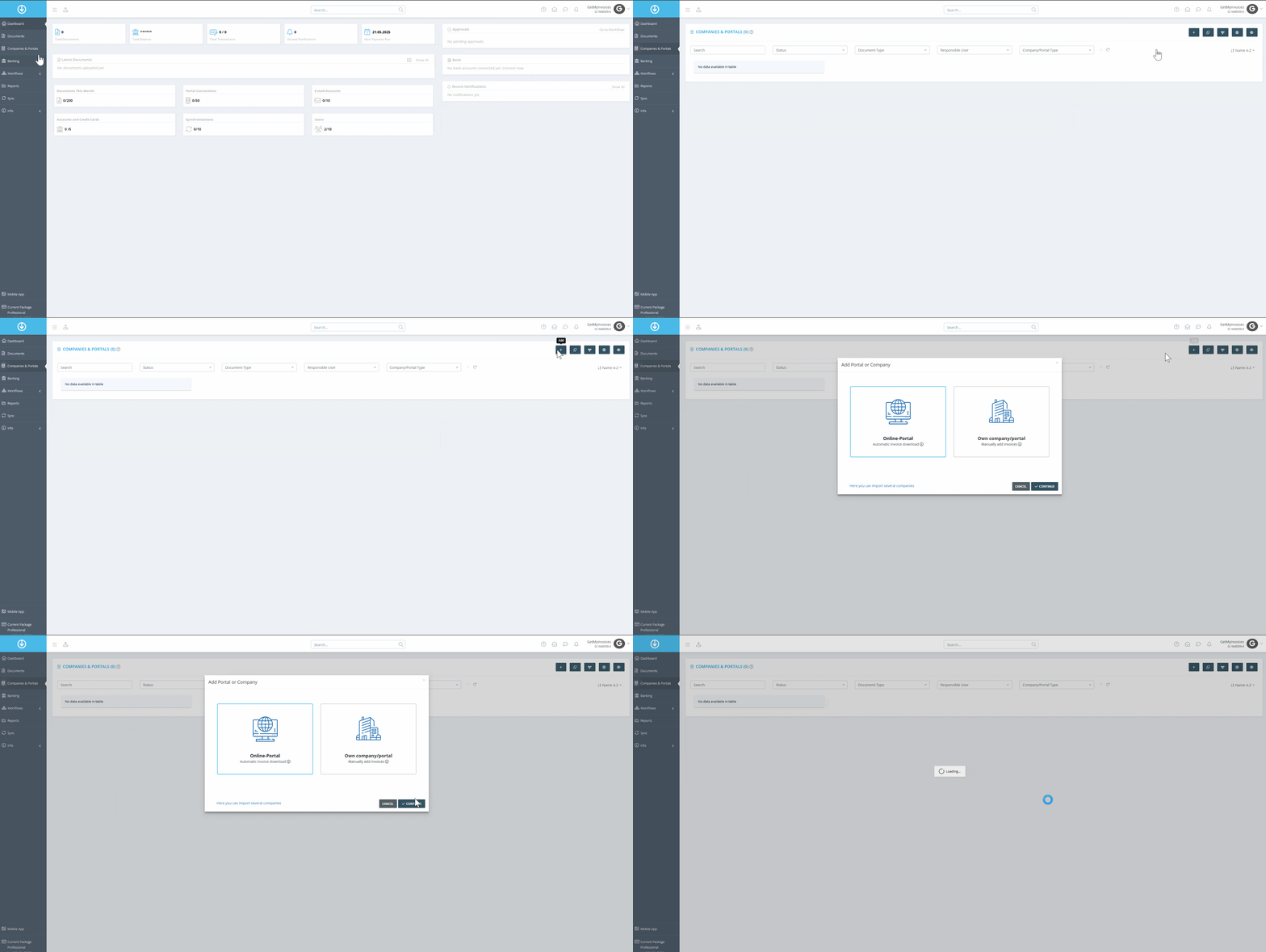
- Click on “Companies & Portals” in the menu on the left.
- Click the plus symbol at the top right.
- Select “Online Portal” and click Next.
Step 2
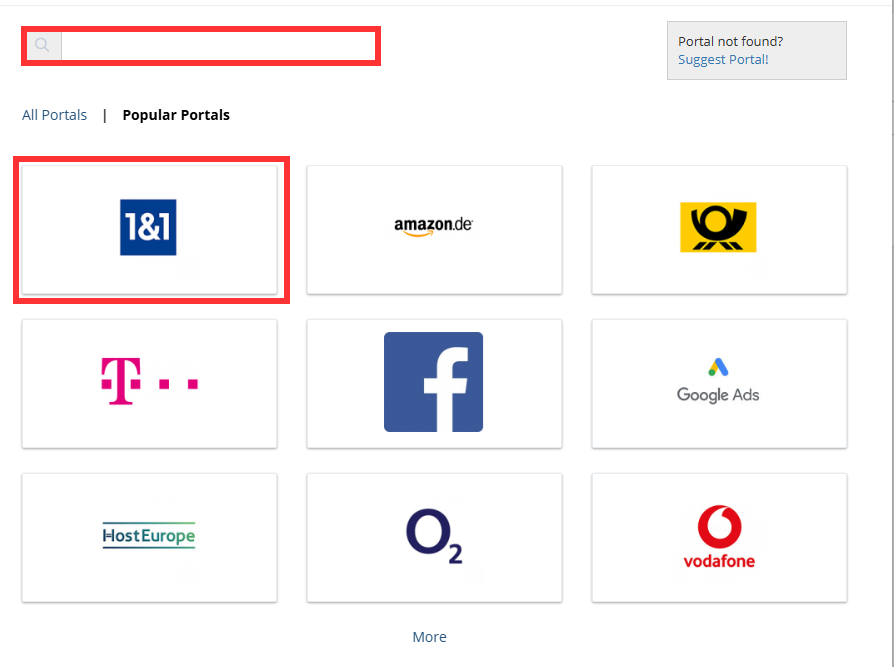
- Enter the desired portal in the search field or select from “Popular Portals.”
Step 3
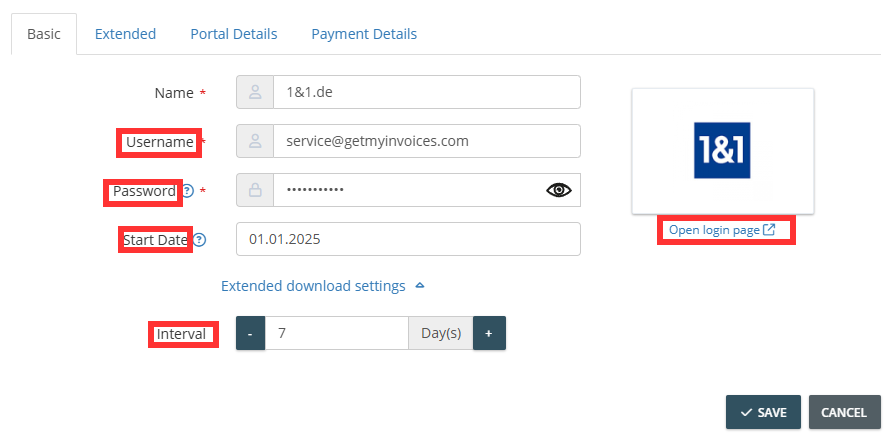
- Enter the login credentials that are also used in the online portal.
- Set the start date for when invoices will be imported into GetMyInvoices (e.g., from 01.01.2024).
- Set the retrieval interval, e.g., automatic retrieval every 7 days.
- Maintain master data under the “Extended” tab and the payment details.
Step 4
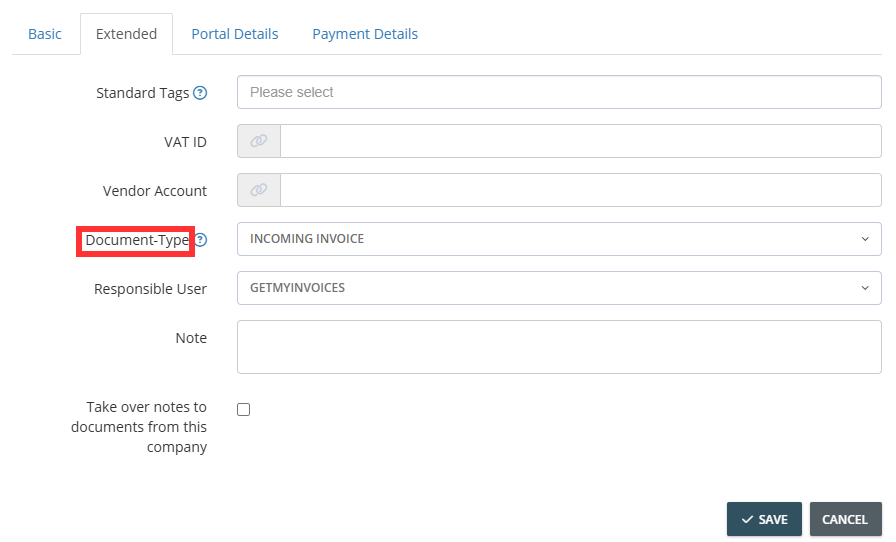
- Under the “Extended” tab, set the document type for the connected portal.
- Note: Typically, incoming invoices are retrieved from the portals, meaning invoices you receive from suppliers. All documents will be classified as incoming invoices in GetMyInvoices.
Step 5
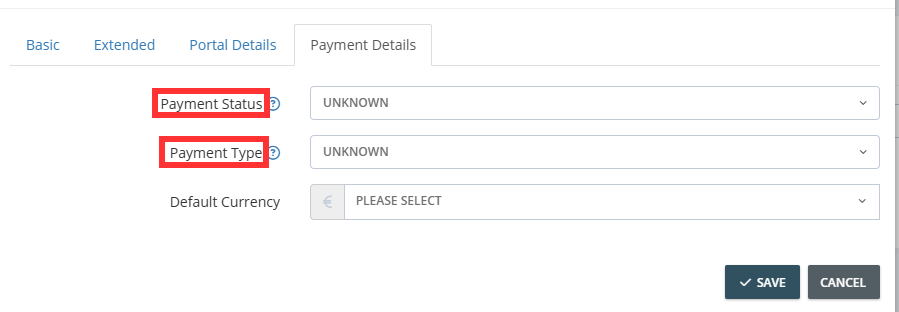
- Open the payment details.
- Set the payment status of the invoices (e.g., “paid”).
- Choose the payment method for the supplier’s invoices (e.g., “direct debit”).
- Click Save