

 Deutsch
 Français
 Español
 Nederlands
 Italiano




GetMyInvoices lets you automatically transfer your invoices to the BuchhaltungsButler interface. This allows you to streamline your accounting processes and manage invoices directly in BuchhaltungsButler without any manual effort.
How to set up BuchhaltungsButler synchronization
Step 1
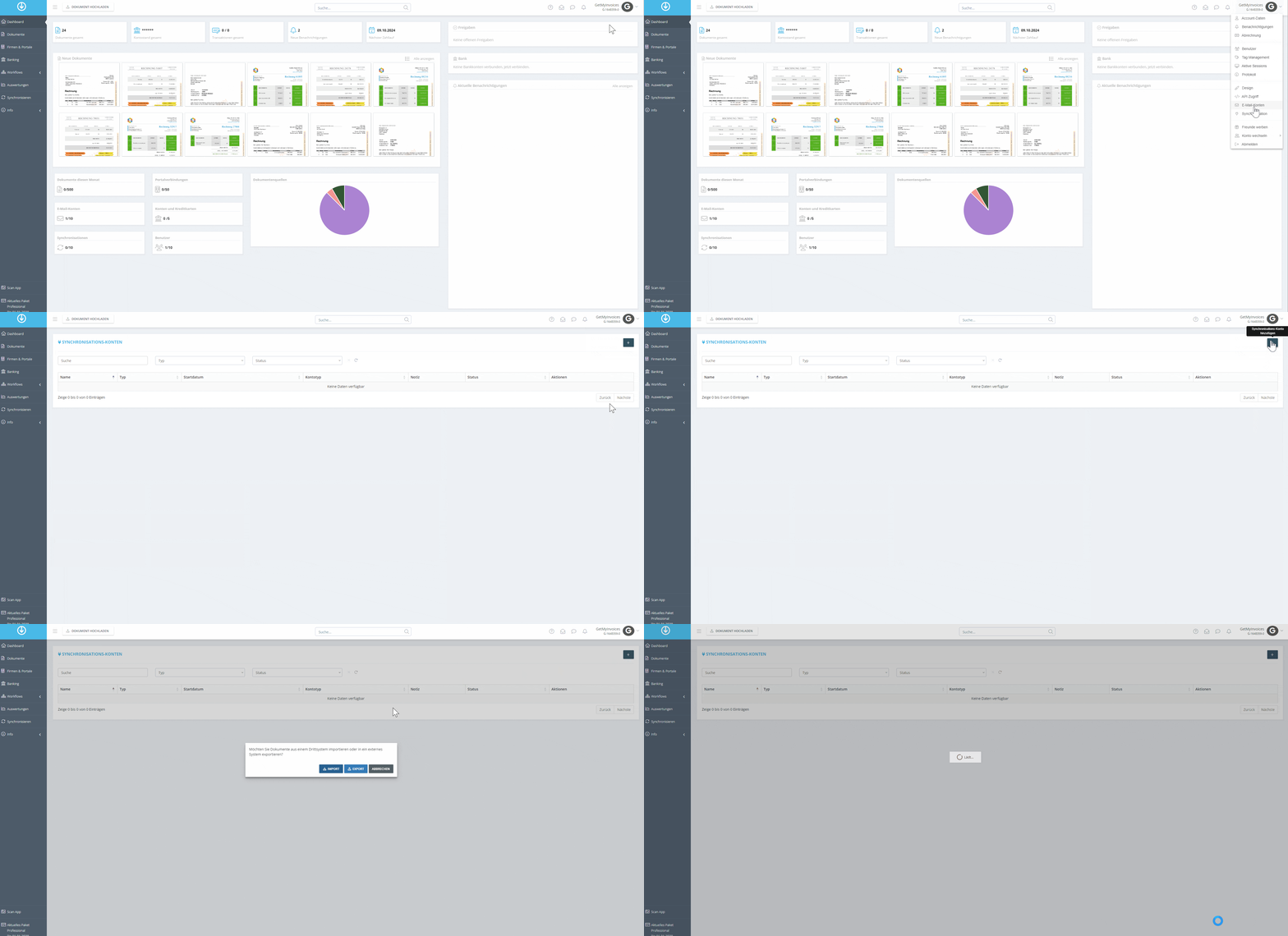
- Hover your mouse over your name in the top-right corner and click “Synchronization” in the dropdown menu.
- Click the plus sign (+) in the top right corner to add a new synchronization.
- Select the “Export” option to automatically transfer invoices.
Step 2
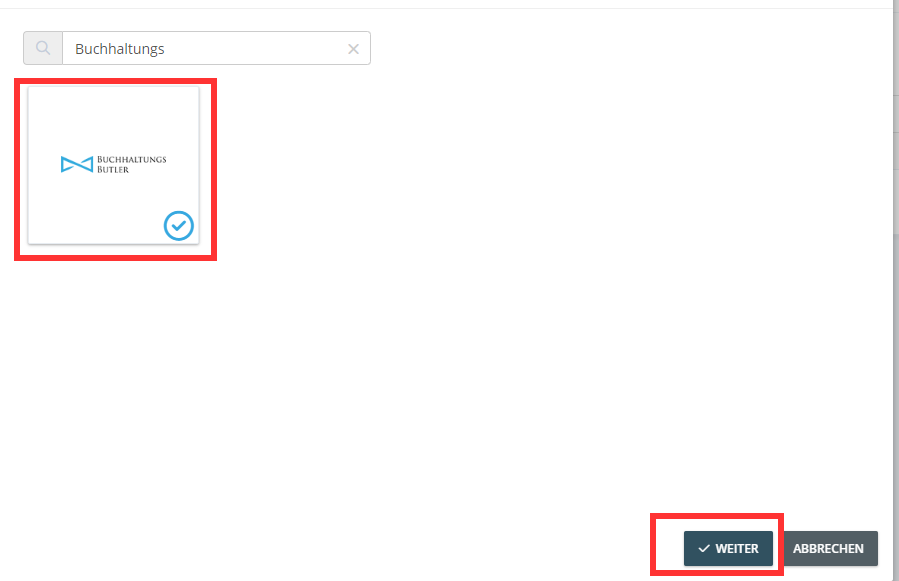
- Use the search function to search for “BuchhaltungsButler”.
- Click on the “BuchhaltungsButler” tile and then click “Next”.
Step 3
-
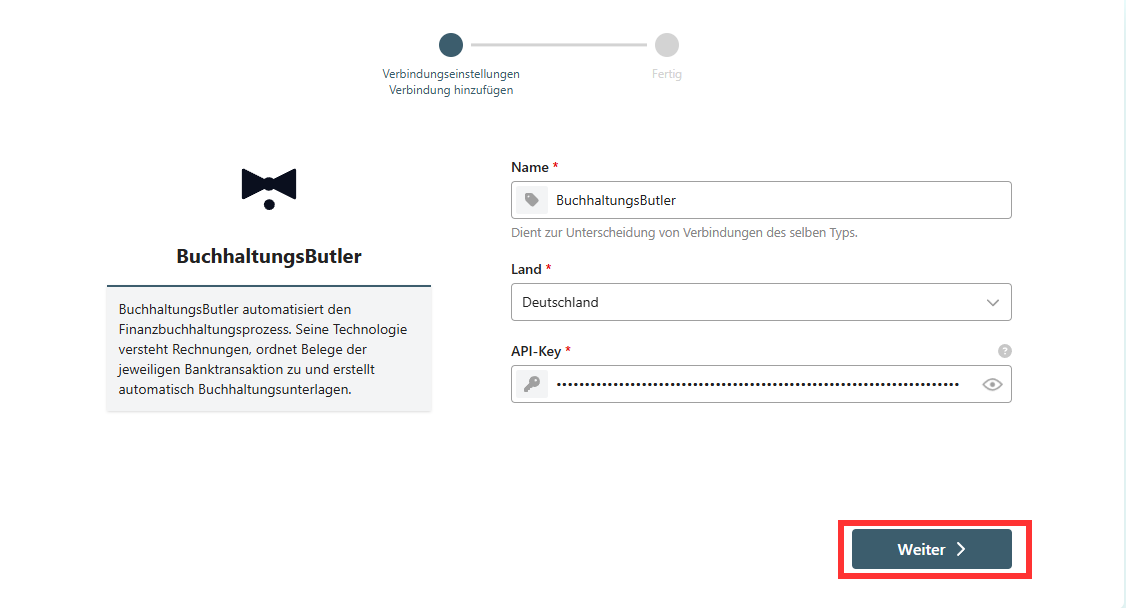
You will now be redirected.
-
Enter your country
-
Enter the API Key
-
Click “Next”
Step 4
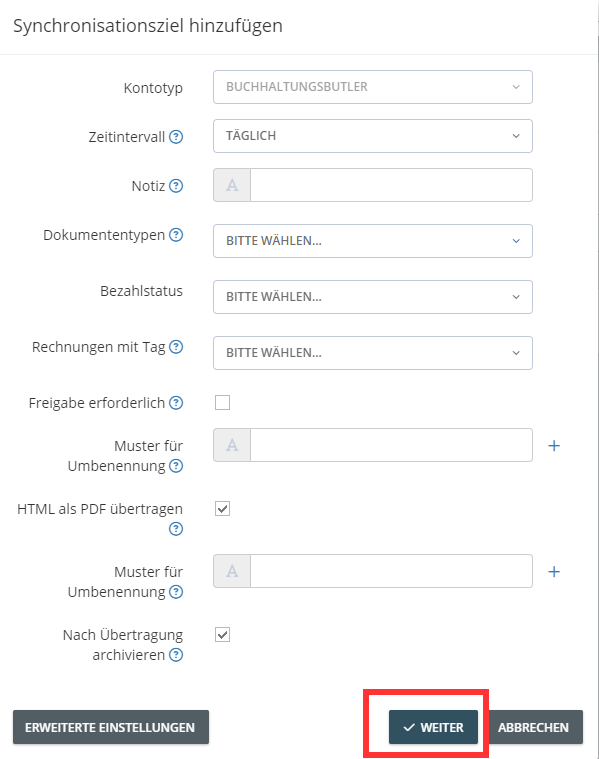
You can configure the settings for exporting documents. Via **“Advanced Settings **, you can specify additional criteria for the export. Then click **“Next.”**In our example, we’ll have the invoices archived in BuchhaltungsButler after the export is complete
Step 5
-
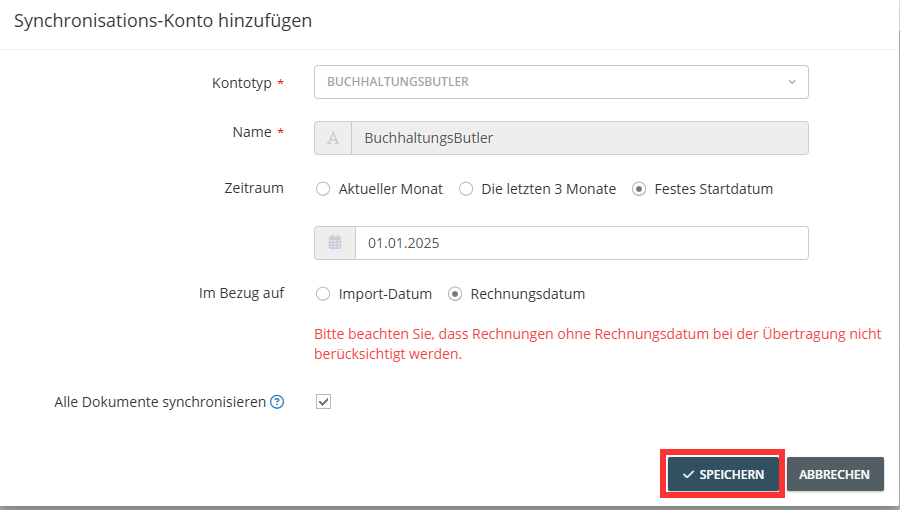
Optionally, you can limit the export period based on the invoice or import date.
-
Click “Save” to start the export.
 GetMyInvoices will now automatically transfer all relevant invoices to BuchhaltungsButler based
on your settings. Only the PDF file is transferred to the BuchhaltungsButler interface.
GetMyInvoices will now automatically transfer all relevant invoices to BuchhaltungsButler based
on your settings. Only the PDF file is transferred to the BuchhaltungsButler interface.