

 Deutsch
 Français
 Español
 Nederlands
 Italiano




For each bank account in GetMyInvoices, you can designate a person in charge. This person will receive a notification at set intervals when there are transactions without an assigned document. This ensures that missing documents are detected early.
Step 1: Select an account
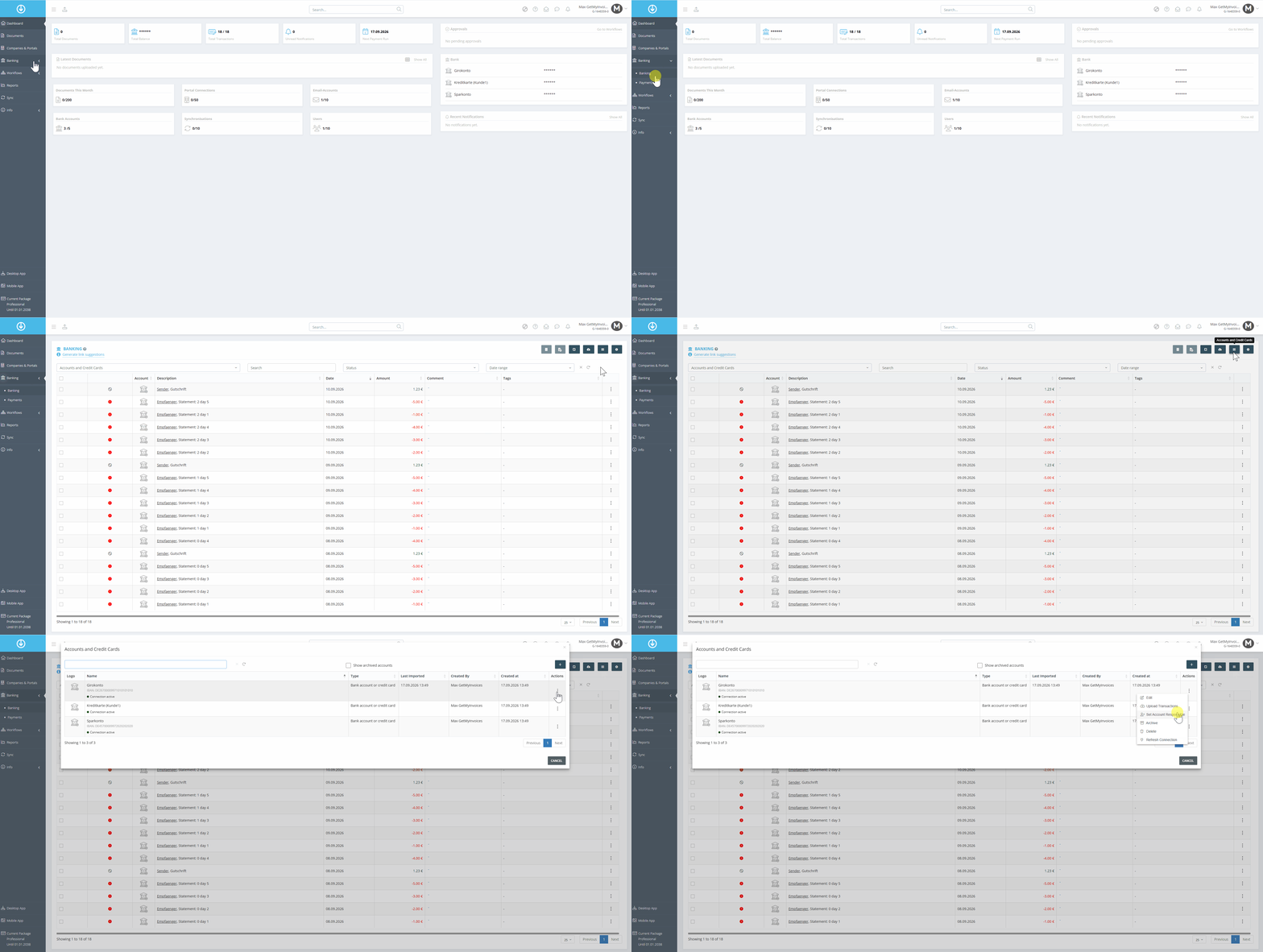
- Go to “Banking” on the left.
- Click the menu icon “Accounts and Credit Cards” (three horizontal lines).
- Select the account you want and click the three dots next to it.
- Click “ Set Account Responsible”
Step 2: Designate a Responsible Person
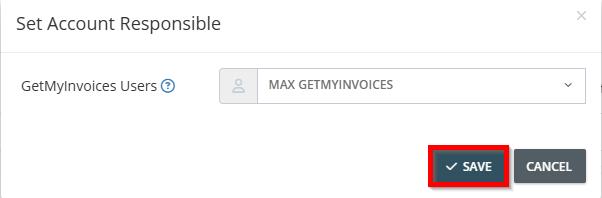
- Select “Designate a Responsible Person for the Account.”
- Select a person from the list.
- Click “Save.”
Customize Notification Settings
Step 1: Open Notifications
- Click your name in the top-right corner.
- Click “Notifications”.
- Scroll down to the Banking category.

- Save the Notifications