

 Deutsch
 Français
 Español
 Nederlands
 Italiano




If a receipt is missing for a transaction, request it in GetMyInvoices via email from a team member or an external contact.
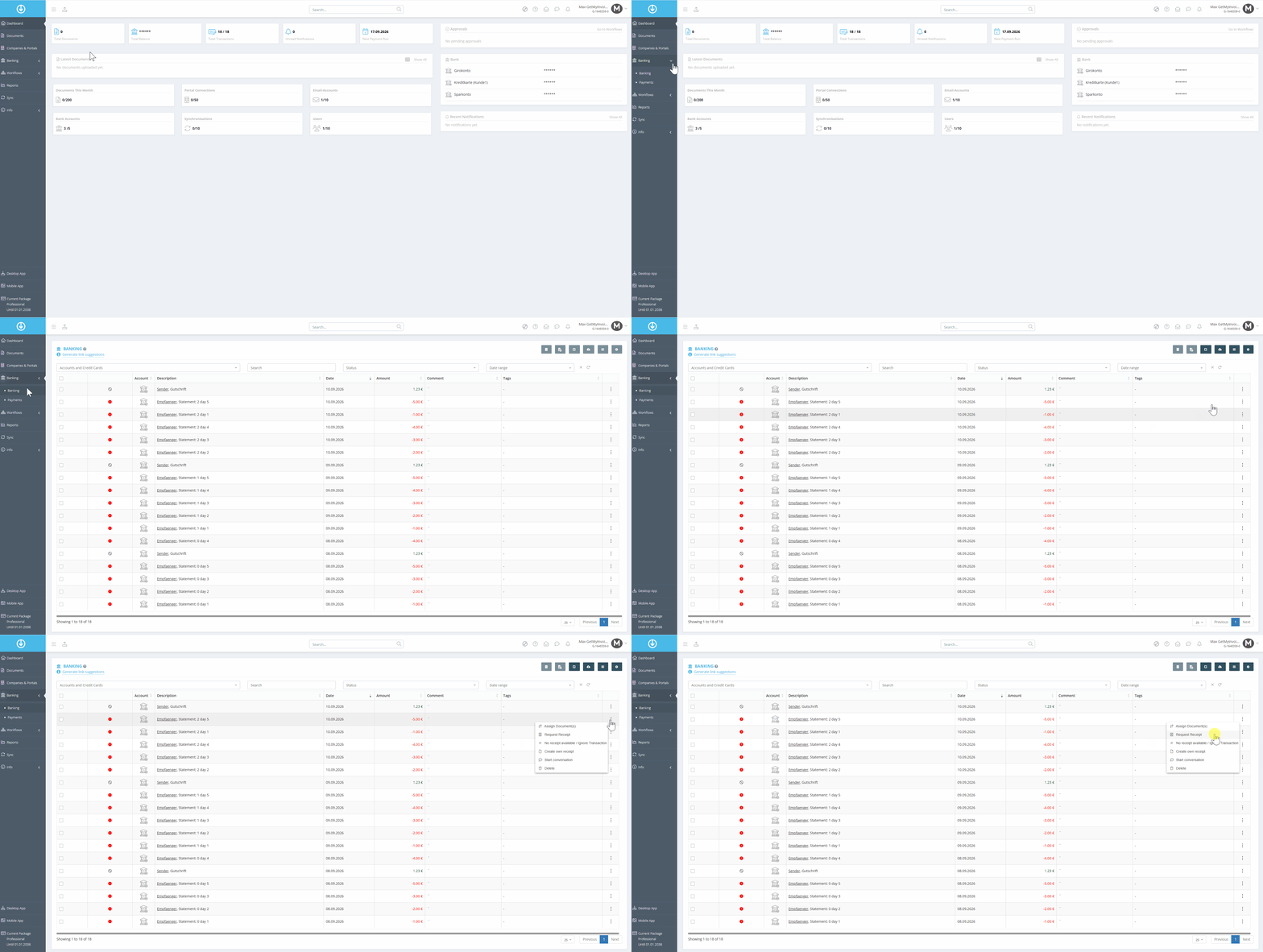
Step 1: Select a Transaction
- Select “Banking” from the menu on the left.
- Click the three-dot menu next to the transaction you want.
- Select “Request Receipt”.
Step 2: Select a recipient and send an Mail
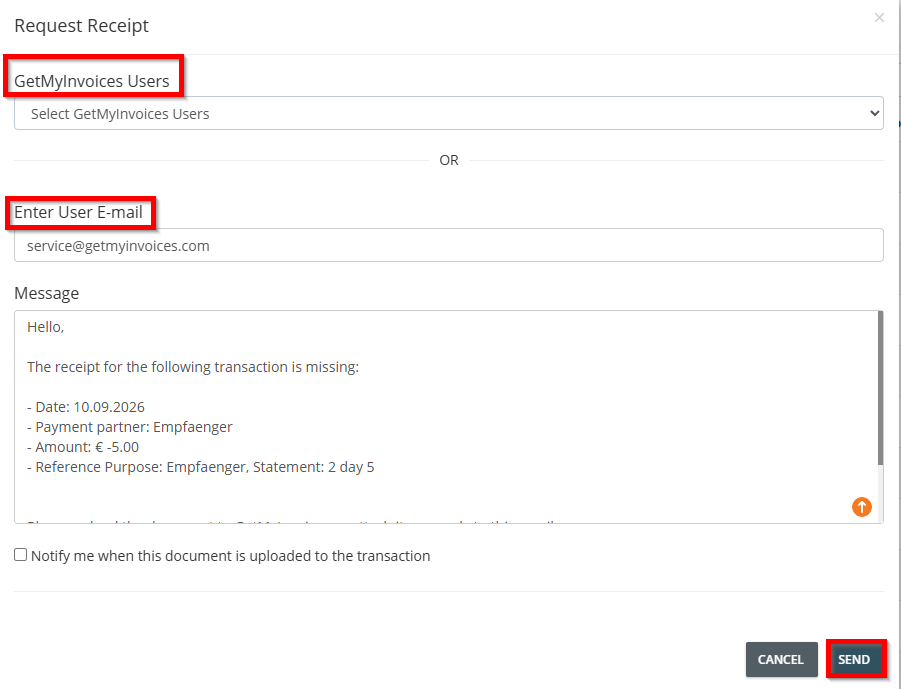
- Select a GetMyInvoices user from your team, or enter an external email address.
- Click Send.
Note: In the message field, you can compose your own message or use the saved default message. The more specific the message, the easier it will be for the recipient to find the correct document.
What Happens Next
The recipient receives an email with your message and can reply directly to attach the receipt or upload it to GetMyInvoices. If the receipt is returned via email, GetMyInvoices automatically links it to the correct transaction.
The email is generated in the language of the GetMyInvoices interface, and the text can be customized. Each receipt request contains a unique link that is clearly assigned to a specific transaction.