

 Deutsch
 Français
 Español
 Nederlands
 Italiano




GetMyInvoices automatically imports invoices you receive via email. The AI-powered invoice recognition feature scans the email folders you select and imports only messages that actually contain an invoice. This works across multiple languages.
Important tip: It's very helpful to keep your email inbox well-organized. This makes the process much easier for you within your company and also simplifies the import into GetMyInvoices.
How to Optimize Your Email for More Efficient Management
Step 1: Open Email Accounts
- Click your name in the upper-right corner.
- Select “Email Accounts” from the drop-down menu.
Step 2: Start Setup
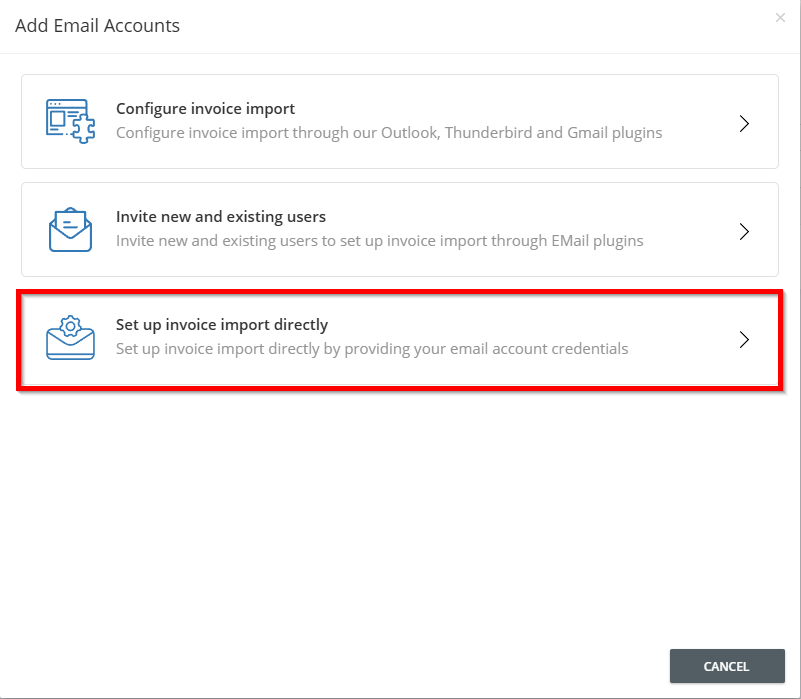
- Click the plus icon in the upper-right corner to add an email account.
- Select “Set up invoice import directly.”
Step 3: Select provider
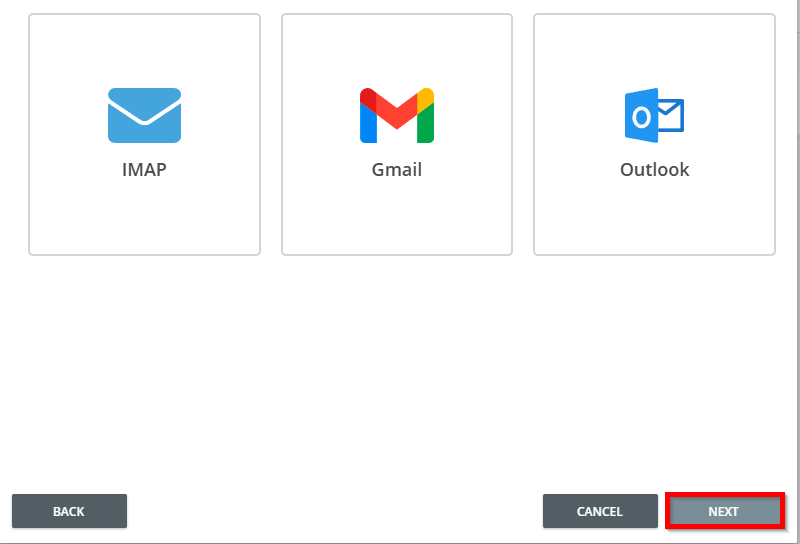
- Select the appropriate provider icon—in this example, Gmail.
- Click Next.
Step 4: Sign in to the provider
- You will be redirected to Google. Enter your email address or select it from the list.
- Accept the Privacy Policy and Terms of Service by clicking “Continue.”
- Allow GetMyInvoices to access your email account.
Step 5: Select the folder for importing invoices
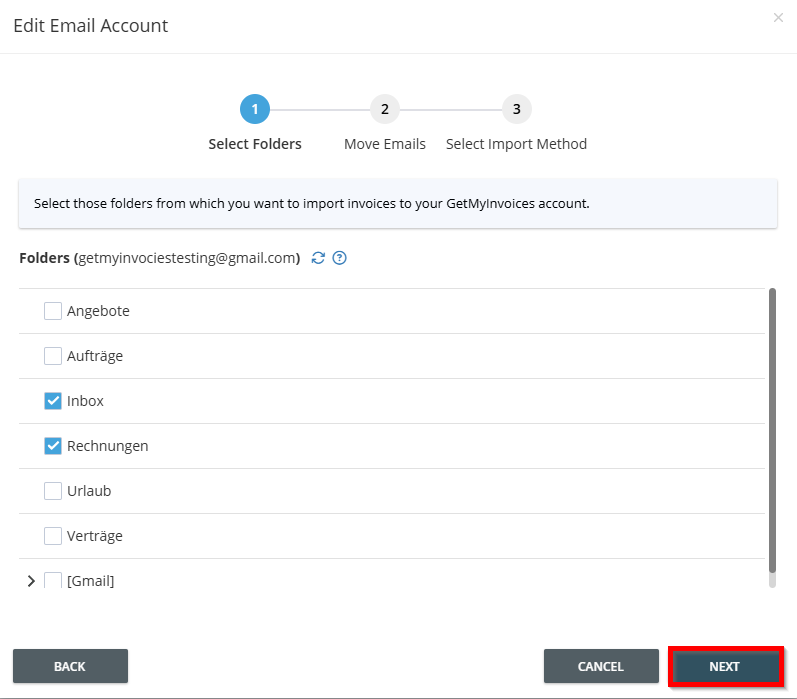
Once you've granted access to your email provider, you'll be redirected back to GetMyInvoices, where you can select the folder from your email inbox to import.
- Select folder(s) .
- Click “Next.
Important tip: It's very helpful to keep your email inbox well-organized. This makes the process much easier for you within your company and also simplifies the import into GetMyInvoices. How to Optimize Your Email for More Efficient Management
Step 6: Set the start date and import method
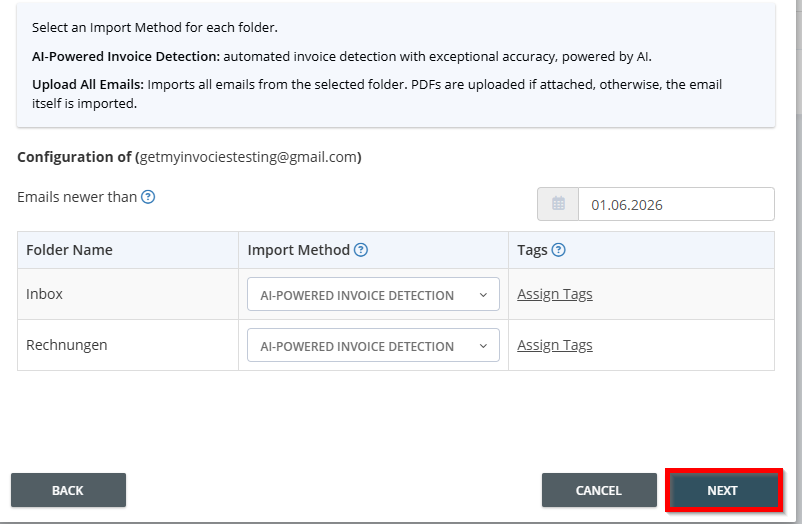
- Set the start date from which emails will be scanned. The default is 90 days.
- Select the import method. We recommend AI-powered invoice recognition.
- Optionally, assign tags.
- Click Next.
The email import is now set up.
Note: For additional instructions and options regarding importing invoices from email inboxes, see: Information on Connecting Email Accounts