Deutsch
 Français
 Español
 Nederlands
 Italiano




GetMyInvoices supports connecting portals that use SSO with Google. This means you can easily connect these portals to your GetMyInvoices account.
Our recommendation: Use our desktop app, to connect portals that use SSO login as well. With the Desktop App, importing invoices is now even easier, more secure, and more transparent.
Step 1
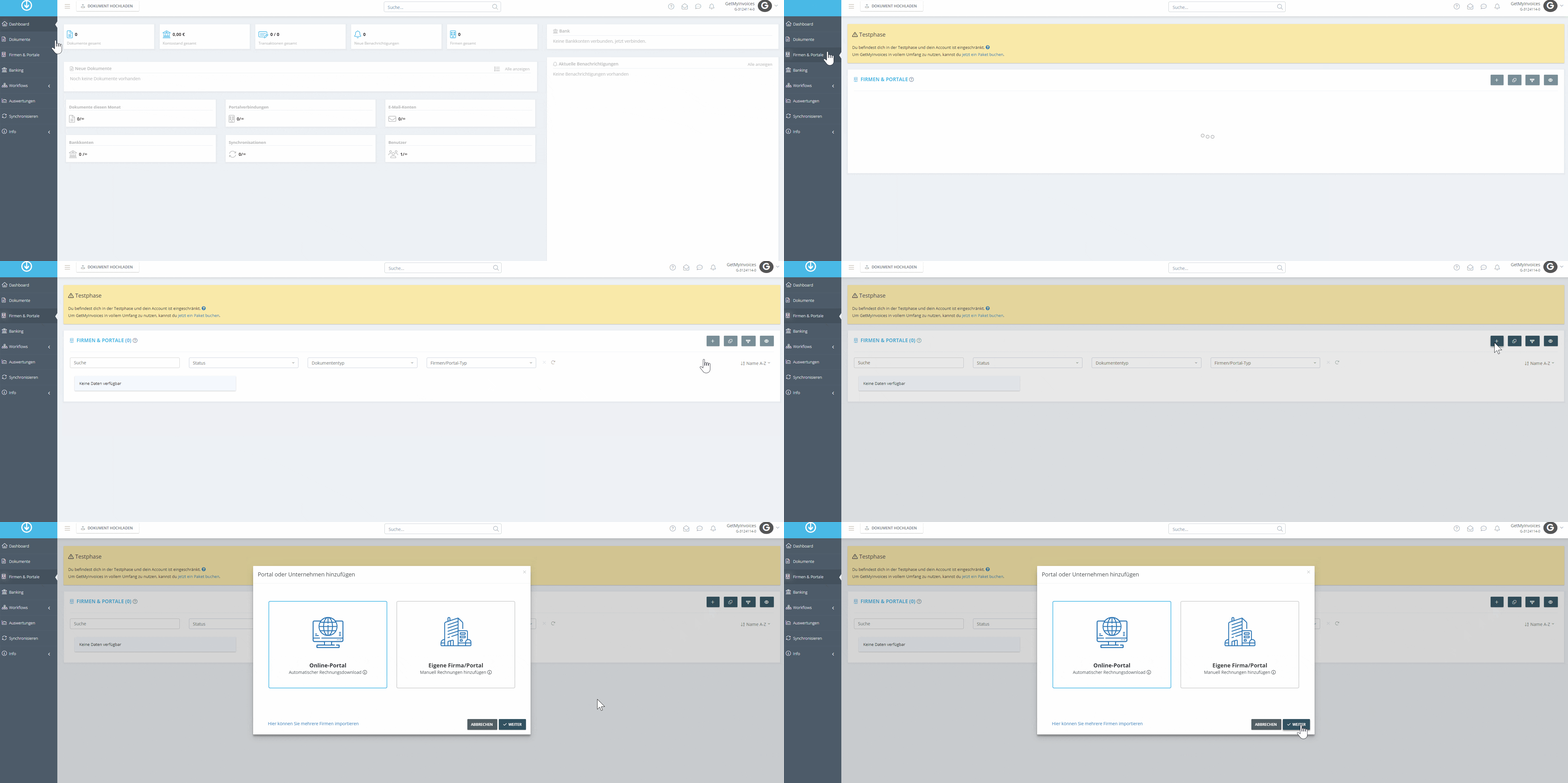
- Click Companies & Portals in the menu on the left.
- Click the plus icon in the top right corner.
- Select Online Portal from the list.
Step 2
- Use the search function to find the desired portal.
- Enter the portal name.
-
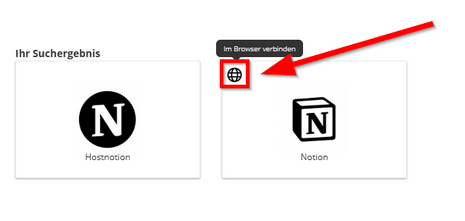
Select the portal from the list.
- In our example, we’ll select the Notion portal.
- Select “Connect in browser.”
Step 3
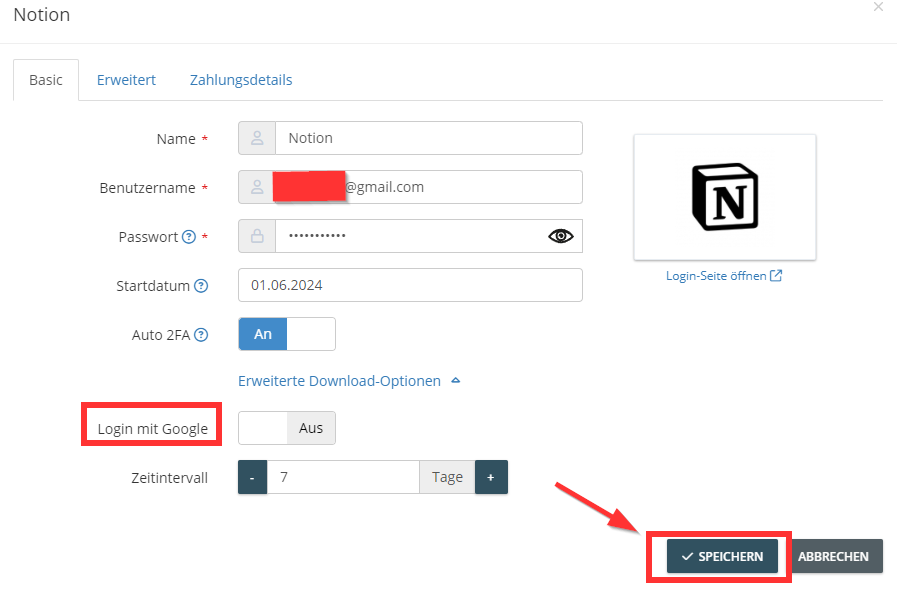
- Enter your Google login credentials.
- Click Advanced Download Options.
- Enable the Log in with Google option.
-
If you want to use the automatic 2-factor authentication flow:
- Enable 2-step verification in your Google account.
- Upload a screenshot of the QR code to GetMyInvoices.
- For more information, see **our help article on 2FA **.
- Click Save.