

 Deutsch
 Français
 Español
 Nederlands
 Italiano




The interface between GetMyInvoices and DATEV Unternehmen online allows you to automatically transfer invoices and documents to DATEV. However, to ensure the transfer runs smoothly, certain requirements must be met-both regarding the documents themselves and within the DATEV configuration.
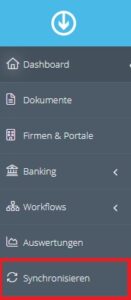
Below, we outline common issues that may arise when exporting your documents to ensure all information is transferred correctly. You can view the current synchronization status of your documents at any time in the left-hand menu under “Synchronize”.
The invoice number cannot be left blank
Make sure a valid document number is entered in the document.
An invoice amount of 0.00 is invalid and cannot be transferred to DATEV
Please check whether an amount greater than 0.00 € has been assigned to the document.
Unternehmen online is not yet sufficiently configured for data transfer. The ledgers (incoming
invoices, outgoing invoices) must be created for fiscal year XXXX in Unternehmen online
Make sure that the corresponding fiscal years and posting areas have been created and activated in
DATEV Unternehmen online. After configuration, please click “Reconnect” once in
GetMyInvoices to update the connection.
Invalid characters in the invoice number
Permitted characters: (a-Z, 0-9, $, %, , +, -)
Check the invoice number for any unauthorized special characters and correct it if necessary.
Supplier field cannot be empty
The document must be assigned to a company or a portal in GetMyInvoices. Add the assignment if
necessary.
Documents not transferred
If changes have been made online within the company-for example, by you or your tax advisor-please
also click “Resync” once. This may be necessary, for example, if fiscal years or
accounting areas were set up at a later date.