

 Deutsch
 Français
 Español
 Nederlands
 Italiano




If the connection between GetMyInvoices and Lexware Office is interrupted, it is usually because the login credentials for your synchronization interface are out of date. This can happen, for example, after you change your password in Lexware Office. In this case, GetMyInvoices will display a corresponding error message on your dashboard.
The update only takes a few minutes. In this guide, we’ll walk you through the steps to restore the connection.

Step 1
- Log in to your GetMyInvoices account .
- Click Profile in the top-right corner.
- Select Synchronization from the dropdown menu.
Step 2
- Navigate to the affected Lexware Office interface and open the three-dot menu.
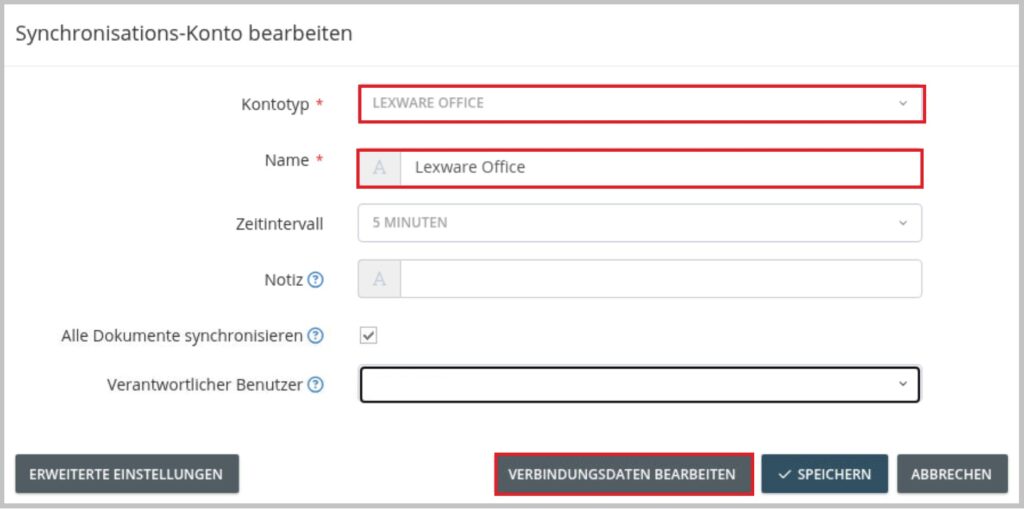
- Click Edit.
- Select Refresh Connection or Edit Connection Details.
- Follow the on-screen instructions to reauthorize the connection.
Note: After renewing the login credentials, it may take up to 30 minutes for the documents to be transferred back to Lexware Office. Once synchronization is active again, the transfer will run automatically as usual.