

 Deutsch
 Français
 Español
 Nederlands
 Italiano




If documents are not being transferred to an export destination or interface as expected, there may be several reasons for this. In this article, you’ll learn how to check the relevant settings and what to look out for to ensure the export runs smoothly.
Common Source of Errors: Advanced Settings
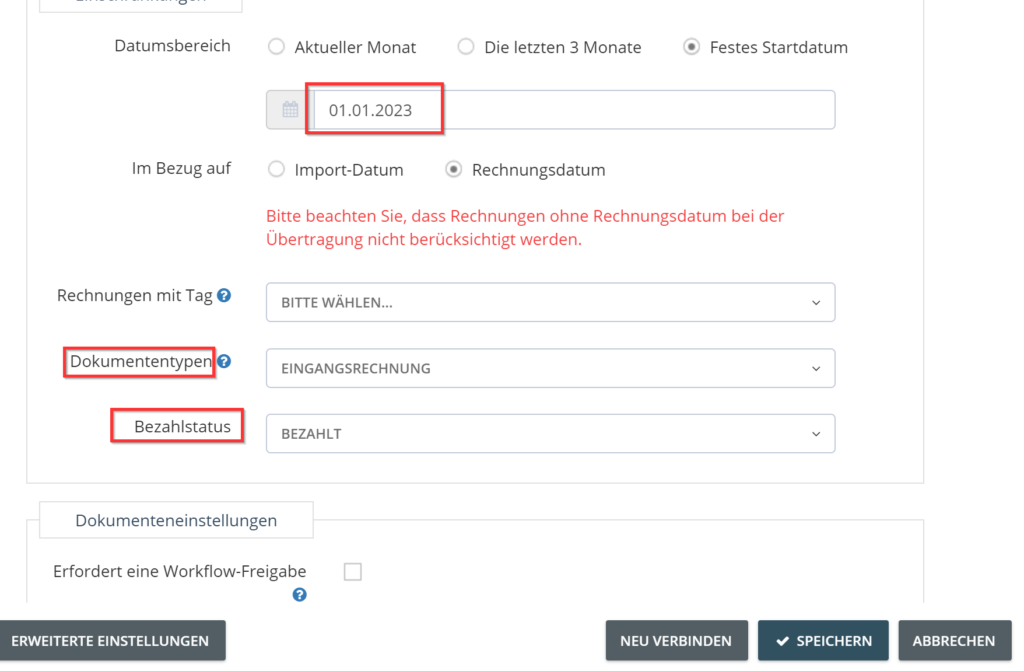
One of the most common causes of failed exports is incorrect or overly restrictive filters in the Advanced Settings of the connected export account. There, you can control which documents should be exported-for example, based on payment status, document type, or a specific invoice date. If a document does not meet all specified criteria, it is excluded from the export.
Example: Filters Prevent Export
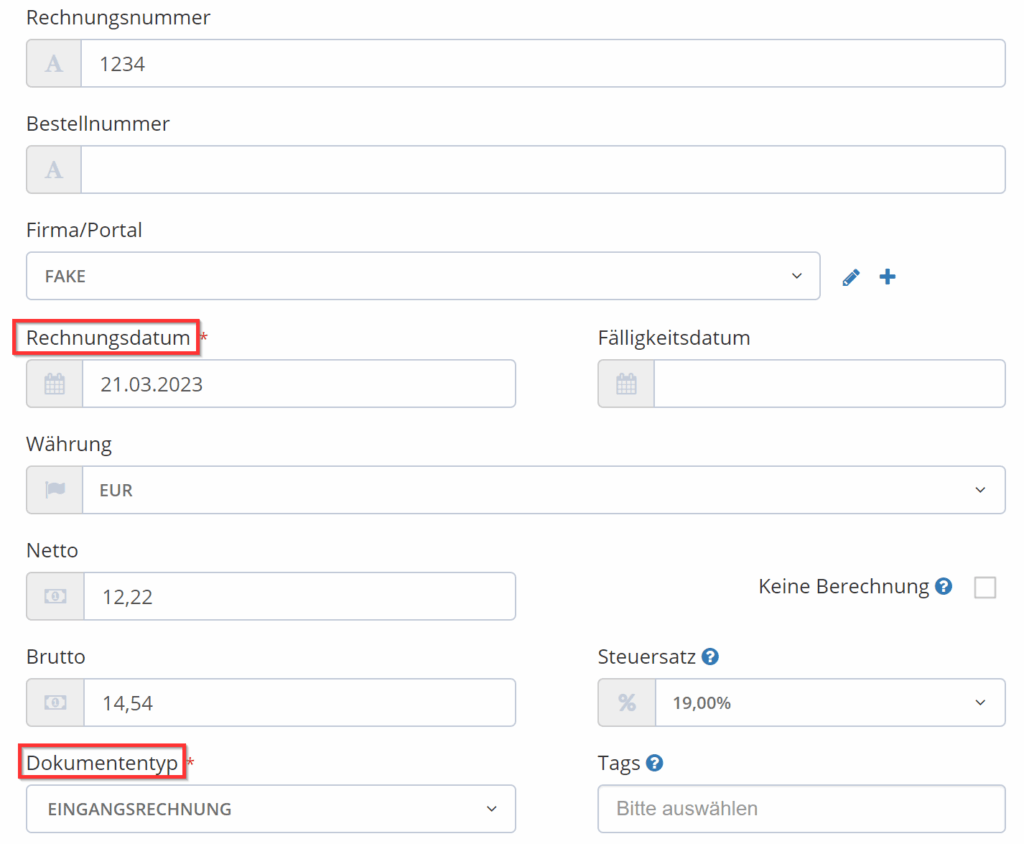
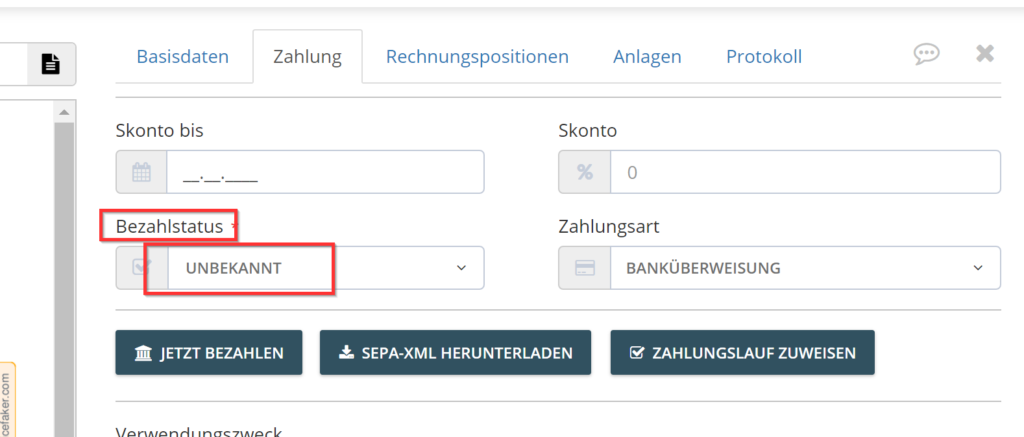
An export account is configured so that only incoming invoices with an invoice date on or after January 1, 2023 and a payment status of “paid” are to be exported. A document is not exported. We recommend the following procedure for verification:
- Search for the document in the “Documents” section - e.g., by invoice date or document name.
- Check the basic data - do the document type and date match?
- Switch to the “Payment” tab - is the required payment status correctly entered?
If, for example, the payment status does not match the export criteria, the document will not be transferred.
Solutions for Discrepancies
-
Edit the export account
Adjust the filter criteria in the synchronization account, e.g., allow additional payment statuses. -
Adjust the document
Change the payment status directly in the document so that it meets the export requirements.
To ensure documents are exported correctly, the settings in the export account must match the data in the respective document. If exports fail, it is recommended to check both sides:
- Are all parameters in the synchronization account correct?
- Does the information stored in the document match?
After adjusting the filters or document data, the export should work as intended.